
Select Page

AlterYX Training – The only ESB Course you need

AlterYX Training – The only ESB Course you need

⏰35 hours | ▶️ 36 Videos | 📣 7820 Participants | 🎓 3058 Reviews | 4.7 ⭐⭐⭐⭐⭐

Choose a Plan that Works for You

Course Description:

Alteryx training session will introduce Alteryx’s workflow designer, provide an overview of the Alteryx platform, describe the available tools, and demonstrate how to utilize the tools.

Additionally, students will study how to clean and prepare data and leverage the tools and processes available in Alteryx Designer to develop analytical solutions.

In addition, students will learn how to combine and mix data sets, construct custom functions, and use the extensive analytical features of Alteryx.

Learn how to become proficient in utilizing complex data manipulation tools with the help of Alteryx Training, which offers an in-depth instructional approach.

Those interested in becoming adept in Alteryx Designer and obtaining their Alteryx user certification should enroll in the instructor-led course.

Alteryx course will offer students a grasp of the essential ideas and practical usage of the Alteryx Designer user interface.

Core topics covered in the course include data inputs and outputs, cleaning and merging data, constructing models, and automation.

In addition, the system will instruct students on how to produce visualizations using various technologies, such as Tableau and QlikView.

Users will be familiarized to both fundamental and advanced ideas related to the manipulation of complex data through the use of Alteryx Training.

Students will get familiar with the principles of data manipulation, the creation of algorithms, the use of statistical tools for analysis, and the deployment of Alteryx models into production contexts.

Additionally, more advanced subjects, including the creation of custom functions and macros, as well as the manipulation of databases, are enclosed in the course.

The relevant skills are taught through the Alteryx Online Training program using a combination of classroom instruction, hands-on practice, and real-world request.

Students who complete the course will receive a certificate from Alteryx validating their status as authorized program users.

• An Introduction to Alteryx: This session’s primary focus is introducing Alteryx and demonstrating how the program may be utilized for data processing.

Additionally, the fundamentals of Alteryx, including its data types, dimensions, tables, charts, workflow principles, and more, are covered in this course.

The structure of the course is composed of three primary components, which are as follows:

• Data Manipulation with Alteryx: This module focuses on the more in-depth principles of data manipulation, such as sophisticated joins, lookup functions, and data manipulation. It also covers a variety of other subjects, including data manipulation.
• Visualisations with Alteryx: The primary objective of this lesson is to prove how to integrate Alteryx with Tableau and QlikView. In addition to that, it emphasizes the incorporation of sophisticated visualizations.
• Automation and Deployment with Alteryx: This subject focuses on automating deploying Alteryx models into production systems.

In addition, its primary focus is on automating the manual tasks carried out within Alteryx.

CloudFoundation provides comprehensive online training courses, the focus of which is mostly on vital concepts that are related to the Alteryx certification.

You may get further information about the classes by navigating to their website.

Students will feel confident in their abilities to handle a variety of datasets, get insights from them, and construct algorithms and models to comprehend a variety of datasets after completing this course.

Additionally, by participating in Alteryx Training, one can increase one’s knowledge and comprehension of the Alteryx community, interact with other experts who share similar benefits, and network with the most accomplished people in the industry.
Course Content

1. Core Concept

  • Introduction
  • Component
  • Analyzing the data.

2. Staffing Model

  • Limitations to hiring personals

  • Different types of models for staffing.

3. Jobs and Positions

  • Job descriptions and locations

  • Job profile

  • Job role.

4. Compensation

  • Introduction of compensation

  • Reimbursement of compensation

  • Rules for compensation installment.

5. Transation of Staff

  • Selection of candidate

  • Hiring in management positions

  • Change in staff

  • Termination.

FAQ’s

(more…)

NetSuite Training- The Best Netsuite Courses

NetSuite Training- The Best Netsuite Courses

⏰25 hours | ▶️  25 Videos | 📣 5063 Participants |🎓 3155 Reviews | 4.8 ⭐⭐⭐⭐⭐

Choose a Plan that Works for You

NetSuite Course Description:

This NetSuite training is open to anyone who wants to learn the software. People with backgrounds in ERP and NetSuite will benefit greatly from taking this course. This NetSuite Certification Training has no set requirements for enrollment. To make sure you can grasp everything, our trainers go through every idea from the beginning.

This NetSuite Course covers all concepts, from fundamental to advanced. Regardless of whether you are a corporate or individual client, we may adjust the course material to suit your requirements. In addition, we may arrange this NetSuite training at a time that works for you.

NetSuite experts have created the course curriculum with a use-case oriented and practical approach to provide students hands-on experience learning about the platform.

Our NetSuite training programme aims to deliver top-notch tuition that emphasises real-world application while also providing fundamental understanding of crucial concepts. Due to exposure to use-cases and scenarios from the current industry, students’ abilities will be improved and they will be able to finish real-world projects utilizing the best practices.

There is a huge need for NetSuite experts with the necessary expertise because NetSuite includes a variety of products. The greatest NetSuite training is provided by CloudFoundation, allowing consultants, developers, and administrators to broaden their knowledge about NetSuite. You will be guided by our professors through practical laboratories, and you can assess your knowledge and abilities with quizzes and exercises. You’ll have the chance to obtain a certificate of accomplishment once you’ve finished this NetSuite course, allowing you to demonstrate your proficiency to your professional network and future employers.

One of the most widely used enterprise resource planning (ERP) software systems worldwide is NetSuite. Businesses may control their finances, operations, and client connections from a single location. You’ve come to the right place if you want to learn how to utilize NetSuite efficiently. A thorough introduction to using NetSuite will be provided in our session. From setting up your account to producing bills and reports, we’ll cover it all.

Course Content

1.Introduction to Cloud Computing & Netsuite

Describe Netsuite.

  • What is Functional & Technical Netsuite?
  • What are the fundamental elements of Netsuite, such as CRM, HCM, and ERP?
  • Which area has the most job openings?
  • What topics will be covered in this Netsuite course?
  • How does Netsuite fare in comparison to its rivals?
  • Job postings on Monster and Naukri
  • Payscale and Indeed salary reports
  • A course content walkthrough.

2. What is Netsuite?

What’s the Architecture, SOA, Client-Server, or Cloud? 

What’s the Navigation? 

What are the Important Options and Shortcuts in the Tool?

What is the Netsuite Cloud?

3. How to Access Netsuite?

  • Systems Supported (Is Windows, Linux, Mac supported)
  • If not supported, what is the alternative?
  • Databases Supported
  • Compatibility with other tools
  • Restrictions.

4.Netsuite 2022 Core Functionality

How Does NetSuite Fit Chatham’s Business (Case Study) 

  • Overview of OneWorld
  • Navigate the Application 
  • Set Up Company Preferences 
  • Understand NetSuite Data Model 
  • Roles, Permissions and Users 
  • Accounting and Back-Office Processes 
  • Using NetSuite basic functionality 
  • Using NetSuite’s basic functionality
  • Subtabs, fields and lists, forms, and records can all be customized

Data Integrity,

Accounting Management, 

Data Migration,

Multiple Currencies

Accounts Receivable (AR),

Accounts Payable (AP),

Fixed Assets, 

Pricing,

Order Management, 

Accounts Receivable (Tax Information),

Perform Banking and General Ledger (GL) Tasks,

Period and Year End, Revenue Recognition,

Expense Allocation,

Reports and Searches, 

Design Dashboards,

Sales Force Automation,

Online Customer Forms,

Customer Support, and Case Management .

5. Financial Reports, searches And Kpis

  • Using Standard Reports
  • Customizing Standard Reports
  • Financial Statements Overview
  • Financial Statement Layouts
  • Standard Matrix Reports
  • Financial Matrix Statements.

6.Creating Saved Searches

  • Create Saved Searches
  • Add In-Depth Analysis
  • Publish Saved Searches.

7. Key Performance Indicators

  • Using Standard KPIs
  • Create and Use Custom KPIs.

8. Analyzing Operational Performance

  • Set-Up KPI Scorecards
  • Realize Smart Dashboards.

9. Customization And Suite Cloud Developement Tools

Introduce NetSuite Architecture.

Introduce SuiteCloud Platform.

Introduce SuiteBuilder, which allows you to customize your business.

Introduce SuiteFlow, which automates business processes.

Introduce SuiteScript, which extends NetSuite with JavaScript.

Introduce SuiteTalk, which integrates applications.

10. NetSuite Navigation

  • Login to Netsuite
  • Set your preferences
  • Setup your dashboard
  • Use global search
  • Use Netsuite help.

11. Setup Company Prefernces

  • Enter company details
  • Activate Features
  • Change the Records & Transactions name
  • Disable the auto-generated number
  • Establish corporate preferences
  • Set your email, fax, and printing preferences.

12. Create Customer records and enter contacts

  • Enter contact create customer records
  • Create vendor records
  • Enter new Employee.

13. Netsuite Customization

  • Subtabs, List and Fields
  • Create custom forms
  • Create custom records.

14.Migrate your Data

  • Double check auto generated number
  • Import customer
  • Update Customer
  • Create custom import template.

15.Data Integrity

  • Merge duplicate records
  • Schedule a Mass update
  • Create Saved Search
  • Setup and use direct list edit
  • Create dependent dropdowns.

16.Inventory Management

  • Setup Items
  • Create Inventory Items
  • Create a Non-Inventory Items
  • Service Items
  • Other type of Item
  • Enter Inventory Quantities
  • Inventory Transfer
  • Inventory Adjustment.

17. Setup Pricing

  • Turn on the pricing options
  • Create price levels
  • add price levels to items
  • Create price levels
  • add price levels to items
  • schedule quantity-based pricing
  • create price lists, and use sales to illustrate pricing strategies.

18.Order Management

  • Define order management preference
  • Enter a sales order
  • Approval
  • Fulfil sales order
  • Pick
  • Pack
  • Ship
  • Invoice
  • Cash Sales
  • Accept customer payment
  • Issue a return authorization
  • Make a bank Deposit.

19.Purchasing Overview

  • Enter Purchase Order
  • Receive all items on a purchase order.

20.Account Payable and Overview

  • Define accounting preferences
  • Bill a purchase order
  • Enter and approve a purchase order
  • Pay a Bill
  • Print a check.

21. Banking and General Ledger

  • Make Journal Entries
  • Memorize a transaction
  • Close Accounting Periods
  • Identify a pre-built reports
  • Saved Searches for reporting
  • Design Dashboard configuration.

22.Saved Searches

  • Reminder using saved search
  • Email Saved Search
  • Schedules saved search
  • Formula Saved search
  • Graphical representation of saved search
  • Saved search reports.

FAQ’s

(more…)

Informatica Cloud Training – The only Product Information Management Course you need

Informatica Cloud Training – The only Product Information Management Course you need

⏰15 hours | ▶️ 12 Videos | 📣  30 Participants | 🔥 13 Reviews

Choose a Plan that Works for You

Course Description

Informatica Cloud Application integrationTraining engages you with the Informatica cloud services-oriented integration tasks.

Advance, acquire and develop your strategies & skills with us for a better lead in your career, awaiting you.

Learn Informatica cloud application integration through our Classes will conduct on weekdays and weekends for the Course.

Cloud application integration offered by Informatica Intelligent Cloud Service(IICS) supports the next generation of integration platforms.

Informatica Cloud Application Integration solutions assist you in solving your application integration projects using a traditional ESB interface.

We will be guiding you for your professional Cloud Application Integration certification from Informatica, which makes you proficient with your cloud architecture career.

So, Join your hands with CloudFoundation to open your door for success in a cloud application career.

Features

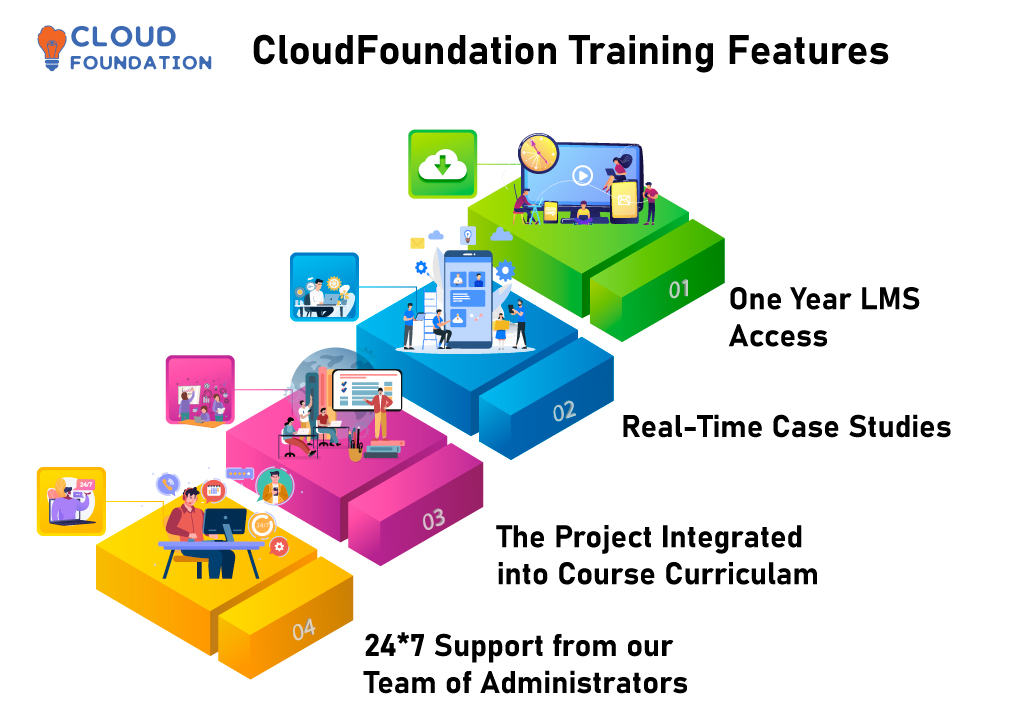
✅Lifetime access ✅Lifetime video access
✅Real-time case studies ✅The project integrated into the Curriculum
✅24*7 Support from our team of administrators

Course Content

1. Introduction to Informatica Cloud

  • What is Informatica Cloud?
  • How to configure Cloud services
  • Informatica Cloud vs Other vendors

2. Connections Mapping overview and Configurations

  • Connections overview
  • Mapping Techniques(Basic and Advanced)
  • Different Utilities in Mapping creation

3. ICS, IICS and ICRT overview

  • What is ICS, IICS  and ICRT
  • How to configure them

4. Integration with Salesforce

  • How to integrate with salesforce
  • Implement SCD1 and SCD2 using Salesforce, Flatfile,
  • Sources, Targets, Transformations: Creation, configuration, execution and Monitoring
  • Mappings: Creation, configuration, execution and Monitoring

5. How to configure Task Flow

  • Task flow configuration
  • How to schedule tasks
  • How to monitor tasks

6. Performance Tuning

  • How to do Performance Tuning

7. Cloud Administration

  • How to configure Admin
  • Users and groups

8. What are Workflows and how to configure them

  • Workflow Tasks
  • Session Tasks
  • Assignment task
  • Link task
  • Event raise task
  • Event wait task

9. Agent Platforms

  • What are Agent Platforms and how to configure them
  • Securing Agent Platforms
  • Secure Agent Audit Filtering

10. Cloud Application Integration

  • PostgreSQL as a replacement to the H2 Database
  • HTTPS Listener Support
  • Secure Agent Group Awareness
  • Agent Clustering

11. Cloud API Management: Configuration and Integration

  • Data APIs using OData, REST/XML, JSON or SOAP/WSDL
  • Informatica Cloud Real Time application Integration Service

12. What is Cloud B2B Gateway and how to configure it.

  • Intelligent Structure Discovery Functionality
  • Mapping non-EDI messages
  • EDI and EDIFACT standards

13. Cloud Integration Hub: How to configure

  • Salesforce Accelerator
  • Connect Salesforce to Cloud Integration Hub
  • Publish data from salesforce

14. Cloud Integration Hub

  • Connectivity
  • Informatica Connectors
  • Connector Enhancements
  • Amazon Web Service
  • Microsoft Cloud
  • Google Cloud

15. Live Project and use cases

  • Realtime project demonstration

16. Interview Questions & answers discussion

  • Questions for Fresher’s & Experienced

17. Certification preparation

  • Certification preparation guidance

FAQ’s

(more…)

Tibco Spotfire Training – The only Analytics Course you need

Tibco Spotfire Training – The only Analytics Course you need

⏰22 hours | ▶️ 20 Videos | 📣 9164 Participants | 🎓 3511 Reviews | 4.8 ⭐⭐⭐⭐⭐

Choose a Plan that Works for You

Upcoming Batches PST

 Weekday 

Feb 09(1 HR A DAY)
06:00 PM PST
Enroll Now  →

 Weekday 

Feb 26(1 HR A DAY)
06:00 AM PST
Enroll Now  →

 Weekend

Feb 21(1 HR A DAY)
06:00 PM PST
Enroll Now  →

Upcoming Batches IST

 Weekday 

Feb 10(1 HR A DAY)
06:00 AM PST
Enroll Now  →

 Weekday 

Feb 26(1 HR A DAY)
07:30 PM IST
Enroll Now  →

 Weekend 

Feb 22(1 HR A DAY)
07:30 AM IST
Enroll Now  →

Course Description

The topic of data analysis, manipulation, visualization, and discovery is broken down and researched thoroughly via Tibco Spotfire Training, which the company offers.

This program will give students the analytical and statistical know-how to harness the powerful Spotfire software to convert data into meaningful discoveries.

This training will cover various topics, beginning with fundamental ideas and progressing to advanced analytic approaches.

Students in Tibco Spotfire Online Training get the knowledge and skills necessary to properly set up and use the big data analytics and visualization capabilities provided by Spotfire.

This Tibco Spotfire class teaches students how to evaluate data, select which forms of analysis are most relevant for the task at hand, and generate rich visualizations for presentation.

The primary aim of this training is to assist students in getting up and running with Spotfire by using real-world scenarios.

The relevance of predictive analytics and the dynamics of data integration to the success of enterprises is brought to the student’s attention, who get knowledge of this importance.

Tibco Spotfire course will introduce the fundamentals of Tibco Spotfire, covering topics such as data types, data management tools, and data transformations.

It will also cover the core features of the Spotfire system.

After that, we will transfer our attention to visual analytics, which will include an introduction of Spotfire’s graphical features and visual data mining, visualizations, customization, interactive data analysis, and report creation.

The Students will be introduced to various techniques for manipulating data to cope with big datasets, intricate patterns, and outliers.

After becoming acquainted with the principles of Spotfire, students will investigate a variety of advanced subjects, including analytics and data exploration, real-time analytics, predictive analytics, visualization, and advanced approaches for effectively presenting data.

In addition to that, they will learn how to develop advanced analytics for model-based analysis and forecasting.

Throughout the online training, Students can enhance their abilities by participating in various practical activities and being evaluated on their performance.

These activities will target their different data science areas of expertise, allow combining approaches to generate novel ideas, and provide successful solutions.

Moreover, these exercises will enable collaboration with their peers.

Students will be able to prove a grasp of the fundamental ideas behind the Tibco Spotfire system, construct sophisticated analytics, analyze data for patterns, and generate visualizations and reports by the time the sequence is through.

They will also have the skill to use methodologies provided by Tibco Spotfire to find solutions to real-world business issues.

Everyone interested in obtaining a certification will, within a short period, have access to the extensive range of training programs that will make accessible to them by CloudFoundation.

This will be the case since these programs will be available to them.

In addition, it will put you in a better position than your competitors already working in this particular market segment.

CloudFoundation offers comprehensive training courses, the primary emphasis of which is on fundamental ideas that are associated with the Tibco Spotfire certification.

On their website, you’ll find further details regarding the lessons offered.

Course Content

1. Introduction to Analytics

  • What is Analytics tool?
  • Google trend report on Tibco tool
  • What is the scope of this Spotfire course?
  • Why do we need Analytics?
  • Where does Tibco Spotfire stand (Compared to other competitors)?
  • Google trend report on Competitors and comparison
  • Naukri and Monster job openings
  • Salary report from Indeed & Payscale
  • A walkthrough on the course content.

2. What is Tibco Spotfire

  • Short Tibco Spotfire Demo with a Real time Project
  • Navigation
  • What is the scope of Tibco Spotfire Training
  • Important options and Shortcuts in the tool
  • Types of Tools in Tibco Spotfire (Walkthrough)
  • What’s the Architecture, SOA, Client server or Cloud
  • Tibco Spotfire Cloud?

3. Installation of Tibco Spotfire

  • Supported Systems (Is Windows, Linux, Mac supported)
  • What is the Alternative it it’s not Supported(Virtualbox)
  • Supported Databases
  • Integration with other tools.

4.Spotfire Overview

  • Navigation and overview
  • How to Filter Data
  • What is Data Drill-Dow.

5. The Underlying Data

  • What is the expected Format of a Data Table
  • How to load Data using an Information Link?
  • How to open New Data

6. Visualizations in Tibco Spotfire

  • How to Configure Tables
  • What are Configure Bar Charts and How to configure and interpret them
  • What are Configure Line Charts and How to configure and interpret them
  • Advanced Visualizations

7. Advanced properties

  • Configuring Colouring and Filter Type with display options
  • Organizing Filters and Defining Filtering Schemes.
  • Trellis Visualizations and Detail Visualizations
  • Highlighting Items and Multiple Markings.

8. Advanced Visualization Types

  • How to save a Spotfire File
  • How to Export Data
  • How to Export Visualizations
  • What is Combination Chart and how to use them?
  • What are Scatter Plots & 3D PLOTS?
  • What are Pie Charts and how to use them?

9. Summary,Cross & Graphical Tables

  • What are Summary tables and how to configure and use them?
  • What are Cross tables and how to configure and use them
  • What are Graphical tables and how to configure and use them?

10. Map Charts, Parallel Coordinate Plots,Treemaps, Box Plots, Heat Maps

  • What are Map Chart and how to configure and use them?
  • What are Treemap and how to configure and use them?
  • What are Box Plot and how to configure and use them?
  • What are Heat Map and how to configure and use them?

11. Text Areas, Adding Data To An Existing Analysis, Formatting Numbers, Handling Multiple Data Tables

  • Colouring, Colour Modes, Colour Break Points, Colouring Rules
  • Colouring in Tables, Cross Tables and Heat Maps
  • Advanced Colouring Features.
  • Adding New Rows & Columns to a Data Table
  • How to add New Data Tables and select it?
  • Transformations and Short Number Format.
  • Filters Panel with Multiple Data Tables and options
  • Relating across Visualizations

12. Bundling Data,Using Tags, Capturing Your Analysis

  • What is Data Binning and Auto binning?
  • What is a Binned Column
  • Using Lists and Bookmarks
  • Adding, Applying and sharing Bookmarks
  • Deriving More Information From Raw Data

13. Node Navigation Methods and Examples

  • Different Node Navigation Methods
  • Limiting Data Using Markings, Filterings & Expression
  • Lines & Curves
  • Horizontal and Vertical Line
  • Curve Draw
  • Curve from Data Table
  • Line from Column Value
  • Lines & Curves Example
  • Hierarchical Clustering.

14. What are Information Links?

  • How to create an Information Link and add elements
  • Specifying Join Path & description
  • Adding Filters and Prompts
  • Specifying Conditioning & Properties
  • Showing Parameters
  • Saving the Information Link
  • Viewing and Editing SQL Paths.

15. Opening Data Using an Information Link, General Workflow For Using Information Designer, Sharing Analyses, Pages, Markings

  • Creating Advanced Elements
  • What are aggregated and Drillable Columns
  • Loading Data on Demand.
  • Distribution of Analyses
  • Data Access Options.
  • Page Modes.
  • Filters and Filtering Schemes
  • Details-on-Demand
  • Drill-down, Different Markings
  • Columns from Marked.

16. Text Areas & Dashboards

  • Editing the Text Area
  • Creating Links to Website
  • Adding Filter Controls
  • Adding Action Controls
  • Adding Property Controls
  • Adding Dynamic Items.
  • Authoring Tips
  • Using the Collaboration Panel
  • Using a SPOTFIRE File as a Template
  • Using Information Links as Template.
  • Publishing Analyses To TIBCO Spotfire Web Player
  • Saving to the Library
  • Web Player User Interface.

17. CanopY project in Tibco Spotfire

  • Project Overview
  • How to configure an End to end real-time project.
  • Project Guidance
  • Project Submission and Verification

18. Mock Interviews with Questions and Answers Discussion

  • Functional Q&A
  • Technical Q&A
  • Project Q&A (For Multiple Domains like Banking, Retail, Insurance, Ecommerce etc)
  • Question for Fresher’s and Experienced (How do they differ?)
  • How to justify if the resource is not certified.

19. Certification Preparation Session

  • How difficult is it to clear the certifications
  • Levels of certification
  • How to register for them(Technical details)
  • Can I apply for certification if my company is not a partner
  • If not, what is the alternative
  • Certification Mock Q&A discussion

20. Resume Preparation Help

  • What’s a Best resume
  • What if my resume is worst
  • How to prepare a great resume
  • Should I be on LinkedIn, Of course Yes
  • Providing Photo, Facebook, LinkedIn, Twitter Links in a Resume
  • Create Blog, Quora, Stackexchange etc and provide the links in resume.
  • SEO in Naukri (how to be on the Top)
  • Creating Multiple Profiles in case you need a job urgently(Naukri lookhole)
  • Floating your resume in Monster, indeed, Shine etc.
  • How to Search for Job providers and jobs in linkedIn
  • Aggressive Follow, that’s what counts

21. Post Job Support

  • How can we support you if you are in a project
  • Can we help you in a disaster recovery process
  • How to be in touch with my colleagues and expert

FAQ’s

(more…)

Mulesoft Training – The only ESB Course you need

Mulesoft Training – The only ESB Course you need

⏰20 hours | ▶️ 22 Videos | 📣 221 Participants | 🎓 3481 Reviews | 4.8 ⭐⭐⭐⭐⭐

Choose a Plan that Works for You

Upcoming Batches PST

 Weekend 

May 12(1 HR A DAY)
06:30 PM PST
Enroll Now  →

 Weekday 

May 28(1 HR A DAY)
06:30 AM PST
Enroll Now  →

 Weekend 

May 23(1 HR A DAY)
07:30 PM PST
Enroll Now  →

Upcoming Batches IST

 Weekend 

May ​​13(1 HR A DAY)
07:00 AM IST
Enroll Now  →

 Weekend 

May 28(1 HR A DAY)
06:30 PM PST
Enroll Now  →

 Weekend

May 24(1 HR A DAY)
08:00 AM IST
Enroll Now  →

Course Description

Cloudfoundation’s MuleSoft Training will advise you on the principles of data integration, and you can sign up for it here.

Do you want to find out how to relocate data, edit data, and combine data so that it may be utilized to fuel your company’s architecture?

This MuleSoft Class was made with people exactly like you in mind when it was created! MuleSoft Training will provide you with the skills necessary to handle the robust MuleSoft platform, which you will be able to do after completing the training.

You will be able to simplify the process of merging data from a variety of sources in a way that is both safe and up-to-date thanks to the availability of this.

This thorough MuleSoft course will teach you not only the theoretical aspects of data integration and other difficulties but also the more practical aspects of using MuleSoft and the Mule ESB as well.

The theoretical aspects of data integration and other issues are only some of the topics that will be covered.

You will begin by gaining a fundamental understanding of the capabilities and services offered by MuleSoft Online Training.

Because of this, it is necessary to have a solid understanding of the fundamental ideas that lie behind corporate data integration, the general architecture of MuleSoft, as well as the fundamental ideas behind getting started with the Mule enterprise service bus.

After that, you will receive an in-depth look at how to work with MuleSoft Any point Studio, which is a graphical user interface (GUI) for developing, testing, and deploying integration apps that are based on the Mule runtime engine.

After that, you will go on to the next segment. Once you have proficient that, the class will be considered complete for you.

You will also get an in-depth introduction to the elements of MuleSoft that are regarded to be its most important components.

Some examples of these elements include the following:

• Routing of messages through the use of the Mule enterprise service bus

• Connectors that allow for integration with a broad number of data sources, such as JDBC, JMS, and SFTP

• Innovative, cutting-edge, and cutting-edge disruptive strategies and methodologies utilizing MuleSoft

• Taking Advantage, Within Your Projects, of the Scripting Components Offered by MuleSoft

• Application Programming Interfaces, or APIs, as well as RESTful services, which are both provided by MuleSoft

• Encrypting sensitive data in order to protect it and forcing users to verify themselves with credentials in order to access the system

• Configuring MuleSoft apps to run on a cluster consisting of many servers

As you move through the different sections of this MuleSoft Certification Course, you will gain practical experience by putting the different ideas that are covered in the lectures into practice on your own.  

We will supply you with the tools you need, as well as situations that are modeled after actual occurrences, so that you may put what you’ve learned into action.

These scenarios will be based on actual events. At the end of this course, you will also have the capacity to combine data coming from a range of different sources.

As mentioned CloudFoundation is the ideal online infrastructure for you! This course provides a comprehensive overview of the cloud services industry and teaches essential skills such as how to use cloud services, architecture, security, operations, automation, business analysis, and more.

We provide hands-on tutorials and detailed instructions to help you comprehend best practices and develop expert-level cloud skills.

Course Content

1. Introducing API-Led Connectivity

*Where to Start? * Why Mulesoft? * API-Led Connectivity

* Describe API-driven connectivity.

* Advantages of Using Mulesoft

* Exactly what does Anypoint Platform entail?

* A Definition of Web Services and Application Programming Interfaces

* APIs: Listings and Access Points

* Connect to both private and public APIs

* Integrate Anypoint Platform’s API-driven connection.

2. Designing APIs

* RAML and API?

* What exactly is the Restful API Modeling Language?

* Create a portal for developers; Mock an API to test the design before it is developed

* Explain how to utilize an API.

* Add an API to the private Exchange to make it discoverable.

3. Building APIs

* Application, Flow, Message, and Message Processor in Mule * What are they?

* Make a graphical process flow with Anypoint Studio.

* Create, test, and execute a Mule application.

* Connect to a database using a connector. Transform data using the graphical DataWeave editor. 

* Create a RESTful interface from a RAML file. 

* Run and test a Mule application

* Connect to a database via a connector

* Edit data transformations graphically in the DataWeave editor

* Connect an API interface to the resulting implementation.

4. Deploying and Managing APIs

* How to deploy Mule apps

* Using Mulesoft’s properties, which make it simple to move applications between environments

* Deploying Mule applications to the cloud

* Building and deploying a cloud-based proxy for an API

* Restricting access to an API proxy

* PART 2: Using Anypoint Studio to Create Applications.

5. Accessing and Modifying Mule Messages

* Read and write message properties. 

* Log message data. 

* Debug Mule apps. 

* Mule Expression Language (MEL) is used to create expressions. 

* Develop variables.

6. Structuring Mule Applications

* Create and reference flows and subflows

* Use the Java Virtual Machine (VM) transport to pass messages between flows

* Examine variable persistence through flows and subflows and across transport barriers

* Organize global components in distinct configuration files

* Examine the Mule project’s contents and organizational structure.

7. Consuming Web Services

* Consume SOAP web services

* Consume RESTful web services

* Consume RESTful web services with and without parameters

* Consume RESTful web services with RAML definitions.

8. Handling Errors

* Identify the various exception management techniques.

* Handle messaging exceptions in flows.

* Use global exception handlers.

* create them Set a global default exception policy.

9. Controlling Message Flow

* Multicast messages  

* Route messages based on requirements

* Filter messages

* Validate messages.

10. Writing DataWeave Transformations

* DataWeave expressions can be written for simple XML, JSON, and Java transformations.

* DataWeave transformations can be stored in external files;

* DataWeave transformations may be written for large data structures with repeating elements.

* DataWeave operators

* Defining and utilizing custom data types

* Calling MEL functions and Mule flows from DataWeave transformations

* Converting and formatting texts, integers, and dates.

11. Connecting to Additional Resources

* Poll resources.

* Connect to JMS queues.

* Connect to SaaS applications .

* Connect to files.

* Find and install connectors not included with Anypoint Studio.

12. Processing Records

* The For Each scope can be used to process items in a collection one at a time

* The batch job element (EE) can be used to process individual records

* A poll can be used to initiate a batch job

* And a batch job can be used to Synchronies data between an ageing database and a cloud service.

FAQ’s

(more…)

Openspan Training – The only RPA Course you need

Openspan Training – The only RPA Course you need

⏰26 hours | ▶️ 22 Videos | 📣 8294 Participants | 🎓 3405 Reviews | 4.8 ⭐⭐⭐⭐⭐

Choose a Plan that Works for You

Upcoming Batches EST

 Weekday 

Jan 07(1 HR A DAY)
07:00 PM PST
Enroll Now  →

 Weekday 

Jan 28(1 HR A DAY)
07:00 AM PST
Enroll Now  →

 Weekend 

Jan 24(1 HR A DAY)
08:30 PM PST
Enroll Now  →

Upcoming Batches IST

 Weekday

Jan 08(1 HR A DAY)
7:30 AM IST
Enroll Now  →

 Weekday 

Jan 28(1 HR A DAY)
7:30 PM IST
Enroll Now  →

 Weekday 

Jan 25(1 HR A DAY)
07:00 AM PST
Enroll Now  →

Course Description

Openspan Training is a complete Learning Management System (LMS) course designed to help you learn the tools and techniques to develop and implement your organization’s business automation projects successfully.

This Openspan online training provides a self-paced, online format to teach you the essentials for developing and implementing automation projects, including project management, creating automation solutions, developing and testing automation scripts, project deployment, and ongoing maintenance.

The main attention of this course is to teach you the fundamentals of developing and managing business automation projects with the Openspan Tool Suite.

This Openspan course covers the features, tools, and techniques needed to build and execute automation projects effectively through video lectures, tutorials, hands-on exercises, and assessments.

The first lesson of this OpenSpan online course is an in-depth overview to the platform, covering topics such as its functionality, user interface, features, and automation architecture.

This will offer the groundwork for the subsequent subjects, expanding upon these fundamentals.

Next, the online training will explore best practices for setting up and managing OpenSpan, including optimization methods, logging and debugging, and migration.

Users will understand how they can utilize OpenSpan to set up their applications and processes and leverage the OpenSpan architecture to maximize the efficiency and efficacy of their automation solutions—Scripts, deploying projects, and managing automation projects.

In addition to this, it teaches duties and procedures that are exclusive to Windows.

The ability to automate apps and processes inside a Windows environment will be acquired.

You can manage files and folders in addition to scripting using the fundamental commands.

In addition, Students will gain an in-depth understanding of data scraping and the management of big data sets within an application through the completion of this course.

It will cover how to extract data, manage data files, and grasp the principles of database operations.

The next part of the training focuses on the different OpenSpan development tools and how to utilize them.

This involves providing users with hands-on laboratories that educate them on OpenSpan Studio, the OpenSpan services, and various tools to construct automated solutions.

Students will also learn how to modify the user interface to facilitate the construction of automation solutions and their use of such solutions.

At the conclusion of this course, you will be able to:
• Examine the business operations to determine the best approaches for automating it
• Design and develop custom automation solutions
• Develop automation scripts for the Openspan Tool Suite
• Manage the implementation and deployment of automation projects
• Troubleshoot and debug automation scripts
• Understand security considerations for automation projects
• Monitor, maintain, and enhance automation solutions

This course is ideal for anyone accountable for developing and managing automation projects.

The course material is designed to provide a comprehensive foundation for those who are just starting in the automation field and those already experienced in automation technologies.

By taking this course, you will gain valuable knowledge and experience that will help propel your organization’s automation efforts.

Get started today and learn everything you need to see to develop and manage automation projects successfully.

Most of the training courses offered by CloudFoundation are centered on fundamental ideas connected to the Blue Prism certification.

On the CloudFoundation website, you may locate these different classes.

If you go to their website and look at it there, you can acquire further information on the programs being given now.

Course Content

1. Introduction to RPA(Robotic process Automation)

  • What is RPA?
  • Google trend report on RPA and Openspan, Pega robotics
  • What is the scope of this RPA course?
  • Why do we need RPA?
  • Will RPA cut jobs?
  • Is RPA a Hype or is it Real?
  • Where does Pega robotics stand (Compared to other competitors)?
  • Google trend report on Competitors and comparison
  • Naukri and Monster job openings
  • Salary report from Indeed & Payscale
  • RPA vs AI
  • A walkthrough on the course content.

2. What is Openspan

  • Short Openspan Demo with a Real time Project
  • Navigation
  • What is the scope of Openspan Training
  • Important options and Shortcuts in the tool
  • Types of Tools in Openspan (Walkthrough)
  • What’s the Architecture, SOA, Client server or Cloud
  • Openspan Cloud?

3. Installation of Openspan

  • Supported Systems (Is Windows, Linux, Mac supported)
  • What is the Alternative it it’s not Supported(Virtualbox)
  • Supported Databases
  • Integration with other tools.

4. Modules in Openspan

  • Windows Integration
  • Interaction Framework
  • Web Integration
  • Project Deployment
  • Diagnostics and Debugging

5. Windows Integration

  • Getting Started with Studio
  • Recommended for Solution Building
  • Developing Open Span Solutions and Projects
  • Defining Windows Adapter Design Properties
  • Working with the Windows Adapter
  • Recommended for Solution Development
  • Working with Open Span Automations
  • Working with MDI Child Windows

6. Interaction Framework

  • Working with Interaction Framework
  • Working with Activities and Active MDI Windows

7. Web Integration

  • Defining Web Adapter Properties
  • Defining Events and Methods
  • Using the Web Adapter
  • Interrogating a Web Application
  • Working with Web Adapter Match Rules
  • Automating the Training Web Site

8. Agile Desktop and Deployment

  • Using the Agile Desktop Framework
  • Building Project Files
  • Deploying Open Span Solutions
  • Using Configuration Project Items
  • Using Open Span Management Console

9. Diagnostics and Debugging

  • Debugging Open Span Projects
  • Using Studio’s Diagnostics Publishers
  • Handling Errors

10. CanopY project in RPA

  • Project Overview
  • How to configure an End to end real-time project.
  • Project Guidance
  • Project Submission and Verification

11. Mock Interviews with Questions and Answers Discussion

  • Functional Q&A
  • Technical Q&A
  • Project Q&A (For Multiple Domains like Banking, Retail, Insurance, Ecommerce etc)
  • Question for Fresher’s and Experienced (How do they differ?)
  • How to justify if the resource is not certified.

12. Certification Preparation Session

  • How difficult is it to clear the certifications
  • Levels of certification
  • How to register for them(Technical details)
  • Can I apply for certification if my company is not a partner
  • If not, what is the alternative
  • Certification Mock Q&A discussion

13. Resume Preparation Help

  • What’s a Best resume
  • What if my resume is worst
  • How to prepare a great resume
  • Should I be on LinkedIn, Of course Yes
  • Providing Photo, Facebook, LinkedIn, Twitter Links in a Resume
  • Create Blog, Quora, Stackexchange etc and provide the links in resume.
  • SEO in Naukri (how to be on the Top)
  • Creating Multiple Profiles in case you need a job urgently(Naukri lookhole)
  • Floating your resume in Monster, indeed, Shine etc.
  • How to Search for Job providers and jobs in linkedIn
  • Aggressive Follow, that’s what counts

14. Post Job Support

  • How can we support you if you are in a project
  • Can we help you in a disaster recovery process
  • How to be in touch with my colleagues and experts

FAQ’s

(more…)