
Select Page

RPA Training – The only Robotics process Automation Course you need

RPA Training – The only Robotics process Automation Course you need

⏰25 hours | ▶️ 23 Videos | 📣 3063 Participants |🎓 1057 Reviews | 4.7 ⭐⭐⭐⭐⭐

Choose a Plan that Works for You

Course Description

Automation Anywhere course expertise in dealing with them to handle the entire business process. This technology is suitable for technical, insurance, business services, construction, banking, and finance. In addition, this client-server architecture allows to record and practice actions that can be modified.

Cloud Foundation will help you with the organized tutorials and become an Automation Anywhere professional. Upgrade your RPA skills and abilities accordingly in the best modes to learn them along with the support team. Join in clearing the course completion and getting towards the RPA field.

Go a step ahead to grab the top job opportunities with the help of the Automation Anywhere RPA tool. You can also find out the salaries of Automation Anywhere RPA, which are very impressive. Then, crack them with the use of our experienced tutor guidance.
Course Content

1. Introduction to RPA(Robotic process Automation)

  • What is RPA?
  • Google trend report on RPA and Openspan, Pega robotics
  • What is the scope of this RPA course?
  • Why do we need RPA?
  • Will RPA cut jobs?
  • Is RPA a Hype or is it Real?
  • Where does Pega robotics stand (Compared to other competitors)?
  • Google trend report on Competitors and comparison
  • Naukri and Monster job openings
  • Salary report from Indeed & Payscale
  • RPA vs AI
  • A walkthrough on the course content.

2. What is Openspan

  • Short Openspan Demo with a Real time Project
  • Navigation
  • What is the scope of Openspan Training
  • Important options and Shortcuts in the tool
  • Types of Tools in Openspan (Walkthrough)
  • What’s the Architecture, SOA, Client server or Cloud
  • Openspan Cloud?

3. Installation of Openspan

  • Supported Systems (Is Windows, Linux, Mac supported)
  • What is the Alternative it it’s not Supported(Virtualbox)
  • Supported Databases
  • Integration with other tools.

4. Modules in Openspan

  • Windows Integration
  • Interaction Framework
  • Web Integration
  • Project Deployment
  • Diagnostics and Debugging

5. Windows Integration

  • Getting Started with Studio
  • Recommended for Solution Building
  • Developing Open Span Solutions and Projects
  • Defining Windows Adapter Design Properties
  • Working with the Windows Adapter
  • Recommended for Solution Development
  • Working with Open Span Automations
  • Working with MDI Child Windows

6. Interaction Framework

  • Working with Interaction Framework
  • Working with Activities and Active MDI Windows

7. Web Integration

  • Defining Web Adapter Properties
  • Defining Events and Methods
  • Using the Web Adapter
  • Interrogating a Web Application
  • Working with Web Adapter Match Rules
  • Automating the Training Web Site

8. Agile Desktop and Deployment

  • Using the Agile Desktop Framework
  • Building Project Files
  • Deploying Open Span Solutions
  • Using Configuration Project Items
  • Using Open Span Management Console

9. Diagnostics and Debugging

  • Debugging Open Span Projects
  • Using Studio’s Diagnostics Publishers
  • Handling Errors

10. CanopY project in RPA

  • Project Overview
  • How to configure an End to end real-time project.
  • Project Guidance
  • Project Submission and Verification

11. Mock Interviews with Questions and Answers Discussion

  • Functional Q&A
  • Technical Q&A
  • Project Q&A (For Multiple Domains like Banking, Retail, Insurance, Ecommerce etc)
  • Question for Fresher’s and Experienced (How do they differ?)
  • How to justify if the resource is not certified.

12. Certification Preparation Session

  • How difficult is it to clear the certifications
  • Levels of certification
  • How to register for them(Technical details)
  • Can I apply for certification if my company is not a partner
  • If not, what is the alternative
  • Certification Mock Q&A discussion

13. Resume Preparation Help

  • What’s a Best resume
  • What if my resume is worst
  • How to prepare a great resume
  • Should I be on LinkedIn, Of course Yes
  • Providing Photo, Facebook, LinkedIn, Twitter Links in a Resume
  • Create Blog, Quora, Stackexchange etc and provide the links in resume.
  • SEO in Naukri (how to be on the Top)
  • Creating Multiple Profiles in case you need a job urgently(Naukri lookhole)
  • Floating your resume in Monster, indeed, Shine etc.
  • How to Search for Job providers and jobs in linkedIn
  • Aggressive Follow, that’s what counts

14. Post Job Support

  • How can we support you if you are in a project
  • Can we help you in a disaster recovery process
  • How to be in touch with my colleagues and experts

FAQ’s

(more…)

Uipath Training – The only RPA Course you need

Uipath Training – The only RPA Course you need

⏰22 hours | ▶️ 22 Videos | 📣 7268 Participants | 🎓 3918 Reviews | 4.8 ⭐⭐⭐⭐⭐

Choose a Plan that Works for You

Upcoming Batches PST

 Weekday 

Jan 06(1 HR A DAY)
06:30 AM PST
Enroll Now  →

 Weekday 

Jan 26(1 HR A DAY)
07:30 PM PST
Enroll Now  →

 Weekday

Jan 24(1 HR A DAY)
07:30 PM PST
Enroll Now  →

Upcoming Batches IST

 Weekday 

Jan 07(1 HR A DAY)
07:00 PM IST
Enroll Now  →

 Weekday

Jan 27(1 HR A DAY)
08:00 AM IST
Enroll Now  →

 Weekend

Jan 25(1 HR A DAY)
08:00 AM IST
Enroll Now  →

Course Description

UiPath training course walks Students through the principles of UiPath, focusing on practical, real-world applications throughout.

Learners receive instruction to create and deploy RPA robots to automate operations that previously required manual human intervention.

The training program begins with an summary to the critical fundamentals of automation. T

his includes knowing what automation is, why it is vital, and the purpose and history of the UiPath platform.

Learners will obtain the essential information required to utilize UiPath effectively once they have completed the lessons in this unit.

The next topic covered in the course is how UiPath interacts with various programs, including Windows applications, web apps, and data-driven systems.

Learners are instructed on the methods and strategies considered the most effective while dealing with the various applications.

Students in this UI Path Training Course will get an understanding of a wide variety of UiPath principles, including UiPath Installation, UiPath Architecture, UiPath Components, UiPath Studio, UiPath Orchestrator, UiPath Connectors, UiPathrobot Execution, UiPath Navigation, UiPath Programme Debugging, and UiPath Training, among others.

The UiPath online training also includes UI Design, which encompasses topics such as how to apply business requirements to screen layout design, how to construct navigation systems between various user interface elements, and how to employ the use of color, typography, graphics, and animation to generate a more appealing user experience (UX).

In addition, a comprehensive discussion is held on automation, which covers not only Automize and NLG but also Artificial Intelligence (AI) and Machine Learning (ML).

It discusses fundamental subjects such as Robotic Process Automation (RPA), automation use cases, various bots, and project integration and maintenance.

The installation of UiPath and its overall architecture are covered in the first lesson of the UiPath Training Course.

It discusses topics such as the requirements for installing UiPath as well as the various installation options, the components and essential features of UiPath Studio, the details of the UiPath architecture, UiPath Connectors, and the UiPath Orchestrator.

Students will learn how to run UiPath programs, how to debug UiPath programs, how to use UiPath Orchestrator to run UiPath jobs, how to harvest data using UiPath Connectors, and how to design an UiPath job using UiPath Studio and the components of UiPath.

After that, we’ll move on to User Interface Design and Automation-related subjects.

Students will become familiar with various UI design ideas and learn to construct user interfaces appealing to the eye.

Important ideas covered in this article are business requirements, navigation systems, color usage, typography, image usage, animation, prototyping, and testing.

The last part of the UiPath course will be a complete introduction to automation.

This UiPath course segment will cover subjects such as Automize, Natural Language Generation (NLG), Artificial Intelligence (AI) and Machine Learning (ML) robotics, numerous types of Automation bots, automation use cases, and project integration and maintenance.

Learners who complete the course will have a solid theoretical grasp of how UiPath operates, how to build appealing user interfaces, the fundamentals of automation and various automated bots, and how to construct and integrate projects for automation.

The majority of the online training courses that CloudFoundation has to offer to its students are focused on key concepts that are associated with the UiPath certification.

On the CloudFoundation website, you’ll find a listing for each class.

You can obtain further information about the programs being presented at this very minute if you go to their site and look at it there.

Course Content

1. Introduction to RPA(Robotic process Automation)

  • What is RPA
  • Google trend report on RPA and Uipath
  • What is the scope of this RPA course
  • Why do we need RPA
  • Will RPA cut jobs?
  • Is RPA a Hype or is it Real
  • Where does Uipath stand (Compared to other competitors)
  • Google trend report on Competitors and comparision
  • Naukri and Monster job openings
  • Salary report from Indeed & Payscale
  • RPA vs AI
  • A walkthrough on the course content.

2. What is Uipath?

  • Short Uipath Demo with a Real time Project
  • Navigation
  • What is the scope of Uipath Training
  • Important options and Shortcuts in the tool
  • Types of Tools in Uipath (Walkthrough)
  • What’s the Architecture, SOA, Client server or Cloud
  • Uipath Cloud?

3. Installation of Uipath

  • Supported Systems (Is Windows, Linux, Mac supported)
  • What is the Alternative it it’s not Supported(Virtualbox)
  • Supported Databases
  • Integration with other tools.
  • Limitations

4. Navigation in Uipath

  • Uipath Navigation and options
  • Useful shortcuts
  • Activities, Variables and Data Types in Uipath
  • Data Manipulation
  • Control Flow

5. User Interface Automation:Recording

  • Recording and its usage
  • UI elements and selectors
  • Advanced UI Automation

6. Excel Automation

  • Excel and Data Tables

7. Citrix - Virtual Environment Automation

  • Citrix Automation
  • Advanced Citrix Automation

8. PDF Automation

  • PDF Data Extraction and Automation

9. Email Automation

  • Email Automation

10. Project Organization

  • Project Organization

11. Debugging and Exception Handling

  • Debugging and Exceptions

12. SAP Automation

  • SAP Automation

13. Agent Assisted Automation

  • User Events

14. Administration in Uipath

15. CanopY project in Uipath

  • Project Overview
  • How to configure an End to end real-time project.
  • Project Guidance
  • Project Submission and Verification

16. Mock Interviews with Questions and Answers Discussion

  • Functional Q&A
  • Technical Q&A
  • Project Q&A (For Multiple Domains like Banking, Retail, Insurance, Ecommerce etc)
  • Question for Fresher’s and Experienced (How do they differ?)
  • How to justify if the resource is not certified.

17. Certification Preparation Session

  • How difficult is it to clear the certifications
  • Levels of certification
  • How to register for them(Technical details)
  • Can I apply for certification if my company is not a partner
  • If not, what is the alternative
  • Certification Mock Q&A discussion

18. Resume Preparation Help

  • What’s a Best resume
  • What if my resume is worst
  • How to prepare a great resume
  • Should I be on LinkedIn, Of course Yes
  • Providing Photo, Facebook, LinkedIn, Twitter Links in a Resume
  • Create Blog, Quora, Stackexchange etc and provide the links in resume.
  • SEO in Naukri (how to be on the Top)
  • Creating Multiple Profiles in case you need a job urgently(Naukri lookhole)
  • Floating your resume in Monster, indeed, Shine etc.
  • How to Search for Job providers and jobs in linkedIn
  • Aggressive Follow, that’s what counts

19. Post Job Support

  • How can we support you if you are in a project
  • Can we help you in a disaster recovery process
  • How to be in touch with my colleagues and experts

FAQ’s

(more…)

Blue Prism Training – The only RPA Course you need

Blue Prism Training – The only RPA Course you need

⏰23 hours | ▶️ 23 Videos | 📣 5349 Participants |🎓 2719 Reviews | 4.8 ⭐⭐⭐⭐⭐

Choose a Plan that Works for You

Upcoming Batches PST

 Weekday 

Jan 11(1 HR A DAY)
07:00 PM PST
Enroll Now  →

 Weekday

Jan 28(1 HR A DAY)
07:00 AM PST
Enroll Now  →

 Weekend 

Jan 24(1 HR 30 MINS)
07:30 PM PST
Enroll Now  →

Upcoming Batches IST

 Weekday 

Jan 12(1 HR A DAY)
07:30 AM IST
Enroll Now  →

 Weekday

Jan 28(1 HR A DAY)
07:30 PM IST
Enroll Now  →

 Weekend 

Jan 25(1 HR 30 MINS)
08:00 AM IST
Enroll Now  →

Course Description

Blue Prism Training is a comprehensive training p that covers the fundamental principles and methodologies for designing and delivering automation solutions using Blue Prism, the premier robotic process automation platform.

It is a visual programming tool that enables users to create custom automated workflows and spend less time on tiresome manual operations.

Blue Prism allows businesses to save costs, boost productivity, and simplify their operations.

It automates complicated operations using a flowchart-based methodology without altering the underlying systems or applications.

It is made for the safe and secure processing of sensitive data and reads and comprehends user interfaces much like a human user.

With Blue Prism, businesses can easily set up the robots to work more efficiently and accurately.

The objective of the Blue Prism class is to assist students in receiving an assorted set of skills that can be used in the growth of automation.

These skills include visual process design, configuration, security setup, rules-based decision-making, debugging, and interaction with pre-existing systems and applications.

Individuals who are interested in becoming skilled in utilizing the Blue Prism software automation platform, from strategy and requirements collecting through testing and deployment, are encouraged to enroll in this Blue Prism online training session.

This will involve investigating the software’s features, functionality, and technical architecture.

The fundamentals of visual programming, including the manipulation of variables, the construction of flowcharts and decision tables, and an introduction to data transformation, will come next in the Blue Prism course.

The student’s knowledge of RPA will be improved as they understand the functions that may be accessed through Blue Prism.

These include the implementation of authentication and authorization, the management of object lifecycles, the running of numerous programs on various queues, and the handling of error conditions.

Students will learn more about the most popular programming strategies for building and customizing automation and a better grasp of how Blue Prism interacts with various technologies.

In addition, students will better understand how Blue Prism interacts with different technologies.

Additionally, topics like messaging, exception handling, debugging, and interfacing with third-party programs are discussed throughout the course.

In the last stage of the training program, the Students will participate in laboratory sessions.

During these sessions, they will get practical expertise in utilizing the Blue Prism Platform by practicing various real-world applications.

Everyone interested in obtaining a certification will, within a short period, have access to the wide variety of online training programs that will make accessible to them by CloudFoundation.

This will be the case since CloudFoundation will make these programs available to them.

The vast majority of CloudFoundation’s training courses are focused on vital concepts that are related to the Blue Prism certification.

These courses may be found on CloudFoundation website. You can obtain further data on the programs by visiting their website and looking at them there.

After completing this Blue Prism Training program, the students can comprehend the overarching idea behind RPA, build up environments using Blue Prism, design, and construct processes, deploy processes, and troubleshoot difficulties.

In addition to this, the students will become proficient with the tools that are required for the creation and operation of robotic automation utilizing Blue Prism.

Course Content

1. Introduction to RPA(Robotic process Automation)

  • What is RPA?
  • Google trend report on RPA and Blue prism
  • What is the scope of this RPA course?
  • Why do we need RPA?
  • Will RPA cut jobs?
  • Is RPA a Hype or is it Real?
  • Where does Blue Prism stand (Compared to other competitors)?
  • Google trend report on Competitors and comparison
  • Naukri and Monster job openings
  • Salary report from Indeed & Payscale
  • RPA vs AI
  • A walk through on the course content.

2. What is Blue Prism

  • Short Blue Prism Demo with a Real time Project
  • Navigation
  • What is the scope of Blue Prism Training
  • Important options and Shortcuts in the tool
  • Types of Tools in Blue Prism(Walkthrough)
  • What’s the Architecture, SOA, Client server or Cloud
  • Blue Prism Cloud?

3. Installation of Blue Prism

  • Supported Systems (Is Windows, Linux, Mac supported)
  • What is the Alternative it it’s not Supported(Virtualbox)
  • Supported Databases
  • Integration with other tools.
  • Limitations

4. Process Studio

  • How to create a and run a Process
  • What are the Basic Skills(Prerequisites)
  • Process Validation, How to Validate a process
  • What is Decision Stage and how to create it.
  • What’s Calculation Stage and how to create it.
  • Data Items overview and configuration

5. An introduction to Process Flow and configuration

  • What are Decisions and comparing them with If then Else in C
  • What are Circular Paths and a quick demonstration?
  • Configuring Controlling Play
  • Setting Next Stage in Blue Prism
  • Breakpoints in its usage
  • Collections and Loops (And comparing them with Loops in C or Java)
  • What are Layers of Logic?
  • Pages for Organization

6. Inputs and Outputs in Blue Prism

  • What are Input Parameters and its importance
  • Stepping and Pages (How to configure)
  • What is Data Item Visibility ?
  • Whats are Data Types and Its significance in Blue Prism
  • Output Parameters, Startup Parameters and others
  • What is Control Room and how to configure it?
  • Process Outputs and its usage

7. What are Business Objects (Theory and usage)

  • What’s Object Studio and how it differs from Process Studio
  • Business Objects practical demonstration
  • What is Action Stage
  • Inputs and Outputs(How to use them)
  • What is The Process Layer

8. Object Studio

  • How to create a Business Object
  • What is Application Modeller and how its associated with Object studio
  • What are Spying Elements and its significance.
  • Attributes and Attribute Selection
  • What is Launch and Wait and how to use them
  • What are Timeouts, Terminate, Write , Press Attach and Detach
  • Overview and configuration on Read ,Actions
  • Action Inputs and Outputs and Data Items as Inputs

9. Error and Cases in Blue Prism, How to Manage them

  • Exception Handling and its practical usage
  • Recover and Resume (When are they useful)
  • Throwing Exceptions
  • How to Preserve the Current Exception
  • Exception Bubbling & Exception Blocks
  • Exception Handling in Real time projects

10. Case Management

  • What are Queue Items?
  • How to configure Work Queues?
  • Defer & Attempts configuration
  • Pause & Resume configuration
  • Filters & Reports configuration

11. Additional Features in Blue Prism

  • What is Safe Stop?
  • Collection Actions & Choice Stage
  • Logging and Log Viewer, How to enable and use it?
  • What’s System Manager?
  • Process & Business Object Grouping
  • Process and Object References
  • Export and Import concepts
  • Release Manager – Packages and Releases Tutorial

12. Consolidation Exercise in Blue Prism

  • What is Order System Process?
  • Consolidation Exercise Checklist
  • How to Submit Your Completed Solution

13. Advanced Features

  • What are Undefined Collections
  • Data Item Initialization & Data Item Exposure
  • Configuring Casting , Code Stage & Run Mode
  • Initialize and Cleanup
  • What are Attribute Match Types & Dynamic Attributes ?
  • What is Active Accessibility
  • Application Manager Mode and its usage
  • Global Clicks and Keys
  • Credentials & Environment Locking
  • Command Line & Resource PC

14. Further Application Types

  • How to configure Mainframe Applications in Blue Prism
  • Configuring Java Applications
  • What are Match Index and Match Reverse
  • Surface Automation, Advanced Blue Prism concepts

15. CanopY project in Blue Prism

  • Project Overview
  • How to configure an End to end real-time project.
  • Project Guidance
  • Project Submission and Verification

16. Mock Interviews with Questions and Answers Discussion

  • Functional Q&A
  • Technical Q&A
  • Project Q&A (For Multiple Domains like Banking, Retail, Insurance, Ecommerce etc)
  • Question for Fresher’s and Experienced (How do they differ?)
  • How to justify if the resource is not certified.

17. Certification Preparation Session

  • How difficult is it to clear the certifications
  • Levels of certification
  • How to register for them(Technical details)
  • Can I apply for certification if my company is not a partner
  • If not, what is the alternative
  • Certification Mock Q&A discussion

18. Resume Preparation Help

  • What’s a Best resume
  • What if my resume is worst
  • How to prepare a great resume
  • Should I be on LinkedIn, Of course Yes
  • Providing Photo, Facebook, LinkedIn, Twitter Links in a Resume
  • Create Blog, Quora, Stackexchange etc and provide the links in resume.
  • SEO in Naukri (how to be on the Top)
  • Creating Multiple Profiles in case you need a job urgently(Naukri lookhole)
  • Floating your resume in Monster, indeed, Shine etc.
  • How to Search for Job providers and jobs in linkedIn
  • Aggressive Follow, that’s what counts

19. Post Job Support

  • How can we support you if you are in a project
  • Can we help you in a disaster recovery process
  • How to be in touch with my colleagues and expert

FAQ’s

(more…)

👨🏻‍💼 Pega Training | Pega Training Online

Pega Training

⏰26 hours | ▶️ 28 Videos | 📣 9142 Participants | 🎓 4012 Reviews | 4.8 ⭐⭐⭐⭐⭐

Choose a Plan that Works for You

Upcoming Batches PST

Weekday 

Apr 11(1 HR A DAY)
07:30 PM PST
Enroll Now  →

 Weekday 

Apr 29(1 HR A DAY)
07:30 AM PST
Enroll Now  →

Weekend

Apr 20(1 HR A DAY)
08:30 PM PST
Enroll Now  →

Upcoming Batches IST

Weekday 

Apr 12(1 HR A DAY)
 08:00 AM IST
Enroll Now  →

 Weekday 

Apr 29(1 HR A DAY)
08:00 PM IST
Enroll Now  →

 Weekend

Apr 21(1 HR A DAY)
09:00 AM IST
Enroll Now  →

Course Description

Pega Training course is to impart practical, in-depth instruction covering all the essentials of the Pega platform. Being exposed to real-world use-cases and scenarios in the industry helps students improve their abilities and apply them in reality.

Learn everything from fundamentals to advanced techniques in architecture, design, and development using Pega

Learn in-demand skills for building Enterprise Business Process Management solutions using PEGA through on-demand videos or a live Pega training session guided by a freelance professional trainer.

Skilled IT specialists organized the PEGA training and covered the topics for the PEGA certification. With the aid of our thorough PEGA training from skilled industry professionals, you can attain the greatest degree of complete expertise in the essential fundamentals of advanced PEGA concerns. Our skilled trainers will not only supply outstanding BPM knowledge but will also provide better help to learn PEGA in order to get the PEGA CSA certification.

Pega allows for faster and higher-quality application development than Java because to its Drag and Drop UI and easily customizable application parameters. The platform presents the opportunity of integrating multi-stream processing into a single system while also simplifying, automating, and documenting business operations. We deliver the most thorough, useful, and current Pega training. On the Pega Process Commander, numerous frameworks have been developed to serve different business objectives.

Course Content

1. INTRODUCTION TO PEGA

Pega Overview

Introducing Situational Layer Cake in Pega

Finding your way around the Pega platform

Studios that develop applications

A pega platform’s roles.

2. CASE MANAGEMENT: Designing a case life cycle

Cycle of a case

Making a case life cycle design

How to change a case’s status

How to include directions in an assignment.

3. CASE MANAGEMENT: Setting a service level

Customer service agreements

Adding SLA to an Assignment

A case’s SLA: How to Add It

How to incorporate SLA into the case life cycle.

4. CASE MANAGEMENT : Controlling the workflow

Optional measures

Adding optional actions to a case: how to do it

Omitting steps and processes

How to bypass a step or procedure in a workflow

Concurrent processing

How to run many processes simultaneously

Deciding factors

How to incorporate decision points into a procedure.

5. CASE MANAGEMENT: Routing Work to Users

Planning work

How to route a project

How to set up customized routing

Case approval settings

Setup instructions for a single case approval

How to set up a cascading approval system.

6. CASE MANAGEMENT: Configure a case Hierarchy

Introduction to Case Hierarchy Configuration

Rules and types of rules

Rules and sets of rules

Class hierarchy and classes

How to build an a rule

How to make a rule update

How to utilize inheritance to reuse rules

Case progression

How to make case types dependent on one another

The addition of a child case.

7. DATA MODELLING : Adding fields to a Case Type

Introduction to a case type’s fields

Data components used in the Pega application

Management of properties

How to make a property reference

Defining characteristics

User opinions

Setting up user views.

8. DATA MODELLING : Data in Memory

Introduction to Memory Data

Memory-based data storage 

PyWorkpage

Viewing clipboard data

How to utilize the keyboard to use and set property values.

9. Data Modeling : Manipulating Case Data

Introduction to automatic value setting

Transforms of Data

How to use data transforms to set values

How to establish property default values

Super classing and data transformations.

10. DATA MODELLING : Calculating Case Values

Introduction to Case Value Calculation

Processing of declarations

Make expressions known.

How to use a declare expression to set a property value

Chaining both forward and backward.

11. VALIDATION : Validating Case Data

Introduction to Case Data Validation

Methods for validating data

How to use controls to validate case data

How to use validate rules to validate case data

Using a validation rule to verify a flow action rule

Application of edit validate rules.

12. INFORMATION EXCHANGE : Using the Integration Designer

How to use an integration designer to visualize data.

13. INFORMATION EXCHANGE: Creating Data Types

Processing application data using data types

How to design a data type with local sources

How to set up a data source for a specific data type currently in use

How to develop a datatype with external sources.

14. INFORMATION EXCHANGE: Managing Data Pages and Views

Views and pages of data

How to access sites with on-demand data

How to set up the options for data page sourcing

How to use a datapage to preserve data.

15. USER INTERFACE: Customizing User View Layout

Introduction to user form configuration

Section regulations

Principles for creating user views

Configuring a section

Setting up responsive Ui behavior.

16. USER INTERFACE : Adding dynamic Content to User Views

Introduction to enhancing user views with dynamic content

UI dynamic design

Setting up dynamic content

Event handling

Setting up event processing.

17. USER INTERFACE: Styling an Application

Introduction to application styling

Application of skin-based styling

How to use skin to alter the look of an application

Controlling the skin’s look in an application.

18. Case Management : Sending Correspondence

Introduction to setting up the correspondence and sending it

Communication about cases

A case’s email being sent

Setting up correspondence rules.

19. Reporting : Creating Business Reports

A Brief Introduction to Business Reports

Reports’ purpose

Reports on business and process

Reporting browser

A guide to report creation

How to structure a report’s outcomes

Publishing a report.

20. Reporting : Optimizing Report Data

Applications using pega for data storage

Property improvement

Enhancing buildings for reporting.

21. Application Development : Unit Testing Rules

Unit tests

How to test a rule in a unit

How to create an automatic unit test recording.

22. Application Development : Delegating Rules

Business Rule delegation

The best way to assign rules to business users.

23. Advanced Topics:

Decision Trees and Tables of Decisions

Integration(Services and connections) (Services and connectors)

Activities

Packaging an application for import or export

Making a product regulation

The pre- and post-processing steps

Various forms.

FAQ’s

(more…)

Sailpoint Training – The only IDM Course you need

Sailpoint Training – The only IDM Course you need

⏰21 hours | ▶️ 20 Videos | 📣 106 Participants | 🔥 76 Reviews

Choose a Plan that Works for You

Upcoming Batches PST

 Weekday 

Oct 16 (1 HR A DAY)
 07:00 PM PST
Enroll Now  →

 Weekday 

Oct 21 (1 HR A DAY)
07:00 PM PST
Enroll Now  →

Weekend

Oct 18 (1 HR A DAY)
07:30 PM PST
Enroll Now  →

Upcoming Batches IST

 Weekday 

Oct 17 (1 HR A DAY)
07:30 AM IST
Enroll Now  →

 Weekday 

Oct 22 (1 HR A DAY)
07:30 AM IST
Enroll Now  →

 Weekend 

Oct 19 (1 HR A DAY)
08:00 AM IST
Enroll Now  →

Course Description

So you want to learn Sailpoint? Great job!

Do you know Sailpoint is the most trending IDM course?

There are massive opportunities in Sailpoint as it leads the IDM market, Our Sailpoint Training course is a job oriented course ie at the end of the course you can easily clear interviews or onboard into an ongoing Sailpoint project.

Also the salaries in Sailpoint is very impressive (Indeed.com report)

Features

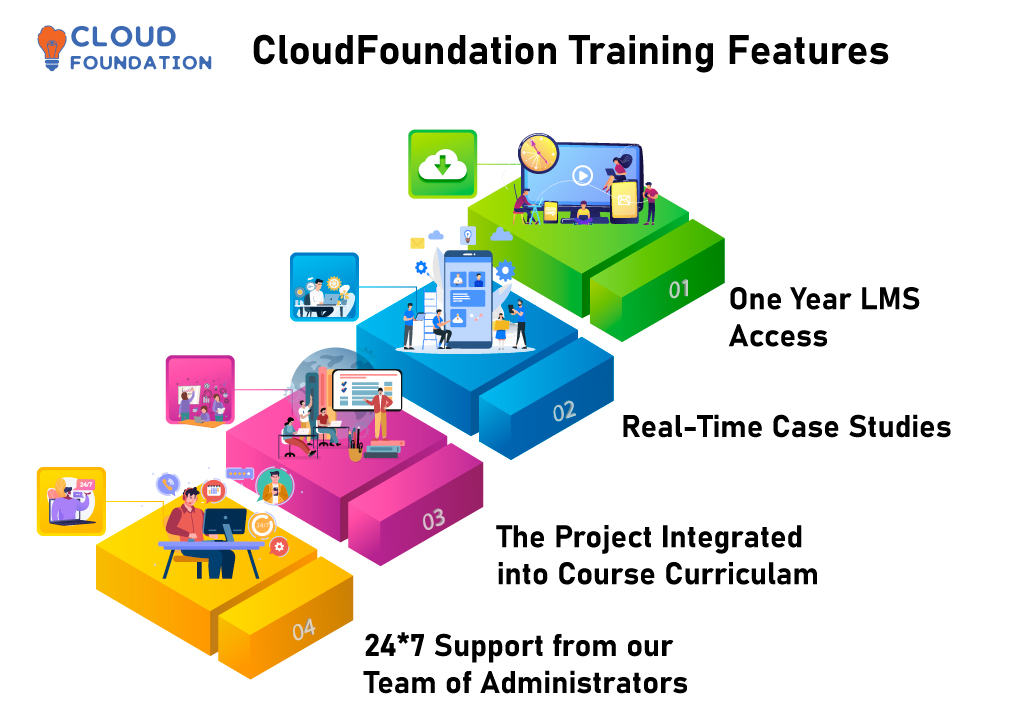
✅Lifetime access ✅Lifetime video access
✅Real-time case studies ✅The project integrated into the Curriculum
✅24*7 Support from our team of administrators

Course Content

1. Introduction to IIQ, IAM and IDM

  •  Google trend report on IIQ
  •  Why do we need IIQ with a real-time example
  •  Is IIQ a Hype or is it Real?
  •  Where does Sailpoint stand (Compared to other competitors)
  •  Google trend report on Competitors and comparison
  •  Naukri and Monster job openings on Sailpoint
  •  Salary report from Indeed & Payscale
  •  A walkthrough on the course content.

2. What is Sailpoint?

  • Short SailPoint Demo with a Real-time Project
  • Navigation
  •  What is the scope of SailPoint Training
  •  Important options and Shortcuts in the tool
  •  Types of Tools in SailPoint(Walkthrough)
  •  What’s the Architecture, SOA, Client server or Cloud
  •  SailPoint Cloud?

3. Installation of Sailpoint and Virtual Machine

  •  Supported Systems (Is Windows, Linux, Mac supported)
  • What is the Alternative it it’s not Supported(Virtualbox)
  • Supported Databases
  • Integration with other tools.
  • Limitations

4. Sailpoint Interface overview

  • What are IdentityIQ Global Settings
  • How to configure IdentityIQ
  • Overview on Login Configuration & Identity Mappings
  • What are Account Mappings & Account Attributes
  • What is Application Attributes and how to configure it?
  • Entitlement Catalog Attributes
  • Quicklink Populations
  • Forms Role Configuration
  • Scopes and Time Periods
  • Audit Configuration and Host Configuration
  • How to import from from File

5. Lifecycle Manager Installation

  • What is Lifecycle Manager
  • How to configure Lifecycle manager
  • How to configue Full-Text Searching
  • How to Create Direct Links to IdentityIQ

6. Applications and its Configure

  • What is application in Sailpoint?
  • Edit Application Page
  • Application ReConfiguration

7. How to Define Home Page Quick Links

  • What are Quick Links?
  • How to define and manage Quick Links
  • QuickLink Advanced Option
  • Dynamic Scope

8. Email Templates IdentityIQ

  • What are Email templates as what is its practical use
  • How to access the Templates
  • Importing Email Templates into IdentityIQ
  • Associating Templates with Events
  • Dealing with Email Template XML

9. Workflows

  • Terminology in Workflows
  • Important Workflow Objects
  • Different Workflows Operations
  • How to trigger Workflows
  • IdentityIQ Default Workflows

10. Using the Business Process Editor with Workflows

  • How to create and edit Workflows
  • Process Editor Tabs

11. How to edit Workflow XML

  • Accessing the XMLs
  • What is Dollar? Sign Reference Syntax
  • XML Contents
  • Workflow Library Methods
  • Monitoring different Workflows

12. Advanced Workflow Topics

  • What are Loops within the Workflows and how to configure them
  • Launching Workflows from a Task or a Workflow
  • What are Workflow Forms?

13. Forms in Sailpoint

  • Specifying Custom Forms
  • Components of a Form Definition
  • Form Examples & Form Models

14. What are Tasks in Sailpoint?

  • What is a Tasks Page
  • How to create Tasks
  • What are task Results and task Types
  • What are Scheduled Tasks and working with Schedules
  • Account Group Aggregation
  • Account Aggregation, Data Export
  • Entitlement Role Generator

15. What is Role Management

  • Role Modelling
  • Multiple Role and Account Assignment

16. Define Policies

  • What is a Policy Page
  • Editing the Policy Page
  • What are Policy Rules
  • Working with different Policies

17. Manage Work Items

  •  Work Item Administration
  •  How to Assign Work Items from the Work Items Page
  •  Work Item Archive

18. IdentityIQ Console

  •  Launching the Console
  •  Viewing the List of Command
  •  Command Syntax, Syntax for Redirecting Command Output

19. Reports Introduction

  •  Report Terminology

20. Report Use and Customization

  •  Reports Tab
  •  Edit Report Page
  •  My Reports Tab, Scheduled Reports Tab
  • XML Representation of Reports and Instances

21. Developing Custom Reports

  •  Reports as a Task Definition
  •  Report Definition
  •  Report Forms

22. Group and Population User Interface

  •  Group Examples
  •  Populations Tab
  •  Workgroups Tab

23. Introduction to Group Constructs

  •  Workgroups
  •  Using Workgroups
  • Workgroup Creation

24. Populations and Groups

  •  Creating Populations
  •  Creating Groups
  • Group and Population Definitions in XML
  •  Using Populations and Groups

25. Application Password Management

  • Enabling Password Management in IdentityIQ
  •  Configuring Applications for Password Management
  •  Configuring Password Policies for an Application
  •  Application Change Password Provisioning Policy

26. Debugging and troubleshooting

27.SSD

28.Logging and auditing configuration

29.IIQRest Services.

FAQ’s

(more…)

Informatica PIM Training – The only Product Information Management Course you need

Informatica PIM Training – The only Product Information Management Course you need

⏰16 hours | ▶️ 14 Videos | 📣 8492 Participants | 🎓 3921 Reviews | 4.8 ⭐⭐⭐⭐⭐

Choose a Plan that Works for You

Upcoming Batches PST

 Weekday 

Jan 12(1 HR A DAY)
07:00 PM PST
Enroll Now  →

 Weekday 

Jan 27(1 HR A DAY)
08:30 AM PST
Enroll Now  →

 Weekend 

Jan 24(1 HR A DAY)
07:00 PM PST
Enroll Now  →

Upcoming Batches IST

 Weekday 

Jan 13(1 HR A DAY)
7:30 AM IST
Enroll Now  →

 Weekday 

Jan 27(1 HR A DAY)
9:00 PM IST
Enroll Now  →

Weekend 

Jan 25(1 HR A DAY)
07:30 AM IST
Enroll Now  →

Course Description

Informatica Product Information Management (PIM) Training gives in-depth expertise and a grasp of the principles of both the Informatica Intelligent Master Data Management (MDM) platform as well as Informatica PIM.

During the course of the training, you will get familiar with the primary ideas and features of product information management (PIM), as well as how to construct and maintain a data model, as well as how to make use of the abilities and functions of PIM to achieve, import, and synchronize product information coming from outside sources into the primary PIM repository.

In Informatica Product Information Management (PIM) course, you will learn how to install and configure Informatica Product Information Management (PIM) and manage product data using the extensive collection of tools provided with the solution.

The Students will learn a variety of complete product data management duties, such as establishing an enterprise-wide asset taxonomy, integrating incoming data, performing data cleansing, enrichment, and transformation, and maintaining supplier product data, which may include product photos and other relevant information.

Using the most recent tools offered by Informatica’s PIM suite, Students will understand how to successfully develop, modify, and optimize data warehouse architectures.

Students will leave the course better prepared to operate the system effectively and productively, which will assist them in meeting their various organizational demands.

The session will start with explaining the Informatica product view and how it assists in organizing product data, including the architecture and components of the product.

After that, it goes into great detail regarding the features that may be customized, such as attributes, classes, business rules, product views and relationships, user-defined entities and hierarchies, validation, and workflow.

You will also learn how to apply the Informatica PIM application to create customized views, construct entity relationships, and use other capabilities of the Informatica PIM application.

In addition, data modeling and mapping techniques, which are necessary for importing product information from various sources, are discussed in detail during the lectures.

You will get the knowledge essential to perform data quality tests to guarantee the reliability and precision of data.

In addition, more advanced topics are discussed in class, including the following:

orchestrating data transformations; implementing read-and-write services for a variety of applications, dealing with external libraries, and integrating master data with other applications.

If you can make it through Informatica Product Information Management (PIM) online training program without major missteps, you will be awarded the title of Certified Professional.

This will set you apart from other rivals by giving you an efficient method of demonstrating your expertise in your chosen area.

Additionally, it will provide you with an advantage over those competitors. Within a short period, CloudFoundation will make a range of certification programs available to interested parties.

CloudFoundation offers comprehensive online training courses focusing on the fundamental ideas of the Informatica PIM certification.

After the program, you will have increased the information and abilities necessary to manage master data using Informatica PIM and MDM solutions efficiently.

You will also be well-versed in collecting and preserving product information and be prepared to operate as an expert on the Informatica MDM platform.

Course Content

1. What is PIM?


2. What is Informatica PIM?


3. Informatica PIM Introduction and Overview


4. Data Model of PIM and it’s Repository?


5. Different Perspectives and Views in PIM


6. Supplier and Master Catalogs and their usage?


7. Imports & Exports in PIM


8. Structures in PIM


9. What are Workflows and Tasks and how to create them?


10. What is Assortments & Process Overview?


11. What are User & User Groups and how to create them?


12. Data Model Customizations


13. Extension Creation and Explanation


14. How to Customize Imports?


15. How to Customize Exports?


16. How to create System Jobs?


17. Synchronizing Supplier and Master Catalogs


18. UI Additions and Enhancements


19. How to create HTML Previews?


20. How to create Structure Hierarchy?


21. How to create Dynamic Enumerations?


22. Command Framework and its usage


23. What Rest API in PIM and how to use them?


24. Explanation on PIM Integration with modules


FAQ’s

(more…)