
Select Page

NetSuite ERP-The only ESB Course you need

NetSuite ERP-The only ESB Course you need

⏰25 hours | ▶️  25 Videos | 📣 51 Participants | 🔥 25 Reviews

Choose a Plan that Works for You

Course Description

So you want to learn NetSuite? Great job!

Do you know NetSuite is the most trending ESB course?

There are massive opportunities in NetSuite as it leads the ESB market.

Our NetSuite Training course is a job oriented course ie at the end of the course you can
easily clear interviews or onboard into an ongoing NetSuite project.

Also the salaries in NetSuite is very impressive (Indeed.com report)
Course Content

1.Introduction to Cloud Computing & Netusite

• What is Cloud Computing?
• What is Netsuite?
• What is Netsuite Functional & Technical ?
• What are the core components in Netsuite like ERP, HCM, CRM?
• Which component has maximum job Openings?
• What is the scope of this Netsuite course?
• Where does Netsuite stand (Compared to other competitors)?
• Naukri and Monster job openings
• Salary report from Indeed & Payscale
• A walkthrough on the course content.

2.What is Netsuite?

• Short Netsuite Demo with a Real time Project
• Navigation
• Important options and Shortcuts in the tool
• What’s the Architecture, SOA, Client server or Cloud
• Netsuite Cloud?

3.How to Access Netsuite?

• Supported Systems (Is Windows, Linux, Mac supported)
• What is the Alternative it it’s not Supported(Virtualbox)
• Supported Databases
• Integration with other tools.
• Limitations

4.Netsuite 2016 Core Functionality

• Accounting and Back-Office Processes
• Using NetSuite basic functionality
• How Does NetSuite Fit Chatham’s Business (Case Study)
• Overview of OneWorld
• Navigate the Application
• Set Up Company Preferences
• Understand NetSuite Data Model
• Roles, Permissions and Users
• Customization: Subtabs, Lists and Fields, Forms and Records
• Migrate Your Data
• Data Integrity
• Accounting Management
• Multiple Currencies
• Tax Information
• Items
• Pricing
• Order Management
• Fixed Assets
• Accounts Receivable (AR)
• Purchasing
• Accounts Payable (AP)
• Perform Banking and General Ledger (GL) Tasks
• Period and Year End
• Revenue Recognition
• Expense Allocation
• Reports and Searches
• Design Dashboards
• Sales Force Automation and Online Customer Forms
• Customer Support and Case Management

5.Financial Reports, searches And Kpis

• Using Standard Reports
• Customizing Standard Reports
• Financial Statements Overview
• Financial Statement Layouts
• Standard Matrix Reports
• Financial Matrix Statements

6.Creating Saved Searches

• Create Saved Searches
• Add In-Depth Analysis
• Publish Saved Searches

7.Key Performance Indicators

• Using Standard KPIs
• Create and Use Custom KPIs

8.Analyzing Operational Performance

• Set-Up KPI Scorecards
• Realize Smart Dashboards

9.Customization And Suite Cloud Developement Tools

• Introduce NetSuite Architecture
• Introduce SuiteCloud Platform
• SuiteBuilder – Tailor your Business
• SuiteFlow – Automate Business Processes
• SuiteScript – Extend NetSuite with JavaScript
• SuiteTalk – Integrate Applications
• Identify Integration Options
• Evaluate Customization Tools
• SuiteBundler – Package Customizations

10.NetSuite navigation

• Login to Netsuite
• Set your preferences
• Setup your dashboard
• Use global search
• Use Netsuite help

11.Setup Company Prefernces

• Set company information
• Enable Features
• Rename Records & Transactions
• Turn off Auto Generated number
• Set company preferences
• Set printing, Fax, and Email Preferences

12.Create Customer records and enter contacts

• Enter contact create customer records
• Create vendor records
• Enter new Employee

13.Netsuite roles and permissions

• Role Customization
• Add a netsuite users
• View the login Audit Trail

14. Netsuite Customization

• Subtabs, List and Fields
• Create custom forms
• Create custom records

15.Migrate your data

• Double check auto generated number
• Import customer
• Update Customer
• Create custom import template

16.Data Integrity

• Merge duplicate records
• Schedule a Mass update
• Create Saved Search
• Setup and use direct list edit
• Create dependent dropdowns

17.Inventory Management

• Setup Items
• Create Inventory Items
• Create a Non-Inventory Items
• Service Items
• Other type of Item
• Enter Inventory Quantities
• Inventory Transfer
• Inventory Adjustment

18.Setup Pricing

• Enable Pricing features
• Create a price level
• Add price level to Items
• Setup quantity based pricing scheduled
• Generate price list
• Use sales transactions to demonstrate pricing schemes

19.Order Management

• Define order management preference
• Enter a sales order
• Approval
• Fulfil sales order
• Pick
• Pack
• Ship
• Invoice
• Cash Sales
• Accept customer payment
• Issue a return authorization
• Make a bank Deposit

20.Purchasing Overview

• Enter Purchase Order
• Receive all items on a purchase order

21.Account Payable and Overview

• Define accounting preferences
• Bill a purchase order
• Enter and approve a purchase order
• Pay a Bill
• Print a check

22. Banking and General Ledger

• Make Journal Entries
• Memorize a transaction
• Close Accounting Periods
• Identify a pre-built reports
• Saved Searches for reporting
• Design Dashboard configuration

23.Sales force Automation

• Setup Employee as a sales rep
• Set sales force automation preference
• Create customer sataus
• Create sales rules
• Create sales territory
• Create an online forms

24.WorkFlow

• Event Type workflow
• Scheduled Workflow

25.Saved Searches

• Reminder using saved search
• Email Saved Search
• Schedules saved search
• Formula Saved search
• Graphical representation of saved search
• Saved search reports

26.CanopY project in Netsuite

• Project Overview
• How to configure an End to end real-time project.
• Project Guidance
• Project Submission and Verification

27.Mock Interviews with Questions and Answers Discussion

• Functional Q&A
• Technical Q&A
• Project Q&A (For Multiple Domains like Banking, Retail, Insurance, Ecommerce etc)
• Question for Fresher’s and Experienced (How do they differ?)
• How to justify if the resource is not certified.

28.Certification Preparation Session

• How difficult is it to clear the certifications
• Levels of certification
• How to register for them(Technical details)
• Can I apply for certification if my company is not a partner
• If not, what is the alternative
• Certification Mock Q&A discussion

29.Resume Preparation Help

• What’s a Best resume
• What if my resume is worst
• How to prepare a great resume
• Should I be on LinkedIn, Of course Yes
• Providing Photo, Facebook, LinkedIn, Twitter Links in a Resume
• Create Blog, Quora, Stackexchange etc and provide the links in resume.
• SEO in Naukri (how to be on the Top)
• Creating Multiple Profiles in case you need a job urgently(Naukri lookhole)
• Floating your resume in Monster, indeed, Shine etc.
• How to Search for Job providers and jobs in linkedIn
• Aggressive Follow, that’s what counts

FAQ’s

(more…)

SAP APO Training – The only Course you need

SAP APO Training – The only Course you need

⏰24 hours | ▶️ 24 Videos | 📣 49 Participants | 🎓 4784 Reviews | 4.8 ⭐⭐⭐⭐⭐

Choose a Plan that Works for You

Upcoming Batches PST

 Weekday 

July 10(1 HR A DAY)
07:00 PM PST
Enroll Now  →

 Weekday 

July ​25(1 HR A DAY)
10:00 AM PST
Enroll Now  →

 Weekend 

July 27(1 HR A DAY)
07:00 PM IST
Enroll Now  →

Upcoming Batches IST

 Weekday 

July 11(1 HR A DAY)
07:30 AM IST
Enroll Now  →

 Weekday 

July ​26(1 HR A DAY)
07:30 PM IST
Enroll Now  →

 Weekend 

July 28(1 HR A DAY)
07:00 AM IST
Enroll Now  →

Course Description

SAP APO Training allows learning a Transactional ERP software in the supply chain to be internally connected.

Get the live sessions for this SAP APO Course on weekends and weekdays.

This technology is designed for high consistency in enterprise operations.

From this Course, you will be learning about managing the supply chain from order placement to production planning and improving customer service by reducing costs.

Get the number one programming abilities on your Course at the SAP supply chain control method and have terrific Learning abilities through our online classes.

Now get short in your utility with the excellent instructor ever and get more 24/7 technical help from our organization for any quires.

Now get extra activity possibilities with a higher lead of getting right of governing to within the SAP APO tool and achieve SAP APO certification for a bright career.

Features

✅Lifetime access ✅Lifetime video access
✅Real-time case studies ✅The project integrated into the Curriculum
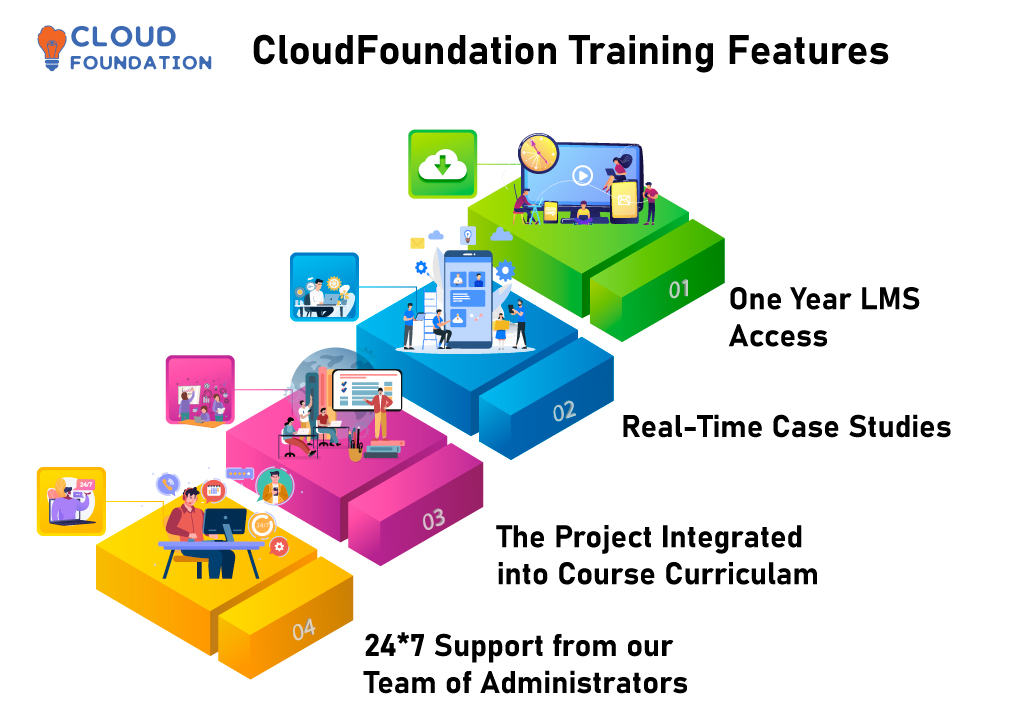
✅24*7 Support from our team of administrators

Course Content

1.Demand Planning

  • Introductions, APO Overview
  • Overview of Demand Planning Concept
  • Datamart, info-cubes & Demand Planning
  • Planning area and Planning Books
  • Macros & Notes
  • Interactive Planning
  • Statistical toolbox, Promotions and Life Cycle Planning
  • Mass Processing and Release of Plans
  • Exception Processing and Alert Generation

2.Supply Network Planning / Core Interface (CIF)

  • Overview of Supply Planning Concept
  • Supply Planning, Interactive Supply Planning, Integration with other SCM components
  • Planning Methods: Heuristics, Optimization & CTM
  • Deployment
  • Transport Load Builder
  • Releasing Supply Plans to DP, PPDS, ECC
  • CIF Core Interface : Introduction to Architecture of Integration
  • Master Data, Integration to R/3
  • Planning in ECC – APO with Integration Model Generation
  • Initial & Change Transfers, Background Jobs
  • Monitoring & Handling CIF Errors
  • Comparison & Reconciliation

3.Global Available-to-Promise:

  • Overview of Availability Management in ECC-APO
  • Principles and configuration of Availability Check
  • Check using Product Allocations
  • Advanced Methods
  • Rule based Check
  • Multi-Level ATP
  • Explanation & Simulation Feature
  • Global ATP/OPTP interface

4.Production Planning/Detailed Scheduling:

  • Overview of PPDS, Prerequisites, Prod. Planning with ECC
  • Master Data & Transaction data Integration with ECC, SNP, DP, gATP
  • Demand Management, Requirements & Sales Orders in PPDS
  • Production Planning Strategies (Make-to-Order, Make-to-Stock)
  • Planning Heuristics
  • Capacity Requirements, Capacity Planning / Leveling
  • Optimizer
  • Exception Processing, Alert Generation
  • Free Discussions, Questions
  • Consulting Practice Planning
  • Further Reference Sources
  • Conclusion

FAQ’s

(more…)

SAP Ariba Training – The only Course you need

SAP Ariba Training – The only Course you need

⏰40 hours | ▶️ 40 Videos | 📣 8715 Participants | 🎓 3572 Reviews | 4.7 ⭐⭐⭐⭐⭐

Choose a Plan that Works for You

Upcoming Batches EST

 Weekday 

July 10(1 HR A DAY)
07:00 PM PST
Enroll Now  →

 Weekday 

July 28(1 HR A DAY)
07:00 AM PST
Enroll Now  →

 Weekend 

July 27(1 HR A DAY)
06:30 PM PST
Enroll Now  →

Upcoming Batches IST

 Weekday 

July 11(1 HR A DAY)
07:00 PM PST
Enroll Now  →

 Weekday 

July 29(1 HR A DAY)
07:30 PM IST
Enroll Now  →

 Weekend 

July 28(1 HR A DAY)
07:00 AM IST
Enroll Now  →

Course Description

SAP Ariba Training helps youacquire a resourceful cloud-based solution that enables suppliers and buyers to connect and do business on a single platform.

Get organized tutorials with the help of our experienced instructors and do your SAP Ariba course completion.

You also get the proper guidance from our side to clear the SAP Ariba Certification and get placed in the companies that deal with the SAP technologies.

SAP Ariba is a B2B solution that enables you to connect to the world’s largest supplier and supplier network and improve business collaboration with the right business partners. So, choosing the SAP Ariba online classes will be an impressive decision.

Have specific SAP Ariba training and gain the chance to lead your career in the SAP ERP cloud. It provides many job opportunities for those willing to work with them, so join to be one.

Course Content

1.Ariba Introduction

  • About Ariba & Ariba History
  • Ariba cloud system Architecture
  • Product evaluation of Ariba
  • Ariba solution bundles
  • About Ariba Network
  • Basic navigation and self service menu

2.Supplier Life cycle & performance (SLP)

  • Overview of SLP vs SIPM
  • Supplier Request
  • Supplier Registration
  • Supplier Qualification

3.Ariba Upstream (Sourcing):

  • Getting Started with Ariba sourcing
  • Event Management: Creating RFI, RFP and Auctions
  • Advance features in Sourcing such as working with Excel
  • Award Scenarios and Awarding Sourcing Event
  • Full cycle of Bidding Process
  • Bidding Rules setup
  • Supplier Invitation
  • Hands on workshop

4.Ariba Upstream (Contracts)

  • Getting Started with Ariba Contracts
  • Integration with Ariba Sourcing
  • Ariba Contract Management: Creating Contracts
  • Hierarchy Type
  • Contracts Attributes
  • Contract Release Order
  • Contract based invoice
  • Hands on workshop
Ariba Downstream Contract Compliance
  • Contract Terms Creation
  • Contract automatic Subscription Creation

5.Ariba Downstream: Buying/Procurement

  • Ariba Procurement solution features
  • The Request-to-Receive Flow
  • Non – PO based Invoice
  • Full End to End Procurement Process (PR, Approval Flow, PO, GR, invoice , Payment)
  • Ariba Procurement: Creating and Managing Invoices
  • Invoice: Different Types
  • Hands on workshop

6.Ariba Guided Buying

  • About Ariba guided buying
  • Landing Pages and tiles
  • Full End to End Procurement Process (PR, Approval Flow, PO, GR, invoice , Payment)

7.Reporting

  • Reporting – Customization & Configuration
  • Reporting – Scheduling Background job
  • Reporting – Personal vs public workspace

8.Integration (Online)

  • Integration Overview
  • Integration Landscape
  • Data integration methods
  • Integration Manager & Configurations
  • Ariba Integration with CIG
  • CIG usage Scenario
  • Full End to End integration cycle of RFQ or SLP

9.Administration/Core administration

  • Template Management & Configurations
  • Sourcing template & contract template configuration
  • Set-up bidding rules
  • Condition set-up to display documents
  • Display of document
  • Project group vs system groups
  • Approval rule set-up
  • Task assignment
  • Team set-up
    • Approval workflow Configurations
  • Serial approval configuration
  • Parallele approval configuration
  • Custom approval configuration
  • How to assign work flow
    • Site Manager & Configurations
  • About site manager
  • Intial data upload such as purchasing unit
  • How to verify the upload data
    • User Management & Configurations
  • Creation of New User
  • Delegation of authority
  • Creation of Groups
  • Purchasing unit assignment
    • Catalog Manager & Configurations
  • Creation of catalog item
  • Catalog validation
  • Error debug
  • Catalog view restriction
    • P2P Manager & Configurations
  • Invoice Exception types
  • About receiving types
    • Project Manager
  • Process steps during migration of Legacy Contract to SAP Ariba
  • Supplier Manager
  • Supplier set-up for purchasing
  • Concept of partitioned supplier
  • How to set up partitioned supplier

10.Ariba Supplier Network (Supplier Side)

  • AN Supplier overview
  • Sourcing and Proposals
  • Light account and Full use Account

11. Others

  • Provide soft copy study materials and questions bank
  • Guidance in certification
  • Ariba Resume preparation
  • Real time interview questions

FAQ’s

(more…)

SAP ABAP Training – The only Course you need

SAP ABAP Training – The only Course you need

⏰24 hours | ▶️ 24 Videos | 📣 49 Participants | 🔥11 Reviews

Choose a Plan that Works for You

Upcoming Batches EST

 Weekday 

Oct 26 (1 HR A DAY)
07:00 PM EST
Enroll Now  →

 Weekday 

Nov 02 (1 HR A DAY)
10:00 AM EST
Enroll Now  →

 Weekend

Nov 06 (1 HR A DAY)
09:30 PM EST
Enroll Now  →

Upcoming Batches IST

 Weekday 

Oct 27 (1 HR A DAY)
07:30 AM IST
Enroll Now  →

 Weekday 

Nov 02 (1 HR A DAY)
07:30 PM IST
Enroll Now  →

 Weekend 

Nov 07 (1 HR A DAY)
07:00 AM IST
Enroll Now  →

Course Description

So you want to learn SAP ABAP Training? Great job!

Do you know SAP ABAP Training is the most trending Analytics course?

There are massive opportunities in SAP ABAP Training as it leads the Analytics market.

Our SAP ABAP Training Training course is a job oriented course ie at the end of the course you can
easily clear interviews or on board into an ongoing SAP ABAP Training project.

Also the salaries in SAP ABAP Training is very impressive (Indeed.com report)

Course Content

1.INTRODUCTION TO SAP AND ABAP/4 LANGUAGE

  • Overall introduction to ERP
  • Introduction SAP R/3 architecture, Introduction to SAP ABAP/4
  • ABAP/4 editor (Focus on the functionalities of new ABAP editor)
  • Data types
  • Output statements
  • Writing small programs
  • Arithmetic operations
  • String operations
  • Control statements
  • Parameters
  • Open SQL statements {insert, modify, delete, update}.
  • Simple reporting
  • Selection screens
  • Transaction code creation
  • Data Dictionary
  • Tables
  • Data element
  • Domain
  • Structures
  • Search helps
  • Views
  • Type Groups
  • Table maintenance generator and T-code creation
  • Primary and foreign keys.
  • Check and value tables.

2.REPORTING

  • Debugging techniques
  • Breakpoint creation.
  • Watch point creation.
  • Emphasize on the usage of New Debugger.
  • Internal tables
  • Declaration
  •  
  •  
  • Control Break Statements.
  • Modularization techniques.
  •  
  •  
  • Function modules.
  • Macros
  •  
  • Conversion exits.
  • For all entries and joins {inner and left outer}.
  • Message class creation & message types and handling messages.
  • Events for classical reports.
  • Events for interactive reports.
  • Hide and hotspot.
  • Creating and handling buttons.
  • Menu painter.

3.ABAP OOPS

  • Fundamentals of OOPS.
  • Introduction to Local classes and methods
  • Importance of Public, Private and Protected sections.
  • Simple reporting using local classes and methods.
  • Global classes and interfaces.
  • Usage of global classes in the reports.

4.ALV

  • Introduction
  • Types of ALV
  • Simple report to display simple ALV List using Function Modules
  • Simple report to display simple ALV grid using Function Modules.
  • Interactive ALV Reports.
  • Working with OOALV using classes (List, Grid).

5.DIALOG PROGRAMMING

  • Introduction to screen painter and dialog programming.
  • Flow logic
  • PAI
  • PBO
  • POV
  • POH
  • Screen designing.
  • Programming in object browser.
  • Field validations.
  • Creation of
  • Table Controls.
  • Tab Strips.
  • Dynamic Screen.
  • Call Screen.
  • Set Screen.
  • Leave to Screen.
  • Leave Screen.
  • Processing of list from transaction and vice versa.
  • Screen table and its fields.
  • Lock objects.

6.INTERFACE PROGRAMMING

  • Why Data Transfers
  • Introduction to BDC.
  • File Handling.
  • Presentation server.
  • Application server.
  • Recordings.
  • Methods in BDC.
  • Call transaction.
  • Session method.
  • Error Handling in Call Transaction.
  • Legacy System Migration Workbench (LSMW)
  • Different methods.
  • Steps to Create an LSMW Project.
  • Flat file creation.
  • Uploading data.

7.SAP Scripts

  • Introduction.
  • Layout Sets.
  • SAP Script Elements.
  • Modifying standard layout sets (by using subroutines).
  • Including logo.
  • SAP script Control Commands.

8.SMARTFORMS

  • Working with smart forms.
  • Standard Texts.
  • Graphics management.
  • Writing print program and designing layouts.
  • Output type configuration to standard orders.

9.ADOBE FORMS / INTERACTIVE FORMS (PDF)

  • Introduction

10.MISCELLANEOUS TOPICS

  • SAP System Landscape.
  • Correction and Transport System (CTS).
  • Transport Organizer.
  • Workbench Request.
  • Task Creation.
  • Merging Requests
  • Release Requests.
  • SAP memory.
  • SET/GET parameters.
  • ABAP memory.
  • Imports/ Exports.
  • Logical Database and Handling Events (LDB).
  • Field symbols.
  • SD flow.
  • MM flow.

11.FUNCTION MODULES

  • Concepts of Function Group.
  • Different Types FMs.
  • Concepts of FM interface.
  • Concepts of Update Programs.

12.CROSS APPLICATION

  • Introduction to CA.
  • RFC destination.
  • Working with RFC function modules.

13.IDOCS

  • Concepts of IDOCS.
  • Structure of IDOCS and Types.
  • Creation of segments
  • Creation of IDOCS.
  • Using standard message types

14.ALE

  • Defining logical systems used for ALE interfaces.
  • Outbound / Inbound processing.
  • Transferring of master data from one system to another system.
  • Distribution modal view.
  • IDOC Programming / Custom IDOCS.

15.BAPI and Business Objects

  • Introduction to BAPI
  • Overview of Business Objects.
  • Step By Step Approach followed to create BAPI.

16.ENHANCEMENTS

  • Introduction to enhancements.
  • Different Ways of doing Enhancements.
  • User Exits.
  • Introduction to BADI
  • How to implement BADI
  • Overview on Enhancement Spots, Enhancement Section, Enhancement Implementations and Class Enhancements

17.SAP WORKFLOW

  • Introduction of SAP WORKFLOW.
  • Introduction of different elements of Workflow.
  • Introduction to concepts of Binding.
  • Introduction to Business Object Events
  • Simple practical examples of SAP Workflow

FAQ’s

(more…)

Dell Boomi Training – The only Course you need

Dell Boomi Training – The only Course you need

⏰24 hours | ▶️ 24 Videos | 📣 11025 Participants | 🎓 5642 Reviews | 4.8 ⭐⭐⭐⭐⭐

Choose a Plan that Works for You

Upcoming Batches PST

 Weekday 

Feb 13(1 HR A DAY)
07:30 AM PST
Enroll Now  →

 Weekday 

Feb 25(1 HR A DAY)
08:00 AM IST
Enroll Now  →

 Weekend

Feb 21(1 HR A DAY)
09:30 PM PST
Enroll Now  →

Upcoming Batches IST

 Weekday 

Feb 13(1 HR A DAY)
08:00 PM IST
Enroll Now  →

 Weekday 

Feb 25(1 HR A DAY)
08:00 PM IST
Enroll Now  →

 Weekend 

Feb 22(1 HR A DAY)
07:00 AM IST
Enroll Now  →

Course Description

Dell Boomi training helps understand the industrial world and provides a cloud-based Integration Platform as a Service that allows customers and associates to fast-track business results.

We CloudFoundation allow you to learn from fundamentals to advanced concepts with complete guidance under expertise trainers.

You can grasp our weekdays and weekend virtual classes for your Course. And you can access it from anywhere.

Boomi also act as an ETL which extract data from one application and load and transfer to another in the desired setup

Data scientists, machine learning business analyst are top evolved technologies with Dell Boomi

Boomi certifications include associate integration, architect, and Associate administrations necessary for the Course to guide you to achieve it.

Course Content

1.General Concepts

  • What is integration?
  • EAI
  • ETL
  • Ipaas
  • Integration specific Software in the Market.

2.Dell Boomi

  • Why Dell Boomi?
  • What is Dell Boomi

3.Getting Started

  • Basics
    1. Introduction to Boomi Atomsphere.
    2. Core Terms and Concepts
    3. Navigating AtomSphere
    4. Build Overview
    5. Deploy Overview
    6. Manage Overview
    7. Setup Overview
    8. Component Overview
    9. Process Overview
    10. Data Security
    11. Boomi Mobile Manage App
    12. com

4)Account Set up

  • Account Information
  • User Information
  • Managing Email Alerts
  • User Managements
  • Account Groups
  • Developer
  • Licensing
  • Document Tracking
  • Password Policy
  • Single Sign-on with SAML Authentication

5)Dashboard

  • To Access a Dashboard
  • Dashboard Filters
  • Offline Atoms Gadget
  • Process Errors Gadget
  • Throughput Gadget
  • Pending Execution and Connector Gadget
  • Execution Count Gadget
  • Document Count Gadget
  • HTTP Status Dashboard
  • Real-time Dashboard

6)Atoms, Molecules and Cloud Atoms

  • Atom and Molecule Setup Considerations
  • Atoms
  • Molecules
  • Atom Clouds
  • The Dell Boomi Atom Clouds
  • Maintaining Atoms, Molecules and Clouds

7)Build

        1. Working with Components
          1. Certificate Components
          2. Connection Components
        • Connector Operation Components
        1. Cross Reference Table Components
        2. Document Cache Components
        3. Map Components
        • Map Function Components
        • Process Components
        1. Process Property Components
        2. Profile Components
        3. Queue Components
        • Trading Partner Components
        • Web Service Components
        1. Connector Components
          1. Disk
          2. FTP
        • Database
        1. Mail
        2. SOAP Web Services
        3. Salesforce
        • SuccessFactors
        1. Process Components
          1. Process Shapes
          2. Navigation Palette
        • Process Options Dialog
        1. Process Shape Reference
        2. Document Properties
        3. Parameter Values
        • Installing Published Processes
        • Process Extensions
        1. Process Design and Development Tips
        2. Testing Processes
        1. Certificate Components
          1. 509
          2. PGP
        2. Cross Reference Table Components
          1. To Create a Cross Reference Table
          2. To Add Rows and Columns to a Cross Reference Table
        • To Import a CSV File into a Cross Reference Table
        1. Cross Reference Table Example: Reusable Translations
        2. Cross Reference Table Example: One Input and One Output
        3. Cross Reference Table Example: More than One Input and Output Value
        • Atom-specific Cross Reference Tables
        1. Document Cache Components
          1. Using Document Caches
          2. Where and How Long a Document Cache Is Stored
        • Document Cache Tab
        1. Map Components
          1. To Create a Map from the Create Component Window
          2. To Add Source and Destination Profiles to a Map
        • To Map Elements from Source to Destination
        1. To Use Boomi Suggest to Map Elements
        2. To Add a Default Value to a Map
        3. To Edit a Map
        • To Export a Map to Excel
        • Using Document Caches with Maps
        1. Map Function Components
          1. String Functions
          2. Numeric Functions
        • Date Functions
        1. Lookup Functions
        2. Connector Functions
        3. Custom Scripting Functions
        • Properties Functions
        • To Add a Standard Function to a Map
        1. To Add a User-Defined Function to a Map
        2. To Enable and Configure Map Function Ordering
        1. Process Property Components
          1. Process Property Tab
          2. Dynamic Process Properties
        • Persisting Process Properties
        1. Process Properties Examples
        1. Profile Components
          1. Data Types
          2. Database Profile
        • EDI Profile
        1. Flat File Profile
        2. XML Profile
        3. JSON Profile
        1. Queue Components
          1. To Create a Queue Component
        2. Trading Partner Components
          1. Trading Partners
        3. Web Service Components
          1. Add Processes Wizard
          2. Web Service General Settings Tab
        • Web Service REST API Tab
        1. Web Service SOAP API Tab
        2. Web Service Profiles Tab
        3. Web Service Meta Information Tab

8)Deploy Page

  1. Searching for Components to Deploy by Filter or by Name
  2. Selecting Single or Multiple Components to Deploy
  • Attaching and Deploying Components to Atoms
  1. Attaching and Deploying Components to Environments
  2. Copying a Deployed Process to the Component Explorer
  3. Component Deployment History
  • Redeploying a Version
  • To Compare Two Deployed Versions
  1. To View a Deployed Version’s Component Details
  2. To Copy a Deployed Process to the Component Explorer
  3. Installing Integration Packs
  • Deploying and Licensing

9)Manage

  1. Process Reporting
  2. Atom Management
  3. Cloud Management
  4. Process Library
  5. Integration Packs
  6. Environments

10)Miscellaneous

  1. EDI and B2B Solutions
  2. Event-Based Integration
  3. Connector SDK
  4. AtomSphere API
  5. Release Notes

11)Certifications

  1. Guiding the Candidates to Clear the Certifications.

FAQ’s

(more…)

Workday HCM Training – #1 Best Workday HCM Course

Workday HCM Training – #1 Best Workday HCM Course

⏰35 hours | ▶️ 36 Videos | 📣 7310 Participants |🎓 4019 Reviews | 4.9 ⭐⭐⭐⭐⭐​

Choose a Plan that Works for You

Course Description

Workday HCM training is a cloud-based Financial Management and Human Capital Management software is created by independent Workday experts.

This Workday HCM course teaches you how to learn Workday by using EIB design patterns, starting the integration system, performing custom transformations, delivering files from outside the company, addressing integration errors, and modifying the template model.

In order to grasp calculated fields, expression evaluation, lookup hierarchy, inbound core connector, Workday studio components, and developing integrations, the students in this Workday HCM course Content will work on industry use cases with the assistance of independent trainers.

Our Workday HCM training course is designed to provide students with comprehensive instruction that emphasizes a practical understanding of key concepts.

HCM Learning pdfs and Workday HCM Training Material can improve learner’s proficiency and apply best practices to real-world projects if they are exposed to industry-relevant use cases and scenarios.

Everything you need to know to be a Workday expert is covered in the Workday HCM training course content below.

This Workday HCM Online Training curriculum has been designed to assist learners get the jobs they want by conforming to current trends in the business world.

The Workday HCM Training Online Course lays up a path toward imparting the comprehensive understanding of Workday platforms including Workday HCM, studio, and Functional principles that is required to become proficient in using Workday.

Learners can get deep understanding on Workday HCM Core Concepts by enrolling in Workday Core HCM Training.

By completing our Workday HCM training course, you will have a thorough grasp of all of the major components of this system.

Earning a certification in HCM Workday Training will not only increase your earning potential, but will also prove to clients that you have the expertise they need.

Optimise workforce management and drive organisational performance with the skills and experience you obtain with our exciting Workday HCM Certification Training. 

This Workday HCM Certification Online proves that you can reliably and consistently deliver high-quality results.

The Workday HCM Certification Course Online is a comprehensive and detailed program that trains individuals in all aspects of Workday HCM from Beginner to Expert.

Learning Workday HCM covers the platform’s key concepts and functionalities and the best practices for efficient
use and management.

The comprehensive and informative Workday HCM Online Course covers all Topics in the Workday HCM Full Course, giving learners in-depth knowledge and understanding of the software and access to helpful and up-to-date Workday HCM Material and carefully curated Workday Course Content, making it the perfect choice for anyone looking to improve their skills and expertise in this increasingly popular and sought-after field.

Note: You should know that we are not a Workday-approved partner. We facilitate communication between students and the market’s best independent tutors.


Course Content

1. CORE CONCEPTS AND NAVIGATON BASICS

  • Overview
  • Basic Ideas
  • Enterprise Objects
  • Worklets
  • Basic and supplementary navigation.

2. ORGANIZATIONS IN WORKDAY

  1. Types of organizations
  2. Administrative institutions
  3. Reorganization
  4. Setting up a supervisory organizational framework
  5. Managing a supervisory organizations :

          A subordinate organization can be created, or a supervisory organization can be divided

  1. More organizational types:

           Matrix Organization, Company Creation, Cost Center Organization, Location, Location Hierarchy, Region, and Region Hierarchy are some examples of organizational structures.

  1. Organizational structures
  2. Organizational roles on supervisory organizations
  3. Reports from the organization.

3. STAFFING MODELS

  1. Staffing model types
  2. Setting up a unique personnel model
  3. Limitations on hiring :

       The administration of positions and jobs

  1. Different staffing model approaches
  2. Preserving staffing model.

4. JOBS & POSOTIONS

  1. Jobs profiles
  2. Job descriptions and localizations
  3. Salary and job descriptions Grades
  4. Hierarchy at the management level
  5. Differentiating between job families, job profiles, and job family groups
  6. Making a job profile (Task)
  7. Positions
  8. Managing open and vacant roles
  9. Establishing jobs (Task)
  10. Editing position limitations and Editing position.

5. COMPENSATION

  1. Overview of Compensation
  2. Components of Compensation
  3. Remuneration Components
  4. Payment Programs
  5. Payscales, Grade Profiles, and Steps
  6. Reimbursement Plan
  7. Rules for Compensation Eligibility.

6. DEFINING BUSINESS PROCESS

  1. A Summary of Business Processes
  2. Getting to a Business Process Definition by Navigating
  3. Business Procedures and Supervising Organizations
  4. Starting from Scratch to Create a New Business Process
  5. Building a New Business Process from the Ground Up
  6. Modifying an Existing Business Process
  7. Condition Rules
  8. Requirements
  9. Creating Custom Notifications
  10. Replacing an enterprise procedure.

7. DEFINING BUSINESS PROCESS

  1. A Summary of Business Processes
  2. Getting to a Business Process Definition by Navigating
  3. Business Procedures and Supervising Organizations
  4. Starting from Scratch to Create a New Business Process  
  5. Building a New Business Process from the Ground Up 
  6. Modifying an Existing Business Process
  7. Condition Rules
  8. Requirements 
  9. Creating Custom Notifications
  10. Replacing an enterprise procedure.

8. TRANSATIONS IN WORKDAY

  1. Creating candidates
  2. Hiring in management positions
  3. Assigning security groups depending on users
  4. Appointment to management positions
  5. Staffing changes
  6. Termination
  7. Relocate employees and deactivate supervisory institutions
  8. Day-to-day accounts examining personal information 
  9. Cancelling a process
  10. Changes in Compensation.

9. REPORT

  1. Overview of Data Sources
  2. Business Item
  3. Fields Summary
  4. Report Writer Summary
  5. Report Formats
  6. Reports from the Workday Standard
  7. Creating Matrix Reports and Simple, Advanced, Search Bar Reports.
  8. Before-hand field computations
  9. Individual report Types
  10. Exchange of Reports
  11. Planning reports.

10. CALCULATED FIELDS

  1. Determined Field Concepts
  2. Calculated Fields: System Wide vs. Report Specific
  3. Global Calculated Fields (e.g. Constants)
  4. Field Dependencies Calculated
  5. Functions that are available, include Date Calculation and Formatting Functions
  6. Calculations in mathematics
  7. Text and String Functions
  8. True or False Statements
  9. Review an expression
  10. Search for related functions
  11. Business object-related access functions.

11. EIB (Enterprise Interface Builder)

  1. Intro to the EIB
  2. Course Material for the EIB Design Patterns for Workday Human Capital Management
  3. EIB Restrictions. Restrictions imposed by the EIB. Overview of Workday Public Web services.
  1. An outline of Workday’s public Web services The Five Best Reporting Tools for Workday

      5. Create an Inbound EIB.

      6.Creating an EIB for overseas use.

       7.Eighth, Modifying Existing Reports Specifically for Your Needs.

      8. EIB Highlights

  1. Step Process for Using EIB’s Transaction Data Loader to Import Customer Information into Workday.

12. CORE CONNECTORS

  1. Overview
  2. Architecture
  3. Core Connectors
  4. Services for Integrated Systems Field Attributes & Field Overrides in the Integration System.
  5. Integration Attributes and Sequence Generators 
  6. Integration Maps 
  7. Integration Transaction Log 
  8. Integration System
  9. Incorporating Business Procedures
  10. Introducing New Connections
  11. An Overview of Document Redesigning
  12. An Overview of Workday Studio.

13. Interview Discussion

1  Tips for Your Resume

2. Tips for the Interview

3. A simulated job interview

4. Project.

FAQ’s

(more…)