
Select Page

SAP HANA Training – The only Course you need

SAP HANA Training – The only Course you need

⏰24 hours | ▶️ 24 Videos | 📣 11205 Participants | 🎓 4293 Reviews | 4.9 ⭐⭐⭐⭐⭐

Choose a Plan that Works for You

Upcoming Batches EST

 Weekday 

July 10(1 HR A DAY)
07:30 PM IST
Enroll Now  →

 Weekday 

July 25(1 HR A DAY)
07:30 AM IST
Enroll Now  →

 Weekend

July 27(1 HR A DAY)
06:30 PM PST
Enroll Now  →

Upcoming Batches IST

 Weekday 

July 11(1 HR A DAY)
07:30 AM IST
Enroll Now  →

 Weekday 

July 25(1 HR A DAY)
07:30 PM IST
Enroll Now  →

 Weekend 

July 28(1 HR A DAY)
07:00 AM IST
Enroll Now  →

Course Description

SAP HANA is an innovative technology that has transformed how businesses use and manage data.

As more businesses embrace digitalization and data-driven decision making, the need for SAP HANA-trained employees has increased.

This has resulted in an increase in SAP HANA training, which provides workers with the skills required to operate with this sophisticated database management system.

In today’s fast-paced business world, companies must have real-time access to their data in order to make swift choices that are well-informed.

SAP HANA makes such capabilities possible by combining database, data processing, and application platform components into a single in-memory platform.

This enables very quick data processing, even on a huge scale, making it the favoured option for many enterprises.

Without proper training, understanding the complexity of SAP HANA and its different capabilities may be a challenging undertaking.

The practical experience gained through SAP HANA training is a big advantage. The SAP HANA course are meant to educate you with real-world scenarios and case studies that allow them to apply their knowledge and abilities in real-world settings.

As a result, understanding of the technology and its potential advantages improves. Interaction sessions are also included in the program, where you may ask questions, clarify issues, and learn from expert teachers.

Furthermore, SAP HANA online training provides a thorough curriculum that covers all of the major subjects and modules of this complicated technology.

The courses cover everything from data modelling and data loading to analytics and application development.

This makes it simpler for experts, such as database administrators, data analysts, and application developers, to take on varied positions inside a company and contribute successfully in SAP HANA.

SAP HANA certification is a most important sell factor for SAP HANA courses. SAP recognizes individuals who successfully complete the training and pass the certification examinations as competent SAP HANA experts.

The SAP HANA certification course examinations are administered by SAP partners and are worldwide recognized, making it an important addition to one’s professional profile.

Individuals may improve their complete skill set and become well-rounded professionals with SAP HANA training, making them more appealing to future employers.

Many industries, including commerce, healthcare, finance, and production, make use of this innovation.

As a result, SAP HANA-trained professionals may work in a variety of sectors and get experience with a variety of business processes.

Finally, SAP HANA training online provides several advantages to anyone interested in a career in this cutting-edge technology.

It not only offers extensive knowledge and technical abilities, but it also prepares you for a variety of work responsibilities and provides them with the required soft skills.

With companies increasingly adopting SAP HANA and a strong need for qualified employees, enrolling in an SAP HANA training course might be a wise career decision.

I hope you got an overview of SAP HANA by this you can get an clear roadmap of SAP HANA, then enrol from CloudFoundation official website and start the journey towards SAP HANA.

Course Content

1.Introduction to SAP HANA

  • Introduction to SAP HANA
  • SAP In-Memory Strategy
  • HANA compare to BWA

2.Look & Feel

  • In-Memory Computing Studio
  • Administration view
  • Navigator View
  • System Monitor
  • Information Modeler

3.Architecture

  • Architecture Overview
  • IMCE and Surroundings
  • Row Store
  • Column Store
  • Loading data into HANA
  • Data Modeling
  • Reporting
  • Persistent Layer
  • Backup & Recovery

4.Data Provisioning

  • Method 1 – Data Provisioning using FLAT FILES
  • Method 2 – Data provisioning using BODS 4.2 (ETL Based Approach – Building AGILE Data Marts) a. Features of SAP Data Services solution for SAP HANA b. Process of loading data from ECC to SAP HANA using the ETL method
  • Method 3 – Data provisioning using SLT a. SAP Landscape Replication server for HANA b. Key benefits of SLT replication server c. Key benefits of Trigger-Based Approach d. Architecture for SAP source replication e. Architecture for Non-SAP source replication f. Configuration and monitoring Dashboard g. Creating new Configuration for SAP Sources h. Creating New Configuration for Non-SAP sources i. Result of Creating new Configuration j. Launching Data provisioning UI in HANA studio k. Start Load/Replication l. Stop/Suspend replication m. Status Monitoring in HANA Studio n. SLT based transformation Concept o. Advanced replication settings p. Change of table structuring and partitioning q. Filtering and selective data replication
  • Method 4 – Data provisioning using Direct Extractor Connection (DCX) a. Using SAP provided Business Content Extractor b. ABAP Data Flows for Table and Pool clusters
  • Method 5 – SAP HANA Smart Data Access
  • Method 6 – Remote DATA Sync a. Smart Data Streaming

5.Modeling

  • Purpose of Information Modeler
  • Levels of Modeling in SAP HANA
  • Attribute Views
  • Analytic Views
  • Calculation Views
  • Explaining Predictive Modeling
  • Discovering SAP HANA Live
  • Creating Advanced Calculation Views using GUI and SCRIPT methods
  • Creating Attribute Views, Analytical Views, Calculation Views for FI scenarios, COPA scenarios, Sales Scenarios, Purchasing Scenarios and Marketing Scenarios
  • Creating Calculation Views with Dimension, Cube and STAR-Join
  • Creating Decision Tables and Analytic Privileges
  • Using Hierarchies (Level Based and Parent-Child Hierarchies)
  • Creating Restricted and Calculated Measures
  • Defining and using Filter Operations
  • Using Variables, input parameters
  • Explaining new aggregation function for measures
  • SAP HANA SQL Introduction
  • SQL Script and Procedures
  • Using Currency Conversions
  • Creating Hyperlinks
  • Persistency Considerations
  • SAP HANA Engine Overview
  • Choosing Views for HANA
  • Using SAP HANA Information Composer for Modeling
  • Processing Information Models
  • Validating Models
  • Comparing Versions of Information Objects
  • Checking Model References
  • Generate Auto Documentation
  • Understand Virtual Data Model
  • Discovering and consuming HANA Live views
  • Building a Virtual Data Model with CDS Views
  • Connecting Tables Joins (Inner, Left Outer, Right Outer, Full Outer, Text, Referential and Union)
  • Managing Modeling Content a. Manage Schemas b. Import and Export data Models c. Copy Information Objects

6.Reporting

  • HANA, Reporting Layer
  • Connectivity options
  • SAP Business Objects BI 4.1
  • Designing Complex Universes in IDT based on HANA Tables and HANA Views
  • WEBi 4.0 on HANA
  • Crystal Report for Enterprise with HANA
  • Designing the Dashboards using Query Browser on HANA Universes using Dashboard Design 4.0
  • SAP Business Objects BI 4.1 Explorer
  • Designing Information Space based on SAP HANA Information Model using BO Explorer 4.1
  • Exploring the Data using BO 4.1 explorer based on Information Spaces created on HANA
  • Creating Analysis Views using Analysis edition for OLAP (HANA OLAP connection)
  • Analysis edition for Microsoft Excel, Microsoft PowerPoint
  • SAP Visual Intelligence on HANA
  • Crystal Reports via ODBC/JDBC Connections
  • Others & MS Excel 2010

7.User Management

  • Understand and Creation of Users
  • Creation of Roles and Privileges
  • Creation of Role Hierarchy
  • Generating SAP HANA Live Privileges
  • Assignment of Users to Roles
  • Authentication

8.Security and Authorizations

  • User Management and Security
  • Types of Privileges
  • Template Roles
  • Administrative

9.Concepts of SAP BW 7.4 ON HANA

  • BW 7.4 powered by SAP HANA
  • In-memory optimized Infocubes
  • In-memory optimized DSO’s
  • Migration concepts of BW 7.0 on traditional Database to BW 7.4 on SAP HANA
  • Migrating standard Infocubes to in memory optimized Infocubes using migration Tool
  • Migrating standard DSO’s to In-memory optimized DSO’s using migration Tool

10.Text Search and Analysis

  • Implementing Full Text Search and Text analysis
  • Defining Data Types and Full Text Indexes
  • Using Full Text Search
  • Developing Predictive Models

11.SP12 new Features and Functionality

  • SAP HANA Smart Data Access (New and Changed)
  • SAP HANA Predictive Analysis Library
  • SAP HANA Graph
  • SAP HANA Client Interfaces
  • SAP HANA XS Advanced Development
  • SAP HANA Modeling (New and Changed)
  • SAP Web IDE for SAP HANA and SAP HANA Runtime Tools
  • SAP HANA Interactive Education (SHINE) for XS Advanced

FAQ’s

(more…)

Salesforce Admin Training – The only Course you need

Salesforce Admin Training – The only Course you need

⏰26 hours | ▶️ 23 Videos | 📣 8729 Participants | 🎓 3768 Reviews | 4.9 ⭐⭐⭐⭐⭐

Choose a Plan that Works for You

Upcoming Batches PST

 Weekday 

Dec 09(1 HR A DAY)
06:30 PM PST
Enroll Now  →

 Weekday 

Dec 25(1 HR A DAY)
07:30 AM PST
Enroll Now  →

 Weekend

Dec 27(1 HR A DAY)
08:30 PM PST
Enroll Now  →

Upcoming Batches IST

 Weekday 

Dec 10(1 HR A DAY)
07:00 AM IST
Enroll Now  →

 Weekday 

Dec 25(1 HR A DAY)
06:30 PM PST
Enroll Now  →

 Weekend 

Dec 28(1 HR A DAY)
09:00 AM IST
Enroll Now  →

Course Description

So you want to learn Salesforce Billing? Great job!

Do you know Salesforce Billing is the most trending course?

There are massive opportunities in Salesforce Billing as it leads the market.

Our Salesforce Billing Training course is a job oriented course ie at the end of the course you can
easily clear interviews or on board into an ongoing Salesforce Billing project.

Also the salaries in Salesforce Billing is very impressive (Indeed.com report)
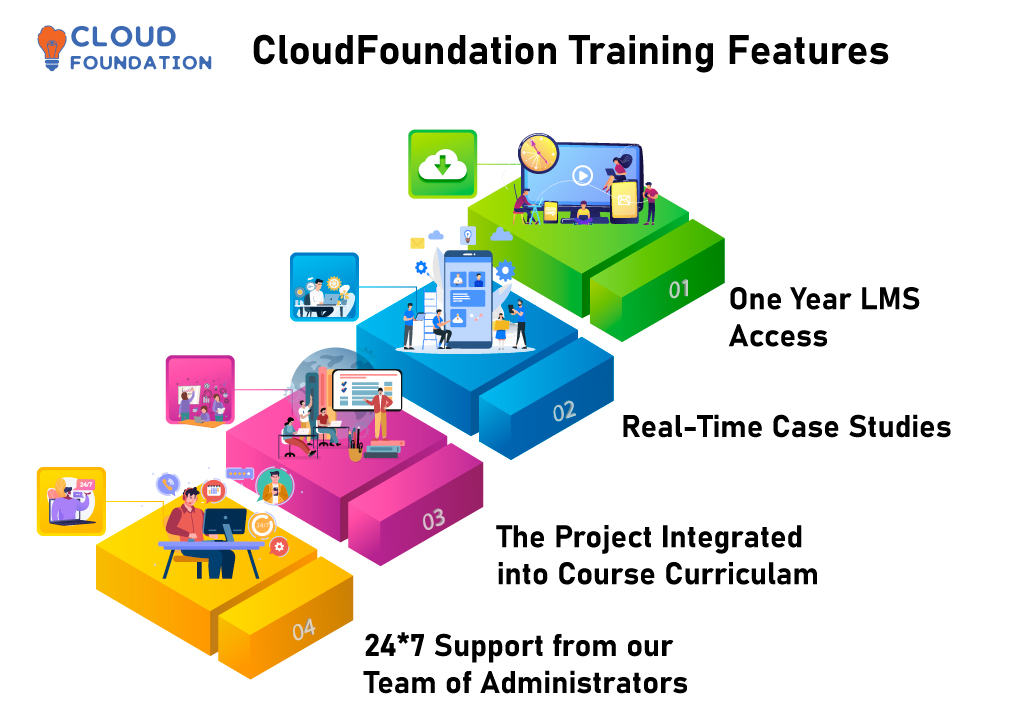
1.Introduction to Cloud Computing:

  • What is Cloud Computing?
  • flavours of cloud computing
  • Why cloud computing and benefits of cloud?
  • Services and deployment models in cloud?
  • Cloud Basics

2.Introduction to CRM:

  • What is CRM?
  • Why CRM and its benefits?
  • Different types of CRM
  • Business Scenario in CRM

3.Introduction to Salesforce:

  • What is salesforce?
  • Products and services in salesforce
  • Creating an Account in salesforce?

4.Creating Sample App, TAB and Object with live project:

  • What is an Application, tabs, forms, links in salesforce?
  • What is an Object and Field? Comparing Object with Database Table
  • Difference between Standard & Custom Objects?
  • Use of Standard Applications in Sales Force
  • Create a Sample Recruiting /Warehouse App
  • How to Change Logo of the application

5.Relationships in Salesforce:

  • Objective of Relationships
  • Types of Relationships, usage and Difference between them
  • One to One – Self Relationship/Hierarchical Relationship with Practical
  • One to Many – Using Master detail/ Using Lookup Relationship with Practical
  • Many to Many – Using Junction Object with Practical

6.Creating Dependent Picklist and Validations:

  • What is Field Dependency?
  • Creating a Dependent Picklist
  • Introduction to Validation Rule and How it is used?
  • Create an Validation Rule for the Position / LineItem Object

7.Introducing Workflow and Process Builder:

  • Objective of Workflow in Salesforce
  • What is Workflow rule and Workflow actions?
  • Create a Workflow Rule That Updates Fields
  • Create a Workflow Rule That sends an email
  • Introduction to Process Builder and its actions
  • How to create process Builder

8.Creating Formula Filed in Salesforce, and its return types:

  • What is Formula Field and How it is Used?
  • Create a Custom Formula Field to the Position / LineItem Object
  • Difference between Formula Field and Validation Rule

9.Introduction to Page Layouts:

  • Objective of Page Layout in Salesforce
  • Grouping Fields into New Section using Page Layout
  • Making fields Required/Read only using Page Layout

10.Introduction to Roll-Up Summary Fields:

  • Introduction to Roll-Up summary Fields
  • Difference between Roll-Up summary and Formula Fields
  • Difference between Workflow and Formula Fields
  • Create Roll-Up summary Field for Job Application/ Invoice Object

11.What is Junction Object?

  • What is Many-to-Many Relationship
  • Customizing the Related Lists in Many-to-Many Relationship

12.Security and Sharing Model of Salesforce:

  • Salesforce Editions & Licenses
  • Designing Application for Multiple User
  • How to Create User in Salesforce
  • Introducing Profiles
  • Go through Standard profile and Custom Profiles
  • Introduction to Role Hierarchy in Salesforce
  • Introduction to Security and Sharing
  • Object Level Security
  • Field Level Security
  • Introducing Organization-Wide Defaults(Record-level Security)
  • Introducing Manual Sharing
  • Sharing Rules
  • Role based Sharing.
  • Difference between Roles and profiles
  • Define Sharing rule for related objects
  • Overriding Sharing with Object-Level Permissions

13.Introduction to Reports and Dashboard:

  • Analysing Data with Reports and Dashboards
  • Introducing Reports including Tabular, Summary , Matrix and Joined Report
  • Introducing Dashboards
  • Generating different types Dashboard
  • Set running/logged in User for Dashboard

14.Introduction to Search Layouts:

  • Customize Position/Merchandise Object Page Layout
  • Introduction to Search Layouts
  • Customize the Search Layouts in Objects
  • Create Review Object and respective Fields

15.Approval Process in Salesforce:

  • Introducing Approvals
  • Approval Process and Creating Approval Steps

16.Managing Data:

  • Learn when and how to export, delete, insert, update and upsert data
  • Use the import wizard
  • Use the apex data loader
  • Use the data loader.io

17.How to create your own email templates:

  • Introducing Email Templates

18.How to use Chatter in Salesforce:

  • Introducing Chatter Completed

19.Introduction to Sandbox in Salesforce:

  • What is sandbox organization and production organization? Difference between them
  • How to upload documents in Salesforce
  • Recap on System Administrator

20.Introduction to Sales Application:

  • What is Sales Application in Salesforce
  • Complete Sales Life Cycle
  • Relationship between -> Account, Opportunities and contact etc.
  • Lead Conversion Process
  • Adding Custom Field to Standard Objects

21.Introduction to Service Application:

  • What is Service application in Salesforce
  • Complete Service Life Cycle
  • Relationship between -> Case and Account.
  • Cases and solutions
  • Adding Custom Field to Standard Objects

22.Misc.:

  • Introducing Queues
  • Introducing Public group
  • How to change the logo of the application.
  • Web to Lead
  • Live trouble shooting
  • Live issue handling
  • Doubts session

FAQ’s

(more…)

Salesforce Marketing Cloud online Training – The only Course you need

Salesforce Marketing Cloud online Training – The only Course you need

⏰26 hours | ▶️ 23 Videos | 📣 80 Participants | 🔥 36 Reviews

Choose a Plan that Works for You

Course Description

Salesforce Marketing Cloud Training with 10+ years certified trainers provides you an edge of applying different skill sets necessary to work on Salesforce products.

Salesforce marketing cloud is a platform built for supporting various phases of marketing.

They use Studio & Builder which is regarded as components is where they implement all the phases.

Salesforce Marketing Cloud journey builder training automates, analyzes, and optimizes marketing campaigns, it integrates with Salesforce CRM and offers email, mobile, social media, customer data management, and analytics.

Salesforce Marketing Cloud lets businesses personalize customer experiences, track campaign performance, and make data-driven marketing decisions.

It offers marketing automation and analytics to manage, analyze, and optimize marketing campaigns and customer interactions across channels, it uses Salesforce’s unified customer view to let marketers personalize customer experiences based on behavior, preferences, and history.

Salesforce marketing cloud journey builder training automates lead scoring, list segmentation, and campaign management, letting marketers focus on strategy and creativity, the platform provides real-time insights and analytics to help marketers evaluate their campaigns and make data-driven decisions.

It also integrates with Salesforce Sales Cloud and Salesforce Service Cloud, making business use seamless, for businesses looking to boost marketing and customer engagement, Salesforce Marketing Cloud is powerful.

A powerful and advanced marketing automation platform, Salesforce Marketing Cloud helps businesses streamline, automate, and analyze their marketing campaigns and processes, it offers a wide range of features and tools to help companies engage with customers across email, social media, mobile, and web channels.

The flexible platform lets businesses customize their marketing strategies and campaigns to meet their needs and goals, businesses can boost sales, customer engagement, and customer experience with Salesforce Marketing Cloud.

The Salesforce journey builder training course will cover email, mobile, social media, and web personalization platform features, additionally, you will learn how to combine data sources to create personalized marketing campaigns.

Salesforce journey builder training course is for marketers, digital marketers, and other professionals interested in marketing automation and customer engagement.

Online class on Salesforce marketing cloud covers all the essential components of Studio’s and Builder’s such as Email studio, content builder, Analytics builder, Web studio etc.

You can avail several certification’s on salesforce by the guidance of our trainers in reaching your desired professional career.

Depending on your choice of your Module, get the training from us with 24×7 support.

Contact us to learn more and dive into the in depth knowledge of Salesforce Marketing Cloud.

1.Email Studio

• Overview
• Administration
•Subscribers
 Lists
 All Subscribers List
 Exclusion List
 Publication Lists
 Suppression Lists
• Data Extensions
• Create & Send an Email –Live Example
• Classic Content
•Types of Sends
•Send Logging
•A/B Testing
•Tracking
•Triggered Sends
•Overview
•Use-case and examples

2.Contact Builder

 Data Extensions
•All Contacts
•Data Sources
•Imports
•Data Designer
•Contact Deletion
•Best Practices

3.Content Builder

•Overview
•Emails
•Templates
•Content Blocks
•Code Snippet
•Best Practices

4.Mobile Studio

•Overview
•Mobile Connect
Overview
Administration
Import & Manage Contacts
Messages
•Mobile Push
Overview
Notifications
Analytics Builder
•Reports
StandardReports
Discover

Analytics Builder

 Reports

 StandardReports
 Discover

5.Automation Studio

•Overview
•Create and Schedule an Automation
•Automation Studio Activities
SQL Query Activity
SQL Queries – examples
Data Views& its usage
Send Email Activity
Import File Activity
File Transfer Activity
Script Activity
Filter Activity
Data Extract Activity
Wait Activity

6.Web Studio (Cloud Pages)

 Landing Pages
 Smart Capture Form
 Examples and use-cases

7.Journey Builder

•Overview
•Journey Creation – Live Example
•Journey Templates
•Journey Entry Sources
Data Extension
Audience
Salesforce Data Events
Events
•Journey Canvas Activities
Wait Activity
Send Email Activity
Decision Splits
Engagement Splits
Random Splits
Joins Activity
Update Contact Activity
Sales and Services Cloud Activities
Overview & examples
•Goals
•Journey Settings
•Journey Testing
•Journey History & Reports
•Administration
•Real Time scenarios and errors
•Best Practices

8.Marketing Cloud Connect

•Overview
•Installation steps
•Use Cases
Email sends
Journey Builder Integration
Journey Builder Salesforce Entry sources
Journey Builder Sales & Service cloud activities
Synchronized Data Sources
•Real Time scenarios and errors
•Troubleshooting
Capture API logs
Capture Salesforce Logs
•Best Practices

9.AMPSCRIPT

•Overview
•Live examples
•Real time Use cases
How to use Ampscript in Emails
How to use Ampscript in SMS & Push Messages
How to use Ampscript in Cloud Pages
•Commonly used functions

10.SSJS

•Overview
•Live examples
•How to use SSJS in Cloud Pages
•How to use SSJS in Automation Studio Script Activity
•Use cases

11.API

•SOAP API
Overview
WSDL and Endpoints
Live examples using SOAP UI tool
Real time Use cases
•REST API
Overview
API App creation
API endpoints
Live examples using POSTMAN tool
Real time Use cases

FAQ’s

(more…)

Salesforce Marketing Cloud Course Training – The only Course you need

Salesforce Marketing Cloud Course Training – The only Course you need

⏰26 hours | ▶️ 23 Videos | 📣 80 Participants | 🔥 36 Reviews

Choose a Plan that Works for You

Course Description

Salesforce Marketing Cloud Training with 10+ years certified trainers provides you an edge of applying different skill sets necessary to work on Salesforce products.

Salesforce marketing cloud is a platform built for supporting various phases of marketing.

They use Studio & Builder which is regarded as components is where they implement all the phases.

Online class on Salesforce marketing cloud covers all the essential components of Studio’s and Builder’s such as Email studio, content builder, Analytics builder, Web studio etc.

You can avail several certification’s on salesforce by the guidance of our trainers in reaching your desired professional career.

Depending on your choice of your Module, get the training from us with 24*7 support.

Contact us to learn more and dive into the in depth knowledge of Salesforce Marketing Cloud.

1.Email Studio

• Overview
• Administration
•Subscribers
 Lists
 All Subscribers List
 Exclusion List
 Publication Lists
 Suppression Lists
• Data Extensions
• Create & Send an Email –Live Example
• Classic Content
•Types of Sends
•Send Logging
•A/B Testing
•Tracking
•Triggered Sends
•Overview
•Use-case and examples

2.Contact Builder

 Data Extensions
•All Contacts
•Data Sources
•Imports
•Data Designer
•Contact Deletion
•Best Practices

3.Content Builder

•Overview
•Emails
•Templates
•Content Blocks
•Code Snippet
•Best Practices

4.Mobile Studio

•Overview
•Mobile Connect
Overview
Administration
Import & Manage Contacts
Messages
•Mobile Push
Overview
Notifications
Analytics Builder
•Reports
StandardReports
Discover

Analytics Builder

 Reports

 StandardReports
 Discover

5.Automation Studio

•Overview
•Create and Schedule an Automation
•Automation Studio Activities
SQL Query Activity
SQL Queries – examples
Data Views& its usage
Send Email Activity
Import File Activity
File Transfer Activity
Script Activity
Filter Activity
Data Extract Activity
Wait Activity

6.Web Studio (Cloud Pages)

 Landing Pages
 Smart Capture Form
 Examples and use-cases

7.Journey Builder

•Overview
•Journey Creation – Live Example
•Journey Templates
•Journey Entry Sources
Data Extension
Audience
Salesforce Data Events
Events
•Journey Canvas Activities
Wait Activity
Send Email Activity
Decision Splits
Engagement Splits
Random Splits
Joins Activity
Update Contact Activity
Sales and Services Cloud Activities
Overview & examples
•Goals
•Journey Settings
•Journey Testing
•Journey History & Reports
•Administration
•Real Time scenarios and errors
•Best Practices

8.Marketing Cloud Connect

•Overview
•Installation steps
•Use Cases
Email sends
Journey Builder Integration
Journey Builder Salesforce Entry sources
Journey Builder Sales & Service cloud activities
Synchronized Data Sources
•Real Time scenarios and errors
•Troubleshooting
Capture API logs
Capture Salesforce Logs
•Best Practices

9.AMPSCRIPT

•Overview
•Live examples
•Real time Use cases
How to use Ampscript in Emails
How to use Ampscript in SMS & Push Messages
How to use Ampscript in Cloud Pages
•Commonly used functions

10.SSJS

•Overview
•Live examples
•How to use SSJS in Cloud Pages
•How to use SSJS in Automation Studio Script Activity
•Use cases

11.API

•SOAP API
Overview
WSDL and Endpoints
Live examples using SOAP UI tool
Real time Use cases
•REST API
Overview
API App creation
API endpoints
Live examples using POSTMAN tool
Real time Use cases

FAQ’s

(more…)

Salesforce Marketing Cloud Certification Training – The only Course you need

Salesforce Marketing Cloud Certification Training – The only Course you need

⏰26 hours | ▶️ 23 Videos | 📣 80 Participants | 🔥 36 Reviews

Choose a Plan that Works for You

Course Description

Salesforce Marketing Cloud Training with 10+ years certified trainers provides you an edge of applying different skill sets necessary to work on Salesforce products.

Salesforce marketing cloud is a platform built for supporting various phases of marketing.

They use Studio & Builder which is regarded as components is where they implement all the phases.

Online class on Salesforce marketing cloud covers all the essential components of Studio’s and Builder’s such as Email studio, content builder, Analytics builder, Web studio etc.

You can avail several certification’s on salesforce by the guidance of our trainers in reaching your desired professional career.

Depending on your choice of your Module, get the training from us with 24*7 support.

Contact us to learn more and dive into the in depth knowledge of Salesforce Marketing Cloud.

1.Email Studio

• Overview
• Administration
•Subscribers
 Lists
 All Subscribers List
 Exclusion List
 Publication Lists
 Suppression Lists
• Data Extensions
• Create & Send an Email –Live Example
• Classic Content
•Types of Sends
•Send Logging
•A/B Testing
•Tracking
•Triggered Sends
•Overview
•Use-case and examples

2.Contact Builder

 Data Extensions
•All Contacts
•Data Sources
•Imports
•Data Designer
•Contact Deletion
•Best Practices

3.Content Builder

•Overview
•Emails
•Templates
•Content Blocks
•Code Snippet
•Best Practices

4.Mobile Studio

•Overview
•Mobile Connect
Overview
Administration
Import & Manage Contacts
Messages
•Mobile Push
Overview
Notifications
Analytics Builder
•Reports
StandardReports
Discover

Analytics Builder

 Reports

 StandardReports
 Discover

5.Automation Studio

•Overview
•Create and Schedule an Automation
•Automation Studio Activities
SQL Query Activity
SQL Queries – examples
Data Views& its usage
Send Email Activity
Import File Activity
File Transfer Activity
Script Activity
Filter Activity
Data Extract Activity
Wait Activity

6.Web Studio (Cloud Pages)

 Landing Pages
 Smart Capture Form
 Examples and use-cases

7.Journey Builder

•Overview
•Journey Creation – Live Example
•Journey Templates
•Journey Entry Sources
Data Extension
Audience
Salesforce Data Events
Events
•Journey Canvas Activities
Wait Activity
Send Email Activity
Decision Splits
Engagement Splits
Random Splits
Joins Activity
Update Contact Activity
Sales and Services Cloud Activities
Overview & examples
•Goals
•Journey Settings
•Journey Testing
•Journey History & Reports
•Administration
•Real Time scenarios and errors
•Best Practices

8.Marketing Cloud Connect

•Overview
•Installation steps
•Use Cases
Email sends
Journey Builder Integration
Journey Builder Salesforce Entry sources
Journey Builder Sales & Service cloud activities
Synchronized Data Sources
•Real Time scenarios and errors
•Troubleshooting
Capture API logs
Capture Salesforce Logs
•Best Practices

9.AMPSCRIPT

•Overview
•Live examples
•Real time Use cases
How to use Ampscript in Emails
How to use Ampscript in SMS & Push Messages
How to use Ampscript in Cloud Pages
•Commonly used functions

10.SSJS

•Overview
•Live examples
•How to use SSJS in Cloud Pages
•How to use SSJS in Automation Studio Script Activity
•Use cases

11.API

•SOAP API
Overview
WSDL and Endpoints
Live examples using SOAP UI tool
Real time Use cases
•REST API
Overview
API App creation
API endpoints
Live examples using POSTMAN tool
Real time Use cases

FAQ’s

(more…)