Workday Finance R2R Course
Overview of Workday Finance R2R Accounting Configurations
The business setup is one of the first things I go over with you in Workday Finance R2R.
Since the fiscal timetable determines how Workday Finance R2R understands financial years and reporting periods, we begin with it as soon as we access the business data.
Your fiscal year is represented by a fiscal schedule in Workday Finance R2R. We establish periods basically, months like January, February, March, and so forth, within that.
Your Workday Finance R2R system starts using these times as the posting intervals. When I start from scratch, I choose the option to construct a fiscal schedule, give it a descriptive name, and then use the fiscal period auto-populate tool.
Establishing a Workday Finance R2R Fiscal Schedule
Following the creation of the fiscal timetable, I proceed to the maintenance of posting intervals in Workday Finance R2R.
Since our fiscal year consists of twelve months, I first choose my fiscal schedule (such as X Company) and then manually enter the twelve periods for the first year.
In order to maintain consistency in Workday Finance R2R, I only ever input the first three letters of the month names.
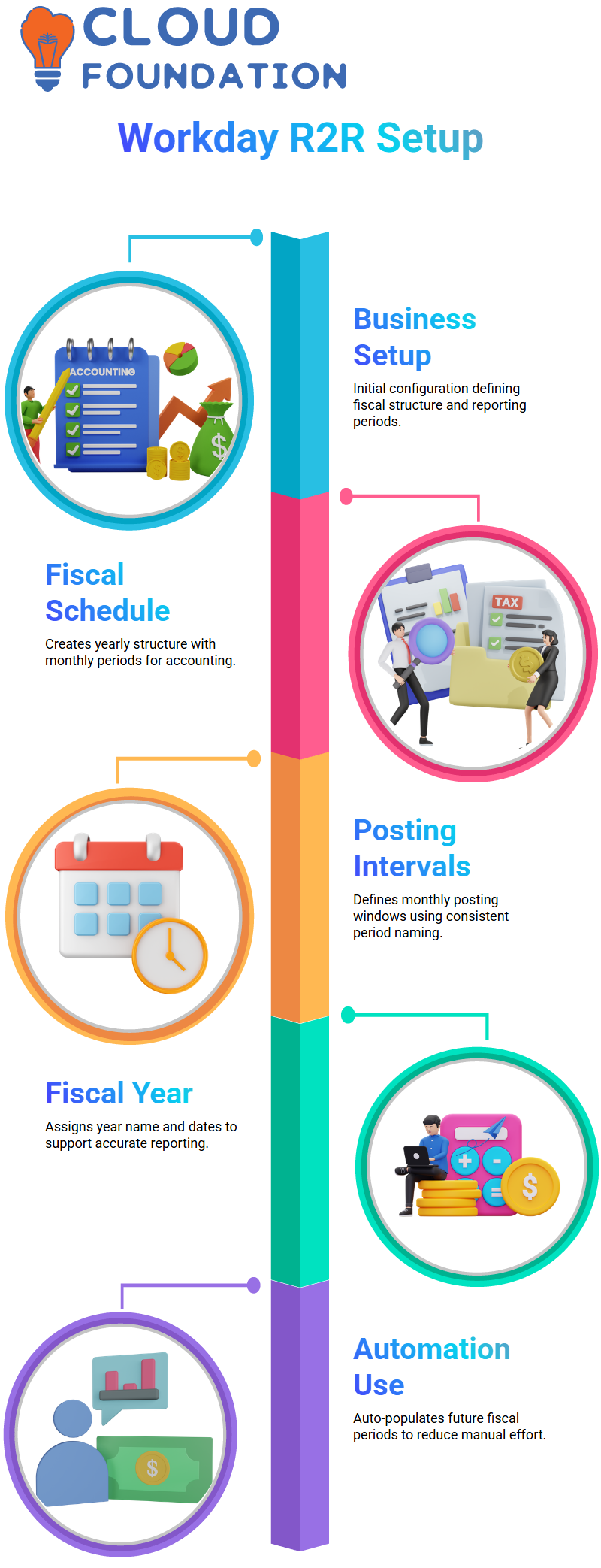
Determining the fiscal year comes next once the periods have been added. In this case, Workday Finance R2R needs a name in addition to a number.
You have the option to change them, but most customers leave them the same since it makes reporting easier.
For instance, I specified January 1, 2025, as the start date of the fiscal year for a U.S. corporation.
The fiscal year for Indian businesses typically begins on April 1.
Workday Finance R2R saves the structure and makes the subsequent years simple when you input all of the monthly start and finish dates, which is a one-time activity.
Workday Finance R2R fills in all the dates for the next year with a single click, allowing me to only choose the fiscal year and proceed. Many repetitive tasks are saved with Workday Finance R2R’s automation.
R2R Fiscal Schedule Behaviour in Workday Finance
In Workday Finance R2R, I always show you the fiscal schedule view so you can see exactly how the number, name, start date, and end date show up when everything is set up.
Because the system fills in all the details for you, preparing FY25 or FY26 in Workday Finance R2R becomes remarkably quick after the first fiscal year is ready.
Learners are better able to understand how Workday Finance R2R manages year-over-year settings when they see this automation.
Workday Finance R2R Account Set
Since account settings have a direct influence on how transactions are posted in Workday Finance R2R, I switch to them once the fiscal configuration is established.
Simply said, an account set in Workday Finance R2R is a grouping of ledger accounts for the sake of organising. Every sort of ledger account has an impact on the behaviour of transactions.
I look for “Create Account Set” in Workday Finance R2R and give it a name like X Corporate. The “Chart of Accounts” option may sometimes be confusing.
I make it clear that this option is only informative and that turning it on or off has no effect on Workday Finance R2R transaction behaviour.

Workday Training

Workday Finance R2R Account Sets for Parents and Children
In Workday Finance R2R, clients often employ parent and child account sets to oversee extensive global systems.
A multinational company like James USA, for instance, may have offices in France, India, Japan, and other places.
Workday Finance R2R enables you to construct a parent account set that contains the global standard, followed by child account sets for particular businesses or nations, rather than requiring all offices to adopt the same naming standards.
In Workday Finance R2R, I connect child account sets that include the detailed ledger accounts after creating a parent account set that is empty.
Workday Finance R2R may utilise any ledger account from the provided child sets for transactions, thanks to this architecture. For instance, a ledger account such as “Undeposited Receipts” can have a different name in China; hence, Workday Finance R2R enables each child firm to have its own version while the parent account set continues to provide structure.
One of the reasons multinational corporations like Workday Finance R2R is its versatility.
It guarantees that each legal organisation may operate with ledger accounts that correspond to its local activities without violating Workday Finance R2R reporting criteria, aids in maintaining compliance, and enables multi-country frameworks.
Using Workday Finance R2R’s Alternative Account Sets
During Workday Finance R2R training, I often get asked why there are several account settings. I like to use a real-world example since it rapidly clears up any doubt.
We may specify which ledger accounts should be activated in account posting rule sets by using alternate account sets in Workday Finance R2R.
Workday Finance R2R automatically applies the appropriate accounts for every kind of transaction, including month-end adjustments, supplier invoices, debit entries, and credit entries.
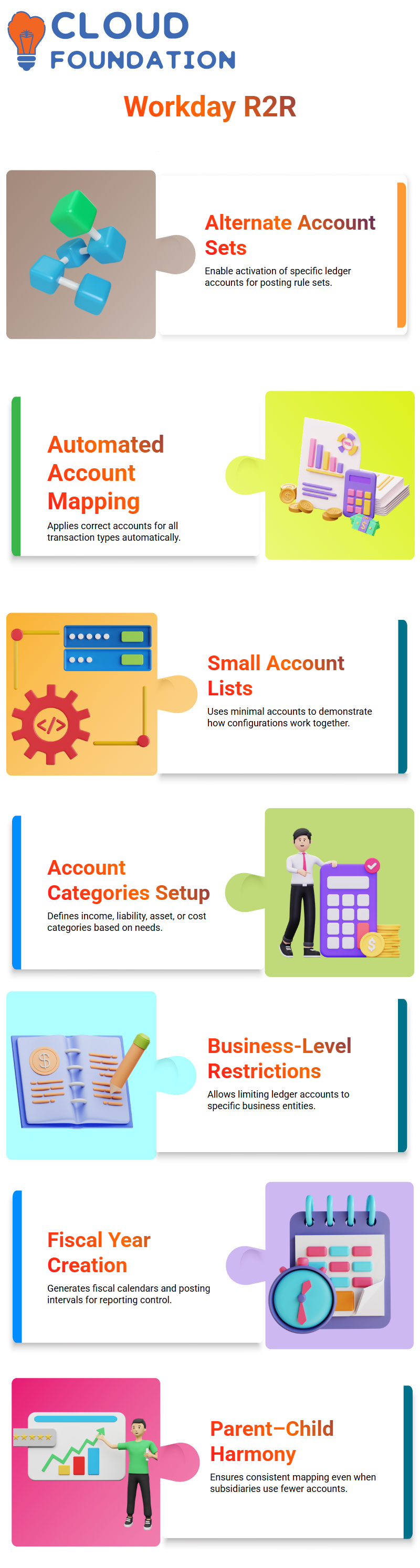
In order to show how everything works together, I often construct a tiny list, sometimes as little as five or six accounts, when I establish an alternative account set in Workday Finance R2R.
Depending on what the business requires, I establish account categories like income, liability, asset, or cost.
If necessary, I can additionally limit these ledger accounts to certain businesses using Workday Finance R2R. Alternate account setups are quite helpful because of this degree of control.
How to Start a New Business in Workday Finance R2R
I established X India (XIPL) as a demonstration firm to assist students in realistically understanding Workday Finance R2R. To show them how Workday Finance R2R builds a firm from the bottom up, I give them visibility into, country and basic setup data.
I describe how Workday Finance R2R generates the posting intervals for the fiscal year after establishing the fiscal timetable, which might be either January to December or April to March.
Determining the beginning month and producing subsequent fiscal years are necessary steps in the creation of fiscal years in Workday Finance R2R. The business is prepared for ledger setup when that is finished.
Learners may better grasp how Workday Finance R2R manages reporting periods and fiscal controls with the aid of this practical example.
Workday Finance R2R Account Set Configuration
When Workday Finance R2R use corporate account settings for parent firms and alternative account sets for subsidiaries when I go back to the account set configuration.
I often make the Indian regulatory account the default after establishing it so that it is used automatically in all transactions.
Then, using the accounts specified below, Workday Finance R2R maps each transaction via posting rule settings.
This is the point at which students see the full potential of Workday Finance R2R. A child firm may only have six ledger accounts, even when a parent account set has over 140.
However, Workday Finance R2R maintains harmony and prevents conflicts.

Workday Online Training
Workday Finance R2R Manual and Operational Journals
I constantly clarify that there are two methods by which Workday Finance R2R processes journals: operational journals and manual journals.
For month-end entries, reallocations, or modifications, accountants immediately write manual journals.
Because Workday Finance R2R gives me complete independence, I can manually choose any ledger account.
Conversely, Workday Finance R2R uses account posting rule sets to produce operational journals automatically.
Based on the settings we previously created, Workday Finance R2R chooses the appropriate ledger accounts for processing invoices from customers, suppliers, receivables, or payables.
Combining Everything in Workday Finance R2R
Parent account sets, child account sets, and alternative account sets are all shown by Workday Finance R2R to satisfy actual business requirements.
Workday Finance R2R guarantees precise, consistent ledger behaviour each and every time, regardless of whether we manually input a journal or the system publishes transactions automatically.
Workday Finance R2R connects these ideas by illustrating parent firms, subsidiary structures, fiscal schedules, manual journals, and operational journals.
Learners may rapidly build confidence by repeating this approach with many instances.
R2R Operational Journals for Workday Finance
Operational journals are the first thing I usually start with when I take you through Workday Finance R2R because they provide you with a better understanding of how the system functions in real time.
I may see items such as asset impairment, asset issue, asset taxes, bank transfers, customer sales, and customer bills when I search for journals in Workday Finance R2R.
Every day, all of these operational transactions pass via Workday Finance R2R.
You’ll see that the status of a customer invoice is already posted when I access it in Workday Finance R2R.
This is because it originates from a journal source that Workday Finance R2R has set up especially for client invoicing.
I don’t have to choose an account by hand unless I wish to, since the credit and debit lines you see are automatically taken from the account configuration and posting rules defined in Workday Finance R2R.
Workday Finance R2R Manual Creation of Journals
In order to accommodate differences in reporting across companies while adhering to the Workday Finance R2R framework, we employ alternative accounts.
Which account set do we usually use in Workday Finance R2R for AP or AR postings? is one of the often asked questions I get during training.
How the organisation want to map its books will determine the response.
For instance, I attach both US and Indian entities to the same business hierarchy when we set up Workday Finance R2R, so we can analyse the behaviour of their journals under various account configurations.
Configuring a Workday Finance R2R Account
I choose the normal account set, establish the fiscal calendar, and then choose the alternative account set for the area I’m dealing with as I go further into account creation in Workday Finance R2R.
The system anticipates a correct connection to the primary corporate account set when I choose India as the alternative account set in Workday Finance R2R.
This is why mapping rules are so crucial. If an account set is not included in the control rule set, Workday Finance R2R may sometimes refuse to display it.
In order to verify the setup, I momentarily switch to the corporate account set.
Because Workday Finance R2R is stringent when it comes to mapping connections, the system will not identify an alternative account set that lacks dependencies.
I set the incoming account to corporate and the outgoing account to India in Workday Finance R2R’s mapping rules to resolve the issue.
If mapping is still not possible, it is often because the account set was not connected correctly at creation or certain configuration data was erased previously.
When dealing directly with Workday Finance R2R, these are typical problems that show you how strictly the setup is managed.
Troubleshooting Workday Finance R2R During Configuration
Sometimes the system just won’t accept an account set while you’re creating mappings in Workday Finance R2R.
I knew something was wrong with the setup when I struck that wall; whether there was a control rule missing, the alternative account wasn’t created under the correct parent, or Workday Finance R2R had cached an older value.
Until Workday Finance R2R fully understands the structure, I will go back and change the hierarchy.
I always remind them that Workday Finance R2R requires references to the primary account set to be included in the alternative account set.
The downstream mapping is unsuccessful if this connection isn’t made at the beginning.
Indeed, I sometimes have to stop and troubleshoot Workday Finance R2R when it doesn’t react as I would want, particularly when mapping across corporate, Indian, and US account settings.

Workday Course Price

Vanitha
Author