Salesforce Pardot Class Online
Salesforce Pardot Contact Management and Real-Time Email Targeting
“Why should we sync or import contacts when we only want to send emails to a few?”
I always use a very useful example from Salesforce Pardot to explain this.
Salesforce Pardot needs to know who the prospects are if a client already has customers and wants to send an email.
Salesforce Pardot can’t send anything without that. Every email action in Salesforce Pardot begins with data.
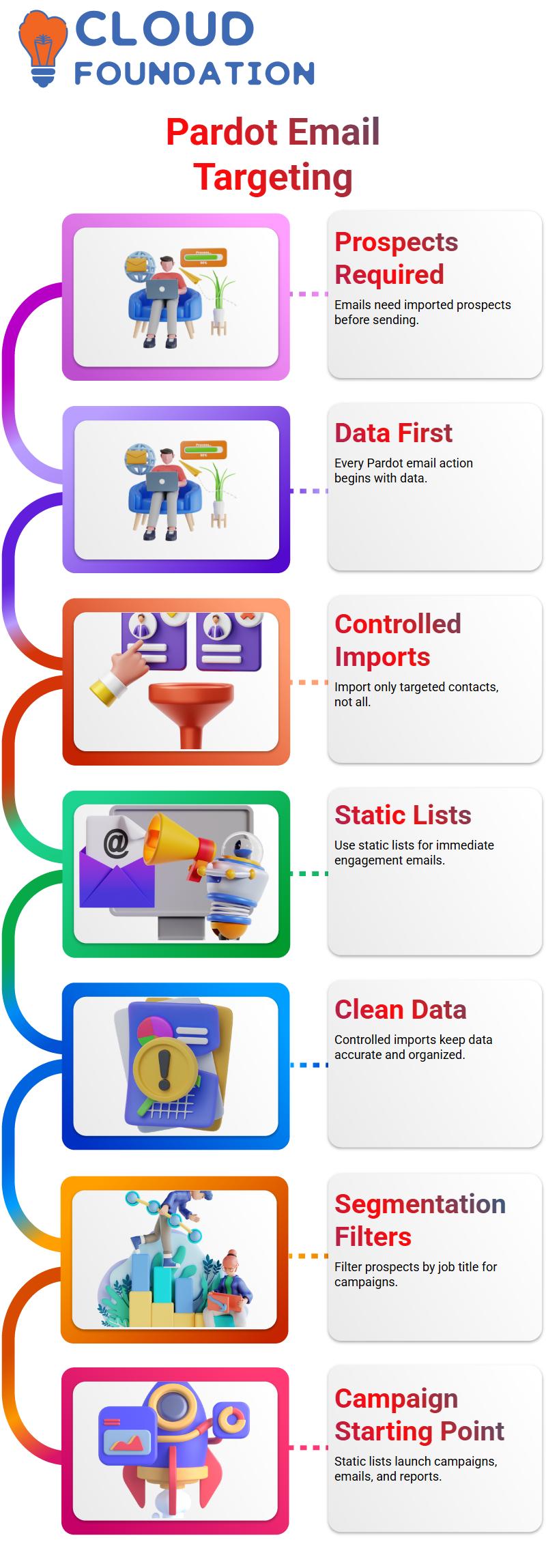
You don’t just sync everyone if an account has hundreds of contacts. I only import the contacts I want to target in Salesforce Pardot, though.
I put them in a static list as soon as they get into Salesforce Pardot, and I use that list right away for Account Engagement emails.
This is where Salesforce Pardot really shines. I like controlled imports better than syncing everything.
This method keeps data clean in Salesforce Pardot and stops lead owners or contact owners from making mistakes.
Salesforce Pardot Segmentation
Segmentation is one of my favorite things about Salesforce Pardot because it makes sense once you get the hang of it.
Let’s say the client only wants to send an email to the Vice Presidents. In Salesforce Pardot, I just filter prospects by their job title, which is VP.
These prospects can be leads or contacts, but once they are prospects, Salesforce Pardot treats them all the same.
Segmentation in Salesforce Pardot only works if the prospect is already there. That’s why I always tell teams that they have to import contacts when they need to segment.
Salesforce Pardot can’t magically divide up data that isn’t there. I usually make a static list in Salesforce Pardot after I import.
This static list is the starting point for campaigns, emails, and reports. With Salesforce Pardot, I can control who gets what without having to change any records.
Salesforce Pardot User Creation, Roles, and Permission Strategy
Another thing that people often get wrong about Salesforce Pardot is users and permissions.
I always make this very clear to my clients. Yes, lead owners and contact owners must have users set up in Salesforce Pardot.
But no, they don’t need full access to Salesforce Pardot marketing. Permission sets in Salesforce Pardot are based on roles.
Different people have different jobs in sales, marketing, sales management, and administration.
In Salesforce Pardot, I only give people access to sales if they are not sending emails or building campaigns.
This method keeps marketing work safe. I can make users in Salesforce Pardot without giving them the ability to change emails or campaigns.
This setup has worked in real businesses where marketing owns Salesforce Pardot and sales can only see data.
Salesforce Pardot Sync Control and Lead Ownership Protection
Syncing is great, but I am careful when I sync Salesforce Pardot. Changes made in Salesforce will not overwrite Salesforce Pardot data if sync is turned off.
This is very important if you want to keep your leads. I always tell my clients to finish setting up Salesforce Pardot first.
I only start imports and turn on sync after that. A small mistake during sync in Salesforce Pardot can automatically change the owners of leads, which can be confusing.
I make sure that ownership stays the same and marketing data stays correct by controlling when sync happens in Salesforce Pardot.
Now I want to talk about reports because Salesforce Pardot reporting can help you with a lot of marketing questions.
After I send a list email in Salesforce Pardot, I check reports right away to see how many people opened it, clicked on it, and interacted with it.
Salesforce Pardot does more than just keep track of opens. Salesforce Pardot keeps track of interactions when someone scrolls through the email and reads it.
Salesforce Pardot may not show any interaction if they only open and click once. I use Salesforce Pardot click-through reports and heat maps to learn about behavior.
I can even download these reports as CSV files and share them with other people using Salesforce Pardot.

Salesforce Pardot Training

Email Reports in Salesforce Pardot
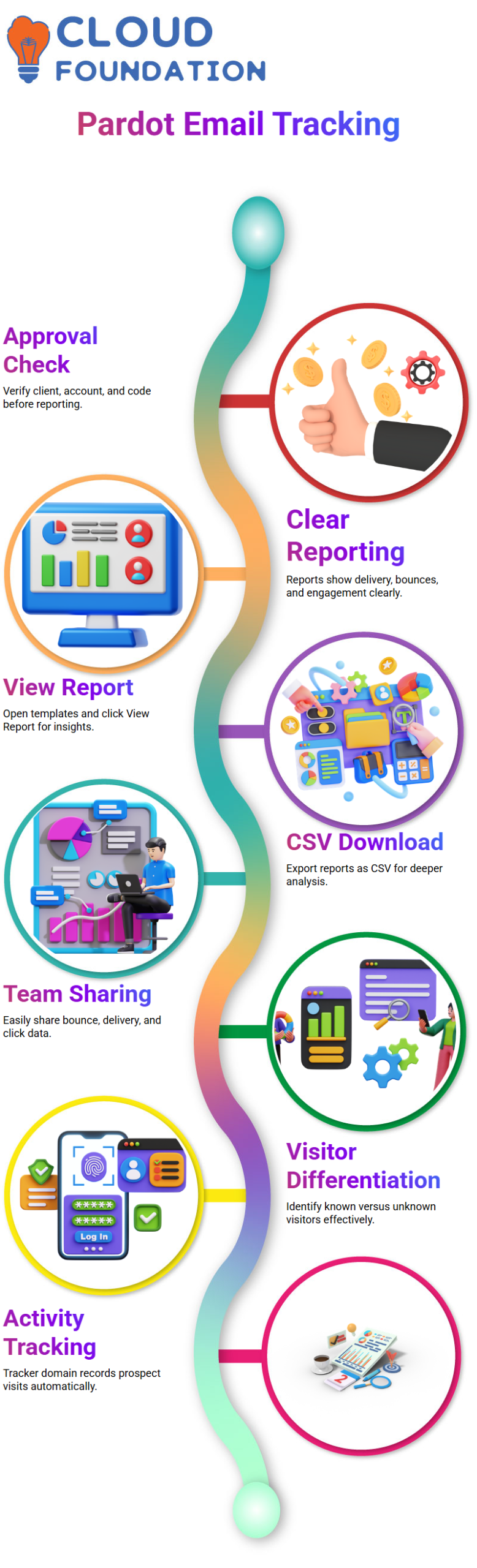
I always check to make sure that the email client, product account, and client code are all approved before I do anything else in Salesforce Pardot.
Email reporting in Salesforce Pardot gives me a clear picture of delivery, bounces, and engagement without having to guess.
When I’m in Salesforce Pardot, I usually open an email template and click on View Report right away.
Salesforce Pardot then shows the total number of emails sent, bounced, and clicked on right at the top.
I like how easy and useful Salesforce Pardot makes this information. I download the CSV report from Salesforce Pardot if I need to look at something more closely.
Salesforce Pardot makes it easy to send this information to teams that want to look at bounce rates, delivery numbers, and click performance in depth.
Tracking Visitors and Prospects Using Salesforce Pardot
People often ask me about the difference between visitors and prospects when I work with Salesforce Pardot.
Salesforce Pardot makes it easy to tell the difference between known and unknown visitors.
This helps me figure out who is really interacting with our content.
When a prospect who is already in Salesforce Pardot opens a tracked link or goes to a page, the system automatically records that activity.
Salesforce Pardot uses the tracker domain to find and record these visits automatically.
To make sure that a prospect has been captured correctly, I usually look in the Active Visitors section of Salesforce Pardot.
When tracking is set up correctly, Salesforce Pardot shows the name of the source, the activity of the visitor, and the details of the prospect.
Managing Users and Imports in Salesforce Pardot
I made a big mistake before I set up Salesforce Pardot.
I told the team to add prospects, but I forgot to tell them that users also need to be made by hand in Salesforce Pardot.
Salesforce Pardot doesn’t let you import users directly, like prospects.
That means I have to make each user in Salesforce Pardot by hand.
If you have more than 50 users, this step will take some planning and time.
Now, using Salesforce Pardot is easy for me. First, I set up all the users, and then I show the team how to import prospects.
This order works well with Salesforce Pardot.
Form Handlers and the 6–15 Rule in Salesforce Pardot
One of the most important things I always tell people about Salesforce Pardot is that it has a limit on form handlers.
The 6–15 rule is what Salesforce Pardot follows, and once you get it, everything gets easier.
Each form handler in Salesforce Pardot can have up to 15 actions and 6 conditional groups.
You won’t be able to add any more actions to Salesforce Pardot once you reach this limit.
I usually make more than one form handler because of this limit in Salesforce Pardot.
This lets you add more actions later without breaking the rules set by Salesforce Pardot.
Campaigns, Automation Rules, and Syncing in Salesforce Pardot
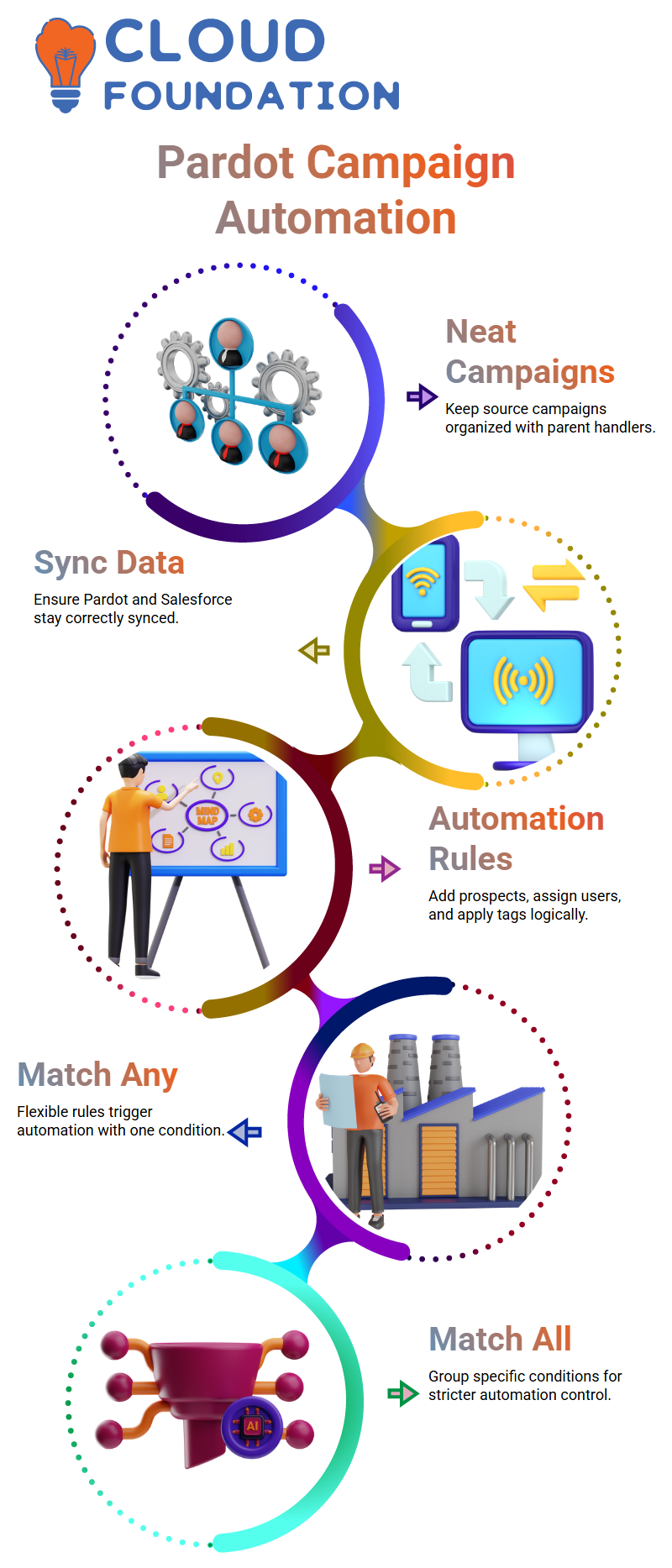
I always keep the source campaign neat in Salesforce Pardot.
I give the form handler a parent campaign and carefully keep track of member statuses in Salesforce Pardot.
When data moves from forms to Salesforce Pardot, it is very important that Salesforce Pardot and Salesforce stay in sync.
I make sure that Salesforce Pardot gets the prospect first and then syncs it to Salesforce correctly.
Salesforce Pardot’s automation rules help me add prospects to lists, assign users, and apply tags.
Salesforce Pardot only does these things when all the conditions are met, so I make sure that every rule is well thought out.
I like how Salesforce Pardot keeps things logical.
Salesforce Pardot stops the action right away if even one condition fails.
This behavior helps me keep my data clean and my automation results in Salesforce Pardot predictable.

Salesforce Pardot Online Training
Salesforce Pardot Automation Rules with Match Any and Match All
One of the first things I tell students when I teach them how to use Salesforce Pardot is how automation rules really work.
Salesforce Pardot gives us two great choices: Match Any and Match All.
I always begin with the basics. I keep the first rule as “Match Any” because it lets me be flexible when there is more than one condition.
This method makes sure that at least one condition can start the automation in Salesforce Pardot.
I test every Salesforce Pardot rule myself before I finish it.When I choose “Match Any,” I know that either one rule or a group of conditions can start the automation.
Salesforce Pardot doesn’t let you do anything you want, so knowing this logic early on will save you time later.
Grouping rules in Salesforce Pardot are important.I usually set the top-level rule to “Match Any” and then put more specific conditions in a “Match All” group.
This structure lets me have more control while still following the rules of Salesforce Pardot.
How Salesforce Pardot Handles Prospect Creation and Form Submissions
When someone fills out a form in Salesforce Pardot, a prospect is automatically created.
That’s why I always ask myself if a rule is really necessary.Salesforce Pardot doesn’t need an extra condition to confirm success if the prospect already exists because of a form submission.
Salesforce Pardot also lets you make prospects by hand or from other sources, though.
In those cases, I still use segmentation rules. Salesforce Pardot checks to see if the lead meets the criteria, even if they didn’t fill out a form.
This is where Salesforce Pardot’s logic comes into play.
I keep a lot of rules in place so that prospects I made before can still qualify.
If not, I take away checks that aren’t needed. Salesforce Pardot always follows the structure we make.
Salesforce Pardot Campaign Checks for Tight Rule Control
I always check the campaign value when I set up tight automation in Salesforce Pardot.
For instance, I add that condition directly if the campaign is set to NBS RFI.
Salesforce Pardot only gives leads to people when the campaign is a perfect match.
This method keeps Salesforce Pardot assignments neat. Salesforce Pardot won’t accidentally start the same automation again if someone fills out a different form later.
I use this method when I want to make sure that tasks go to a certain user every time.
Salesforce Pardot lets me carefully stack these checks. Before I use them in production, I test them in a sandbox.
I take out any rules that don’t seem necessary once Salesforce Pardot confirms the behavior.
Assigning Prospects and Investors Using Salesforce Pardot Logic
Once you understand how it works, it’s easy to assign prospects in Salesforce Pardot.
Salesforce Pardot automatically assigns a prospect to the right user when they fill out a specific Gravity Form and their RFI type matches.
I use the same Salesforce Pardot rules for investors as I do for everyone else.
I only changed the condition for completing the form and the user who is assigned to it.
Salesforce Pardot uses the same automation framework for both of these situations.
When I don’t need them, I don’t use repeat rules in Salesforce Pardot.
Salesforce Pardot only processes the form submission once.
Doing the same automation over and over again only makes things more confusing without adding any real value.
Testing and Optimizing Salesforce Pardot Automation Rules
I always carefully test the automation rules in Salesforce Pardot.
Salesforce Pardot can take a few minutes to process prospects, especially in sandbox environments.
I wait, watch, and then check the results. I make small changes to the rules after Salesforce Pardot starts working as it should.
I get rid of extra conditions and only keep the ones that support the real need.
Salesforce Pardot works best when the logic is clear and focused.
The way I use Salesforce Pardot is very simple. I make the rule, test it in real situations, and then make it better.
Salesforce Pardot rewards clear communication, and that’s what I try to teach everyone who works with me.
When someone fills out a form in Salesforce Pardot, a prospect is automatically created.
That’s why I always ask myself if a rule is really necessary. Salesforce Pardot doesn’t need an extra condition to confirm success if the prospect already exists because of a form submission.
Salesforce Pardot also lets you make prospects by hand or from other sources, though.
In those cases, I still use segmentation rules. Salesforce Pardot checks to see if the lead meets the criteria, even if they didn’t fill out a form.
This is where Salesforce Pardot’s logic comes into play.
I keep a lot of rules in place so that prospects I made before can still qualify.
If not, I take away checks that aren’t needed.
Salesforce Pardot always follows the structure we make.
Salesforce Pardot Campaign Checks for Tight Rule Control
I always check the campaign value when I set up tight automation in Salesforce Pardot.
For instance, I add that condition directly if the campaign is set to NBS RFI.
Salesforce Pardot only gives leads to people when the campaign is a perfect match.
This method keeps Salesforce Pardot assignments neat.
Salesforce Pardot won’t accidentally start the same automation again if someone fills out a different form later.
I use this method when I want to make sure that tasks go to a certain user every time.
Salesforce Pardot lets me carefully stack these checks.
Before I use them in production, I test them in a sandbox.
I take out any rules that don’t seem necessary once Salesforce Pardot confirms the behavior.
Assigning Prospects and Investors Using Salesforce Pardot Logic
Once you understand how it works, it’s easy to assign prospects in Salesforce Pardot.
Salesforce Pardot automatically assigns a prospect to the right user when they fill out a specific Gravity Form and their RFI type matches.
I use the same Salesforce Pardot rules for investors as I do for everyone else.
I only changed the condition for completing the form and the user who is assigned to it.
Salesforce Pardot uses the same automation framework for both of these situations.
When I don’t need them, I don’t use repeat rules in Salesforce Pardot.
Salesforce Pardot only processes the form submission once.
Doing the same automation over and over again only makes things more confusing without adding any real value.
Testing and Optimizing Salesforce Pardot Automation Rules
I always carefully test the automation rules in Salesforce Pardot.
Salesforce Pardot can take a few minutes to process prospects, especially in sandbox environments.
I wait, watch, and then check the results.
I make small changes to the rules after Salesforce Pardot starts working as it should.
I get rid of extra conditions and only keep the ones that support the real need.
Salesforce Pardot works best when the logic is clear and focused.
The way I use Salesforce Pardot is very simple.
I make the rule, test it in real situations, and then make it better.
Salesforce Pardot rewards clear communication, and that’s what I try to teach everyone who works with me.

Salesforce Pardot Course Price

Nishitha
Author
A mind once stretched by a new idea never returns to its original dimensions.