ForgeRock Online Course on SAML Authentication
ForgeRock and the Flow of SAML Authentication
ForgeRock helps the end user authenticate when they try to access a service provider.
ForgeRock is what the service provider needs to connect with the identity provider and make sure the user is who they say they are.
Once the end user sends in the request, the identity provider takes over and verifies the user inside ForgeRock.
ForgeRock makes a SAML assertion after the user has been successfully authenticated.
I want to point this out because the assertion is just XML-based statements that give information about the user’s profile and the level of authentication that was done.
You can see these XML statements being passed between systems when you test this flow inside ForgeRock.

When the SAML assertion goes back to the service provider and the request is verified, ForgeRock finishes the trust loop.
We call it a “circle of trust” because both the identity provider and the service provider depend on ForgeRock to keep the authentication flow safe.
Setting Up ForgeRock for Identity Providers and Service Providers
You can set up ForgeRock to work with as many identity providers and service providers as you need.
I can set up one ForgeRock identity provider for internal use and another ForgeRock identity provider for outside organizations to use.
When you work in the Federation part of ForgeRock, you’ll see that the platform calls these parts federated identities.
ForgeRock lets you use the same identity to log in to both internal and external apps. This is called cross-domain single sign-on.
I make entity providers in the ForgeRock interface by giving them an entity ID and deciding if they should be an identity provider or a service provider.
With ForgeRock, you have full control over naming, aliasing, and setting up metadata.
This flexibility helps students see how ForgeRock organizes authentication parts behind the scenes.
Building the Circle of Trust in ForgeRock
In ForgeRock circle of trust always start by making an identity provider and a service provider.
ForgeRock lets me connect the two pieces in a single circle of trust once they are both there.
I name the circle and turn it on. Then, ForgeRock sees it as a formal trust relationship between systems.
The circle of trust inside ForgeRock has a list of identity and service providers that talk to each other.
The trust relationship starts as soon as I add the ForgeRock identity provider and service provider to the circle.
This is the part that students often like the most because it makes the idea of trust very real.
I also show how ForgeRock shows the meta alias for both service providers and identity providers.
When we do a live SAML test, these meta aliases become very important.
They help ForgeRock route requests correctly, making sure that authentication requests go to the right endpoint.

ForgeRock Training

ForgeRock SAML Flow for End Users
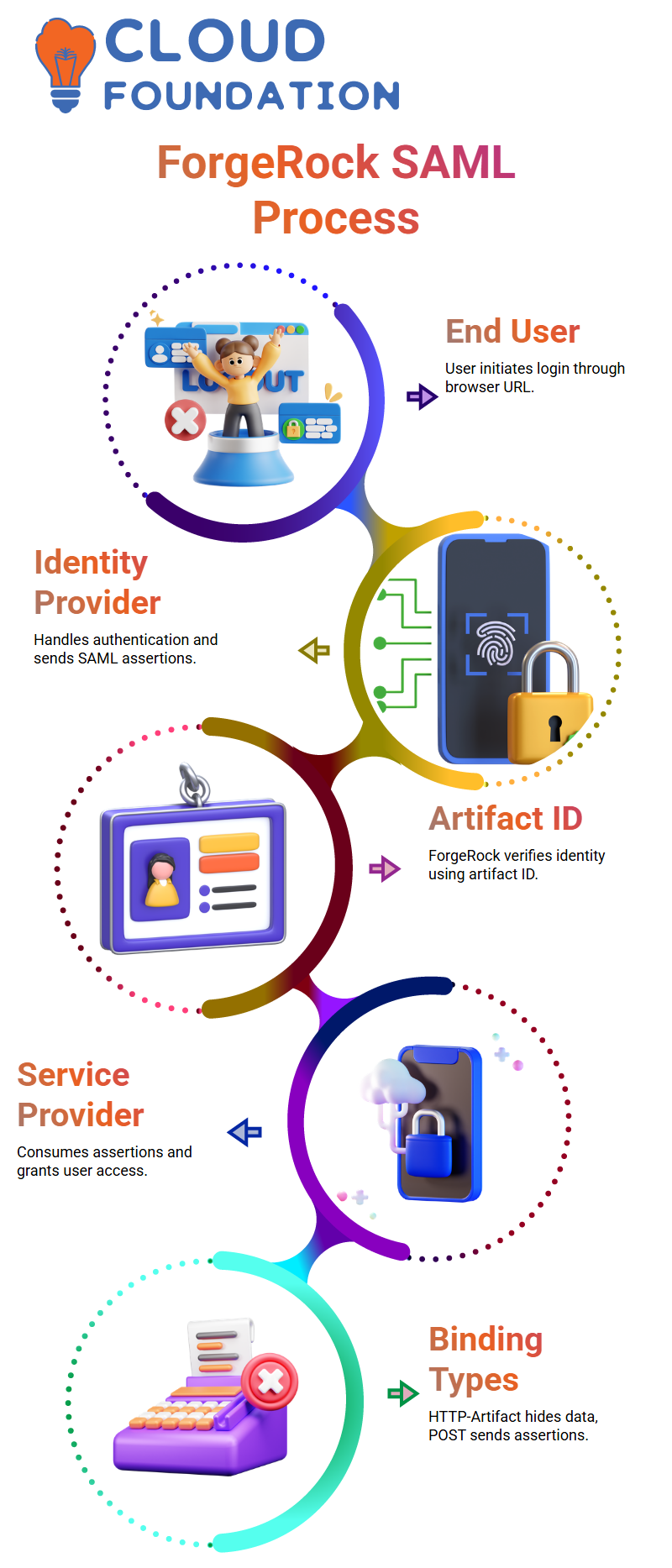
I always start with the end user when I talk about SAML flow in ForgeRock.
The end user is the person who tries to use a browser to get to an app.
The user clicks on the URL in their browser, which starts the whole ForgeRock authentication process.
In this process, the identity provider handles user authentication and sends ForgeRock the SAML assertions it needs.
The application sends the user to the identity provider as soon as they try to log in for the first time.
This redirect has the request for SAML authentication.
When ForgeRock AM gets this request, it checks the user’s identity and gets the artifact ID and assertion ready in XML format.
ForgeRock Assertion Creation and Artifact ID Handling
ForgeRock sends back the artifact ID after it checks the user.
The assertion is in this artifact ID, and the user’s browser sends this information to the service provider again.
The service provider gets the ForgeRock artifact ID and checks right away to see if the identity provider really gave it to them.
ForgeRock checks the session by verifying the artifact ID.
This makes sure that the assertion really comes from the correct identity provider.
The service provider gives the user permission once the artifact ID has been checked.
The user can finally get to the app now.
The service provider and ForgeRock talk to each other a lot, but the user only sees a smooth login process.
ForgeRock SAML Flow for End Users
I always start with the end user when I talk about SAML flow in ForgeRock.
The end user is the person who tries to use a browser to get to an app.
The user clicks on the URL in their browser, which starts the whole ForgeRock authentication process.
In this process, the identity provider handles user authentication and sends ForgeRock the SAML assertions it needs.
The application sends the user to the identity provider as soon as they try to log in for the first time.
This redirect has the request for SAML authentication.
When ForgeRock AM gets this request, it checks the user’s identity and gets the artifact ID and assertion ready in XML format.
ForgeRock Assertion Creation and Artifact ID Handling
ForgeRock sends back the artifact ID after it checks the user.
The assertion is in this artifact ID, and the user’s browser sends this information to the service provider again.
The service provider gets the ForgeRock artifact ID and checks right away to see if the identity provider really gave it to them.
ForgeRock checks the session by verifying the artifact ID.
This makes sure that the assertion really comes from the correct identity provider.
The service provider gives the user permission once the artifact ID has been checked.
The user can finally get to the app now.
The service provider and ForgeRock talk to each other a lot, but the user only sees a smooth login process.
ForgeRock Service Provider Processing
Inside a real ForgeRock service provider configuration, you will notice the Assertion Consumer Service section.
This service is responsible for consuming the SAML assertion sent by the ForgeRock identity provider.
There are several artifact bindings in ForgeRock, including HTTP-Artifact and HTTP-POST.
Artifact binding keeps user information hidden, while POST binding sends the ForgeRock SAML assertion to the client.
When we make a SAML app, I show both bindings so that students can clearly see the difference.
ForgeRock Signing, Encryption, and Algorithms
ForgeRock gives you a lot of ways to sign and encrypt requests and responses.
Clients sometimes want the authentication request to be signed with a certain certificate.
In these cases, I show you how to set up ForgeRock AM to use the client’s certificate to sign the SAML request.
You can also sign the ForgeRock assertion before you send it to the service provider.
These settings are not required, but a lot of projects use them to make things safer.
ForgeRock also lets you encrypt attributes or the whole assertion, and it gives you a choice of algorithms.
Inside a real ForgeRock service provider configuration, you will notice the Assertion Consumer Service section.
This service is responsible for consuming the SAML assertion sent by the ForgeRock identity provider.
There are several artifact bindings in ForgeRock, including HTTP-Artifact and HTTP-POST.
Artifact binding keeps user information hidden, while POST binding sends the ForgeRock SAML assertion to the client.
When we make a SAML app, I show both bindings so that students can clearly see the difference.
ForgeRock Signing, Encryption, and Algorithms
ForgeRock gives you a lot of ways to sign and encrypt requests and responses.
Clients sometimes want the authentication request to be signed with a certain certificate.
In these cases, I show you how to set up ForgeRock AM to use the client’s certificate to sign the SAML request.
You can also sign the ForgeRock assertion before you send it to the service provider.
These settings are not required, but a lot of projects use them to make things safer.
ForgeRock also lets you encrypt attributes or the whole assertion, and it gives you a choice of algorithms.

ForgeRock Online Training
ForgeRock Name ID Formats and User Identity Handling
When I talk about Name ID formats in ForgeRock, I explain how the service figures out which identity to use for authentication.
You can set up ForgeRock to verify users’ identities using an email address, a temporary ID, a permanent ID, or even an unknown ID.
You can change the Name ID list in ForgeRock to fit the needs of your client.
The Name ID affects how users are mapped between the service provider and the ForgeRock identity provider.
These facts give them the confidence they need to make real-world ForgeRock SAML integrations.
ForgeRock Authentication Basics
As we look at different authentication contexts, I talk about how Kerberos works in Windows SSO and how ForgeRock works in enterprise login flows.
When you sign in to your computer and automatically open several programs, that smooth transition is similar to what we later create with ForgeRock authentication journeys.
When you use a direct username-password check, ForgeRock shows you how basic authentication works.
You can turn it on or leave it as is, depending on your project.
We can control how the user’s identity moves through the flow when we combine ForgeRock with other authentication modules.
This is even more important when we start mapping assertions from identity providers outside of our own.
ForgeRock Assertion Mapping in Practice
When you work with ForgeRock, knowing what these fields mean can help you fix problems that come up when you set up federation.
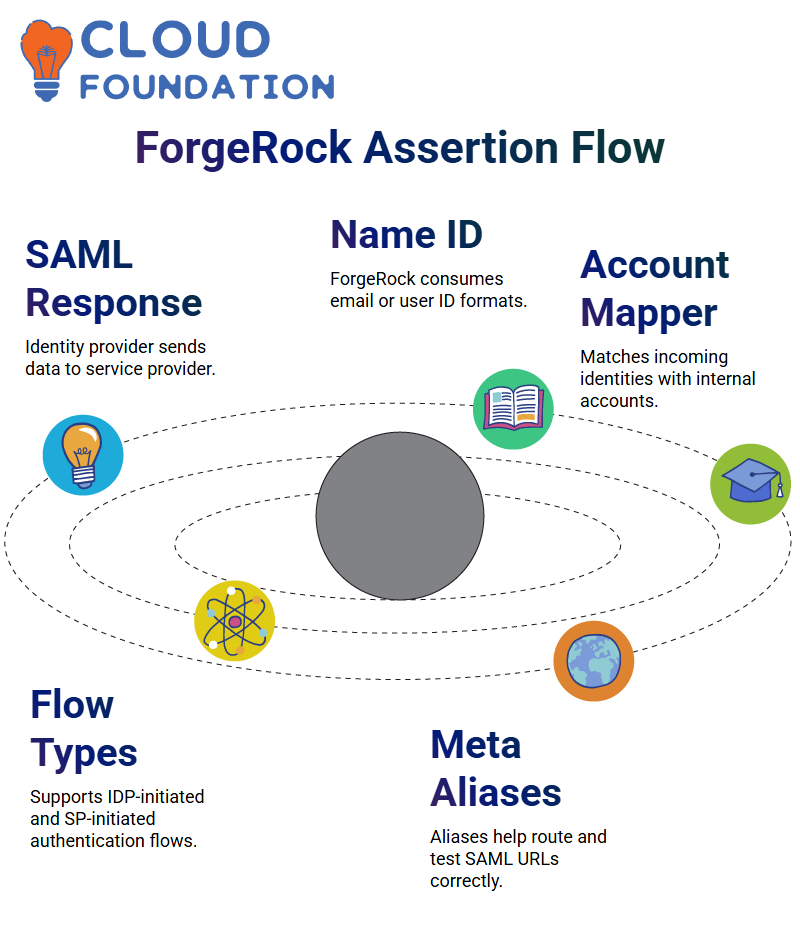
I often show you a sample SAML response so you can see how the identity provider sends data to the service provider.
When we bring ForgeRock into the picture, you learn how the platform consumes the name ID, sometimes an email, sometimes a user ID.
You’ll also see how ForgeRock uses the account mapper and the auto-federation key to match incoming identities with internal accounts.
ForgeRock and IDP-Initiated vs SP-Initiated Flow
If the user goes straight to the identity provider in ForgeRock, the IDP takes over and starts the whole authentication process.
I always say it simply: in an IDP-initiated flow, the user first touches the IDP, and ForgeRock takes care of the SAML process from there.
In an SP-initiated flow, the user tries to access the app first. If there is no active session, ForgeRock sends them to the IDP to verify their identity.
ForgeRock and Service Tab Configuration
I point out the meta alias path in the services tab of ForgeRock because we use it a lot.
ForgeRock uses a lot of aliases, and having them on hand helps avoid confusion later when building or testing SAML URLs.
ForgeRock and Adjusting Meta Alias URLs
We don’t use the default alias, which is /IDP.
Instead, we use a custom path, like /contractor/ForgeRock.
I also tell you to make sure the SP entity ID is exactly the same as it is in ForgeRock so that testing doesn’t break anything.
ForgeRock and Testing the SAML Request
After setting it up, try the URL.
They you can see the request leave the browser and go to ForgeRock right away if their SAML Tracer is turned on.
Use Incognito mode to check if their SAML Tracer can see data from private windows.
It helps them fix things without cached sessions.

ForgeRock Course Price

Nishitha
Author
A mind once stretched by a new idea never returns to its original dimensions.