ForgeRock Authorization Code Flow Training
Using the Authorization Code Flow in ForgeRock
I usually remind that ForgeRock expects the right kind of grant when we lay up the specifications.
Thus, I begin by adding the first parameter, grant type as the key and authorization_code as the value.
This step makes it clearer to ForgeRock that we are using the authorization code method to obtain a token.
I go to the second parameter, code, after determining the grant type. I copied the permission code from the browser and pasted it here.
I make sure that everyone refreshes the URL and creates a new one if it expires, since ForgeRock only produces this code for a very short time.
This avoids mistakes during testing and maintains the validity of the ForgeRock request.
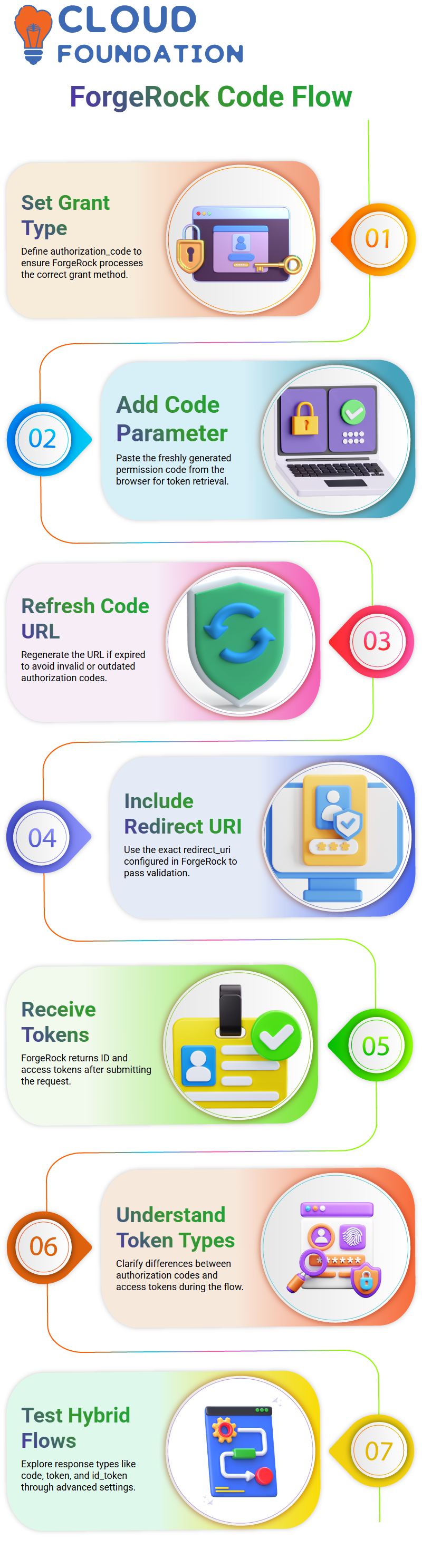
I then walk them through adding the redirect_uri argument.
I send them to the same redirect URL that we previously set up in Forgerock, which is often the same URL that was used to get the original permission code.
Because ForgeRock rigorously verifies the redirect_uri before providing a token, using the proper one is crucial.
Token Exchange Testing Within ForgeRock
ForgeRock replies with an ID token and an access token as soon as we press the transmit button.
I describe the differences between the authorization code and the access token, as well as how ForgeRock provides both at various phases of the process.
While code_id_token often works without issue, code_token sometimes throws an error.
This makes it easier for everyone to understand how hybrid flows are handled by ForgeRock and what to anticipate when experimenting with various response options.
Through the advanced settings of the ForgeRock client console, where response_type options such as code, token, id_token, and hybrid values are specified.
The Authorization Steps in ForgeRock
You need to verify basic details like folder locations, spacing, and the proper positioning of OAuth2 endpoints while using ForgeRock. When testing authorization flows, these little actions are crucial.
It becomes crucial to include the OAuth2 token info path in the URL at the correct location in Forgerock. Every section—parameters, headers, and authorization—must match the proper ForgeRock setup, I constantly stress when I walk you through tools like Postman.
ForgeRock requires the URL, client, and authorization mechanism to remain constant when you regenerate codes and tokens.

ForgeRock Training

Resolving Token and Client Problems in ForgeRock
When the client used to get the authorization, the code differed from the one used in the refresh token request. I have seen several students suffer.
The client ID must be the same everywhere since ForgeRock enforces consistency.
When I assist you in fixing it, I often ask you to pick the proper client ID you previously used by opening the permission tab in Postman.
ForgeRock delivers the right codes and tokens without any confusion after the client is aligned.
The process becomes seamless when we get a fresh authorization code, duplicate it, and trade it for an access token.
When the appropriate client and authorization type are used, ForgeRock simplifies the procedure.
I constantly urge them to review the sequence, change parameters, and properly paste scripts. The whole ForgeRock flow may be disrupted by a little discrepancy.
How to Interpret ForgeRock Token Introspection
I define introspection in ForgeRock as a means of examining the token and confirming its contents.
We may examine information such as the token type, expiration date, user ID, client ID, and username using Introspect.
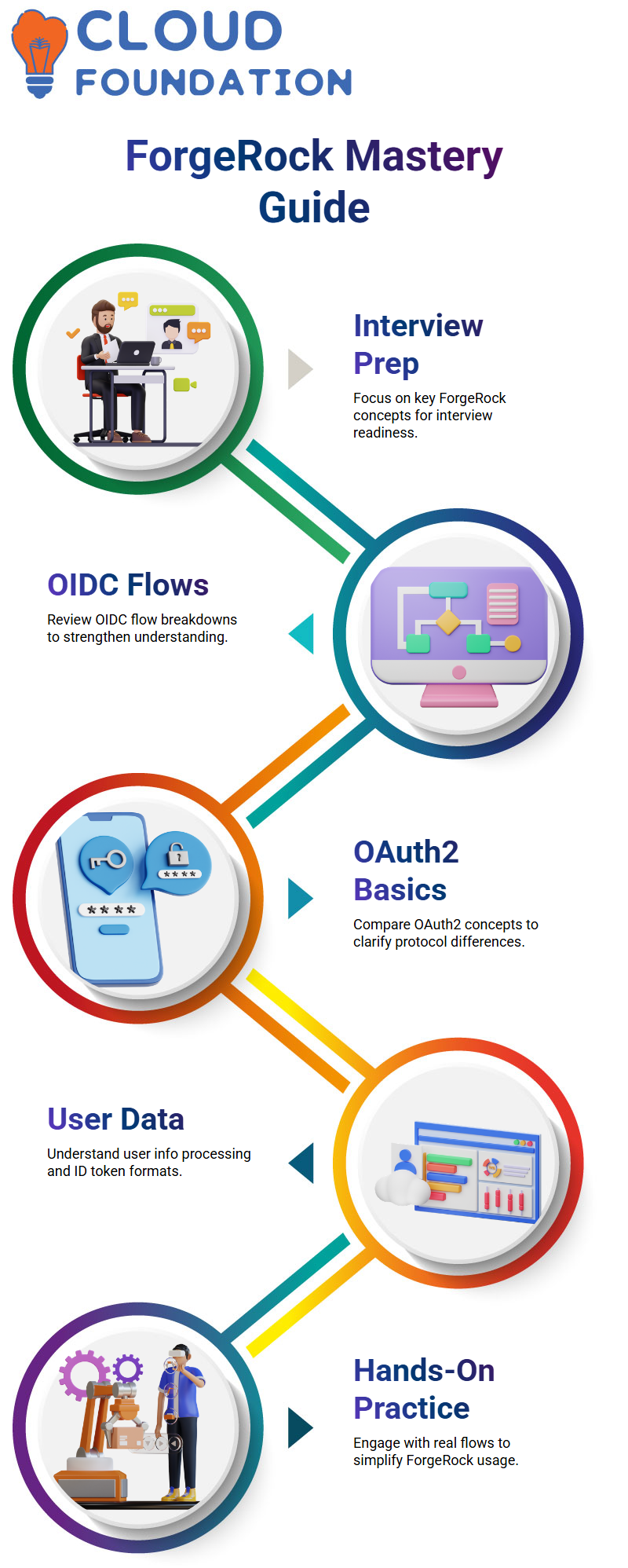
ForgeRock provides comprehensive information in response to a POST request made with the access token.
This aids in token validation before using it with any resource server.
When we do distinction between token information and introspection.
Introspect gives a more comprehensive collection of properties, token info is an older endpoint with less data.
You can see how ForgeRock provides more significant data in the introspection endpoint when I show you both.
This helps in determining who authenticated with the token and how it was issued.
ForgeRock Token Customisation
When an outside service needs more data within the token, this comes in handy.
I guide you through situations in which you might enhance the token prior to its arrival at the resource server.
Once you know where the REST requests fall in, it’s easy to customise token claims using Forgerock.
Claims inside the token play a major role in these movements.
You may start to comprehend how user information is sent to other systems after you see how ForgeRock organises these claims.
This enables you to operate inside the ForgeRock ecosystem and create better authentication journeys.

ForgeRock Online Training
OIDC Flow and ForgeRock User Information
I mostly depend on the user info endpoint to get extra characteristics and claims when I work with ForgeRock in real-world settings.
Imagine that you are examining these aspects in your own ForgeRock configuration with me as I lead you through this.
Through the ForgeRock user information API, you can directly request these additional claims.
I’ll be creating a client tomorrow and retrieving these details one by one so you can see the complete procedure in action.
We’ll test the complete OIDC flow within ForgeRock in our next session.
I want you to see the flow of the ID token and user data, as well as how ForgeRock displays these facts on different endpoints.
You’ll immediately see that even when working with hybrid grants or extended characteristics, ForgeRock maintains the usual framework.
OIDC Flow and OAuth Understanding in ForgeRock
You’ll see that OIDC still closely complies with OAuth2 when you explore it inside Forgerock.
ForgeRock adds a new group of characters carrying out different phases, but the basic flow stays the same.
I often point out how ForgeRock keeps the structure tidy and predictable while streamlining the interface points when comparing OAuth2 and OIDC.
In order to understand how ForgeRock improves OIDC, I suggest that you review the OAuth2 basics tomorrow.
ForgeRock clearly distinguishes the differences between the two flows: structured ID tokens, extra identity layers, and new actors.
When preparing for actual interviews or technical conversations regarding Forgerock, these differences are important.
Workflow for ForgeRock Interview Preparation and Learning
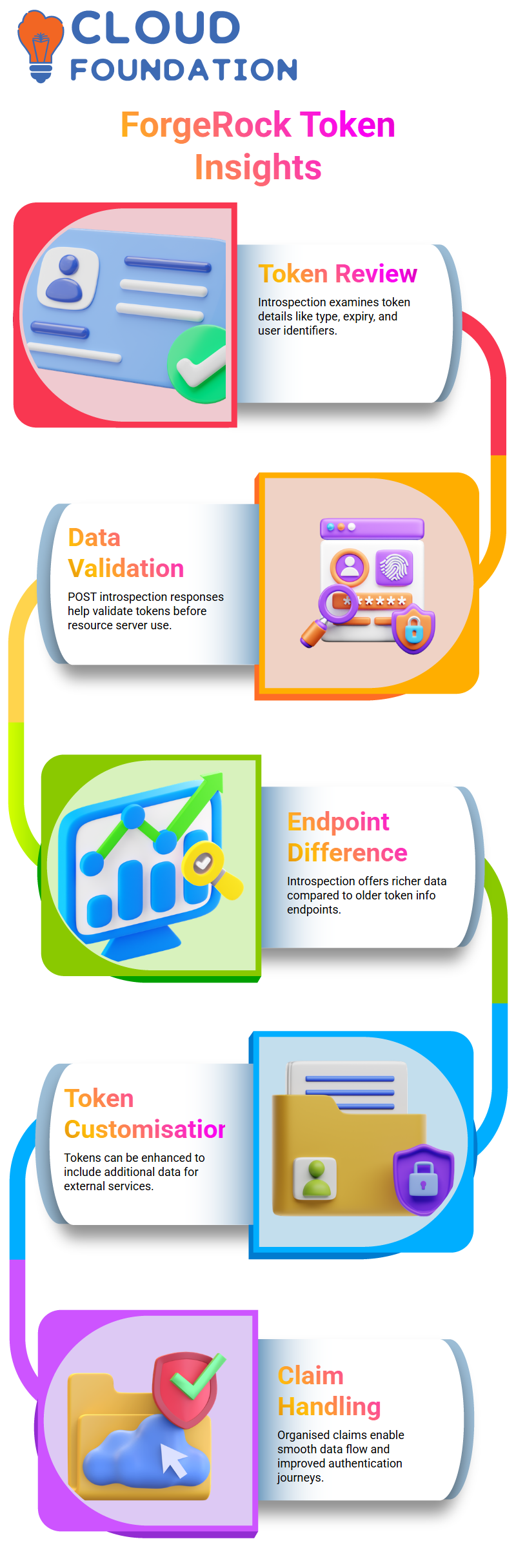
A lot of you inquire about how to be ready for ForgeRock interviews, particularly when the topics of OIDC and OAuth2 distinctions are covered.
The essential ForgeRock information you require—OIDC flow breakdowns, OAuth2 comparison, user information processing, ID token formats, and actual cases.
Where ForgeRock settings are significant is already included in the existing PowerPoint.
As you continue to study, go over these subjects often since the more you engage with the flows directly, the simpler ForgeRock becomes.
I want you to be at ease discussing Forgerock, showcasing Forgerock, and debugging Forgerock in authentic settings.

ForgeRock Course Price

Vanitha
Author