ForgeRock Online Training For Beginners
Real Authentication Flows in ForgeRock
I like to use ForgeRock as the primary example to make you understand how authentication truly works, since it makes each step easier to understand.
Let’s say you are using a service that requires user authentication, such as Paytm.
Using ForgeRock, I follow the authentication request from the dependent party step-by-step so that everyone can observe how the whole chain proceeds.
The end user is routed to authenticate with AM once the authentication request is sent.
Since AM already keeps the identity, client data, and other attributes, I draw attention to how ForgeRock handles this.
From the user’s point of view, the procedure is seamless as ForgeRock manages the verification when the user inputs their credentials.
How Authorisation and Authentication Are Managed by ForgeRock
Following user authentication, ForgeRock notifies the OpenID provider of the authentication and authorisation request.
Here, I always draw attention to the consent stage, which occurs after the user selects Allow.
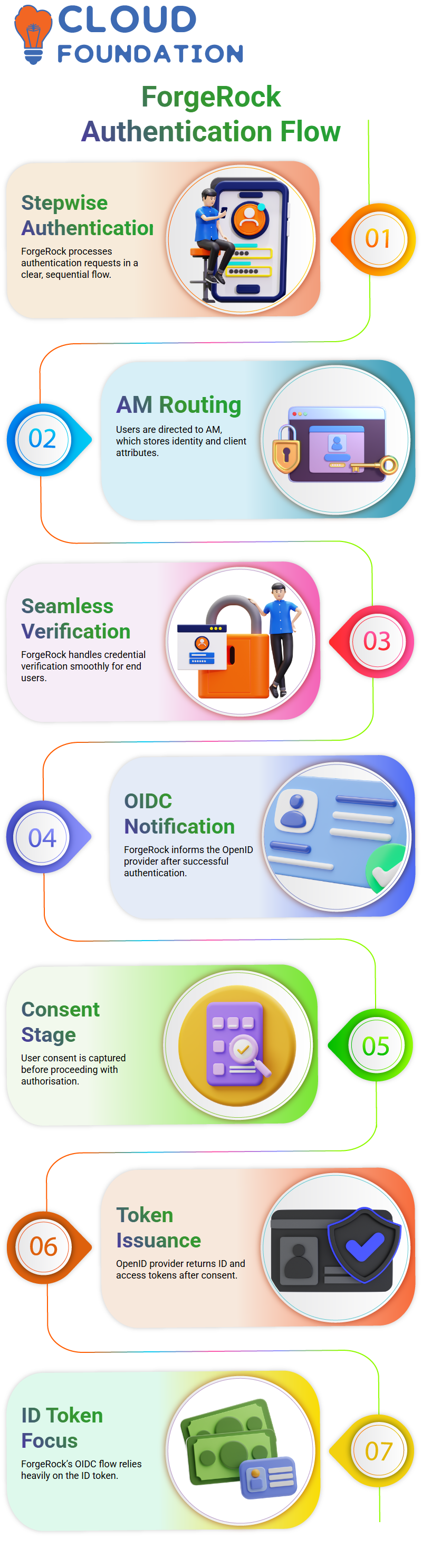
That’s precisely where ForgeRock gets user consent before moving further.
The ID token and access token are returned by the OpenID provider when consent is finished.
I want to emphasise that, in contrast to plain OAuth2, Forge Rock’s OIDC flow significantly depends on the ID token.
Accessing User Data with ForgeRock
The dependent party may request user information from ForgeRock after they have the ID token and access token.
How ForgeRock retrieves user information, including username, given name, and other properties, by showing them the user info endpoint.
ForgeRock returns these facts as claims after retrieving them. I like describing assertions as brief excerpts from a user’s profile.
ForgeRock gives us a great deal of flexibility by allowing us to increase or decrease claims based on the requirements of an application.

ForgeRock Training

Using ForgeRock’s Claims and Profiles
I advise you to consider claims to be selected information from a user profile.
Each of these claims, which are provided back to the relying party by ForgeRock, represents important user data that programs depend on.
In fact, we have control over what an application may learn about the user whenever we make changes to claims in Forge Rock.
Students are better able to comprehend the need for identification systems to be safe and privacy-focused thanks to this degree of control.
Why Use ForgeRock for Authentication
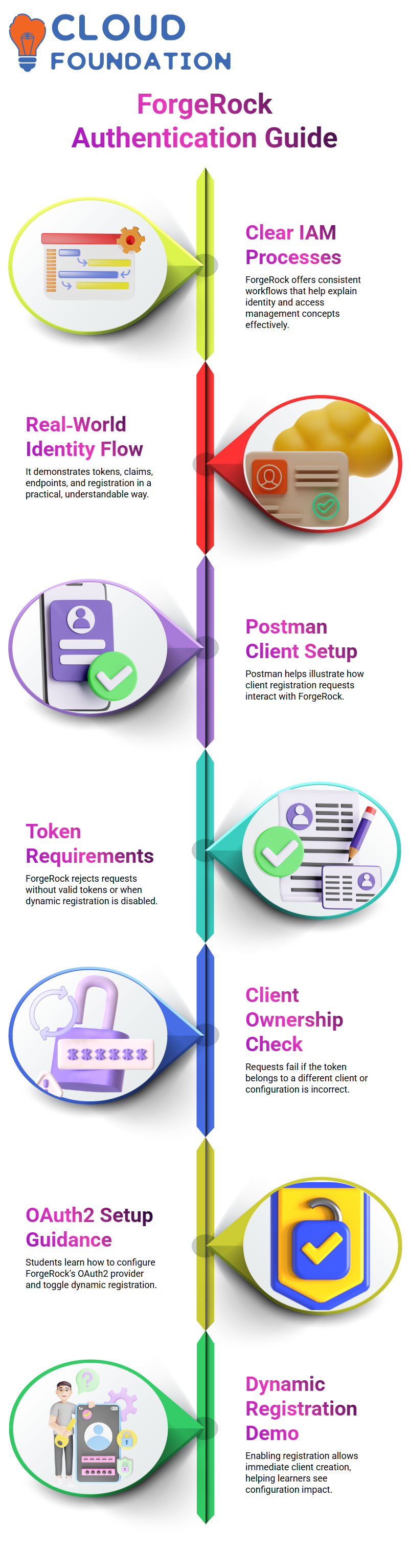
I use ForgeRock a lot when I teach identity and access management because it provides me with clear, consistent processes while also revealing the intricate workings behind the scenes.
From tokens to claims, from user information endpoints to dynamic client registration, from authentication to authorisation.
ForgeRock enables me to illustrate real-world identity operations in a manner that students can easily understand.
Using Postman to Register Clients with ForgeRock
When the request is prepared, I display the class, press submit, and watch to see how ForgeRock responds.
Learners often get an access token problem, so I explain that if dynamic registration is not enabled, ForgeRock requires a valid token.
The request is immediately rejected if the token is owned by a different client or if ForgeRock is not properly set up.
I therefore guide everyone through Forge Rock’s OAuth2 provider setup. I turn on and off the dynamic client registration feature.
ForgeRock starts accepting new client creation via Postman as soon as I activate it.
One minute it fails, and the next minute ForgeRock produces a new client with the identical name and redirect URI we supplied. I make sure students understand the difference.

ForgeRock Online Training
How ForgeRock Manages the Backend Client Creation Process
In the past, we had to manually create each client using the ForgeRock interface. I recall continuously clicking ‘Add Client’ and submitting information.
You just make a structured request from Postman, and ForgeRock changes its system instantly, saving me the trouble of browsing through panels.
I want to make it clear that ForgeRock handles the Postman request just as a console action would.
All other properties, including client names and redirect URIs, are saved in the same manner as if the client had been established by hand.
When working in huge contexts, my students often notice how much quicker and more reliable this strategy becomes.
Using ForgeRock Dynamic Registration in the Real World
I often point out that manual creation is seldom used in real-world ForgeRock applications.
No one goes into the ForgeRock panel to construct clients one at a time when a corporation is managing hundreds of OIDC customers, as I have seen with one system that had over 400.
Rather, developers or automated workflows may easily establish clients without interacting with the ForgeRock UI by relying on the dynamic registration API.
Teams simply need the endpoint URL, appropriate access, and ForgeRock operating with dynamic registration enabled in production situations.
Any service may therefore create a client on demand.
I’ve shown my pupils how ForgeRock manages the creation instantaneously and maintains consistency while using Postman or any other REST client.
The Significance of ForgeRock Dynamic Client Registration
ForgeRock guarantees that each client adheres to the same structure and validation guidelines via dynamic registration.
This facilitates application growth, particularly when many teams rely on ForgeRock to authenticate various OIDC apps.
Developers may add new clients without going into the console, and a single ForgeRock installation can manage hundreds of clients.
They provide the client’s name, client ID, redirect URI, and other necessary information via Postman, and ForgeRock takes care of the rest.

ForgeRock Course Price

Vanitha
Author