SAP SuccessFactors API Training
Introduction
This blog is part of our full series on how to connect SAP SuccessFactors APIs. This guide focuses on how to safely, effectively, and on a large scale get employee data.
If you’re making HR software, integrating workforce data into your internal systems, syncing employee information, or powering analytics dashboards, you need to know how to use the SuccessFactors OData API correctly.
We learn about
Using OAuth 2.0 for authentication
Getting the files of some workers
Getting a lot of employee data at once
Filtering and pagination
Common problems and how to fix them
Best ways to keep things safe and running smoothly
How to Retrieve Employee Data from SAP SuccessFactors API
Requirements
Before you start, make sure you have:
SAP SuccessFactors instance
API login information
Client ID Client Secret
API permissions turned on: Correct OData API access/Required role-based permissions (RBP)
Python environment
If you need to, install requests by running the following command:
Getting to Know the API Structure
SAP SuccessFactors uses the OData v2 API framework.
Typical Endpoints Endpoint for Use Case /odata/v2/PerPerson({employeeId}) Single Employee
Every Worker /odata/v2/PerPerson
Most of the time, your basic URL looks like this:
You can get to SuccessFactors.com by going to https://.
Always check the URL of your regional data centre.
Step 1: Authenticate Using OAuth 2.0
You must use OAuth 2.0 to receive an access token before you may contact any API endpoint. SAP SuccessFactors support the Client Credentials Grant for server-to-server communication.
Create access token import requests, for instance.
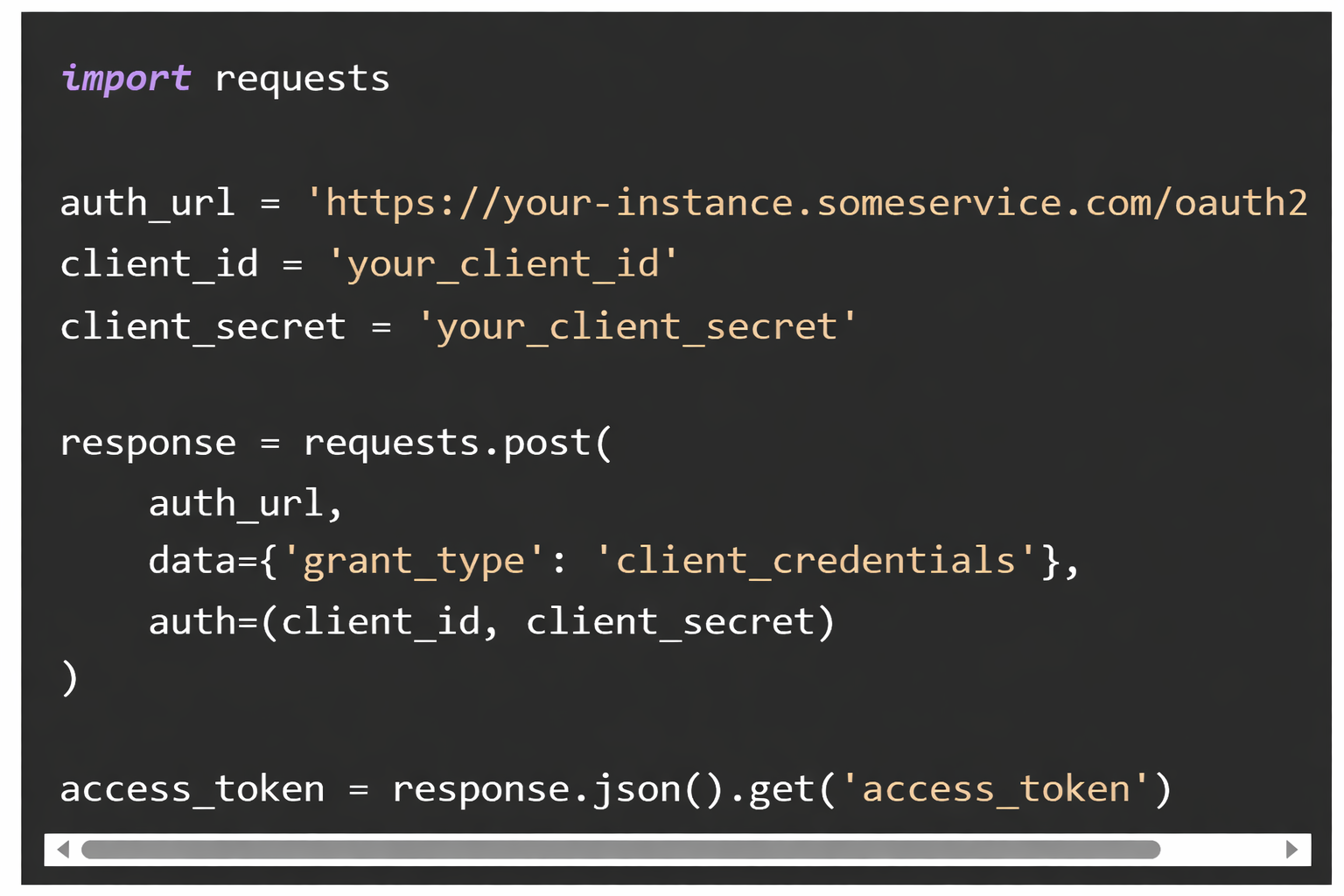
Important Notes
Tokens last for a short time.
Put them in a safe place.
Refresh them before they run out.
Credentials should never be hardcoded in production.
Step 2: Retrieve Data for a Specific Employee
Utilise the employee’s unique identification to get a single employee record.
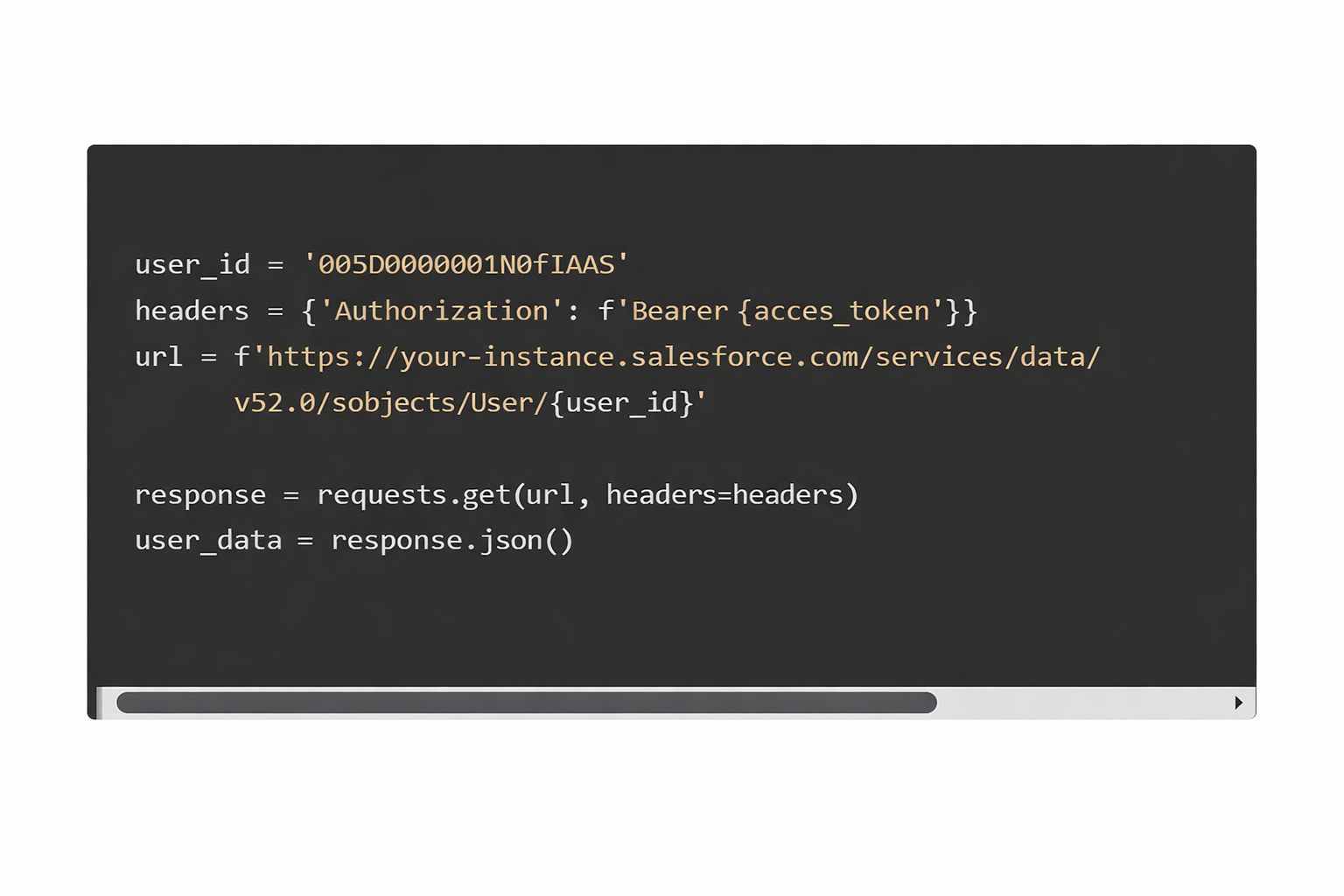 What You Get
Structured JSON data is returned by the API and includes: • Individual data • Employment information.
• Contact details
• Workplace connections (if extended)
OData $expand may also be used to get related things, such as job or employment data.
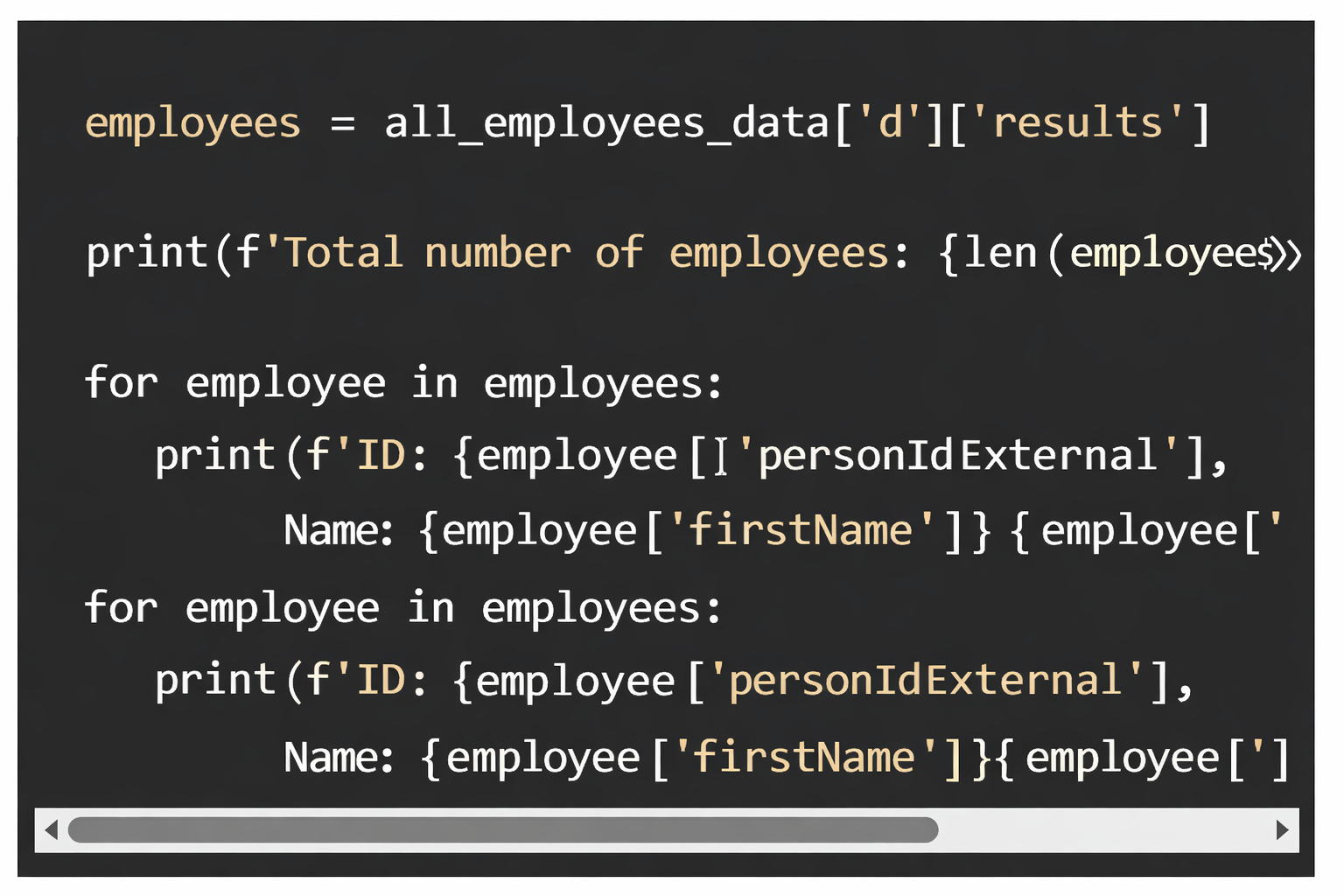
Step 3: Get Information for Every Employee
To retrieve every worker in your company:
Filtering Employee Data
OData offers robust query choices.
Filter Active Employees, for instance.

SAP Successfactors API Training

Common Pitfalls to Avoid
The base URL is wrong
Always make sure that your domain is specific to your instance.
Tokens That Have Expired
Set up a way for tokens to automatically refresh when they run out.
There are no Role-Based Permissions (RBP)
Make sure that the person using your API can get to:
OData API
Main entities for workers
The wrong number for the employee’s ID
Use in some cases:
personIdExternal
userId
personGUID
Check your setup.
Not using pagination
Without pagination, bulk queries can:
Don’t
A break
Limits on how many hits
Limits on API Rates
SAP puts throttling in place based on the level of your license.
Put into action:
Backoff that grows quickly
Reason for retry
How to handle HTTP 429 errors
Not parsing JSON correctly
Always check to see if “d” is in the response. Json ():
Best Practices for Production Integration
Use environment variables for credentials.
Start using organised logging.
Tokens for cached access
Use a pool of connections
Watch how long it takes for APIs to respond.
Use retry policies with exponential backoff.
Check each answer before parsing it.
Use HTTPS only.
(FAQs)
What is the base URL for the SAP SuccessFactors API?
The base URL is different for each regional data centre:
The base URL changes depending on where your data centre is located:
You can go to SuccessFactors.com by going to https://.
Check your admin centre to find out what the exact domain is.
How do I obtain API credentials?
To: Talk to the SAP SuccessFactors administrator about creating an OAuth client account.
Make a client ID.
Make a secret for your client.
Set the right permissions for the API.
What format does the API return?
Every answer is sent back as JSON.
Can I retrieve only specific employee fields?
Yes, you can retrieve only specific employee fields in SAP SuccessFactors using OData query parameters such as:
$select – to specify which fields to return
$filter – to retrieve records that meet certain criteria
$expand – to include related entities

SAP Successfactors API Online Training
The following arguments may be used to achieve pagination:
$top: Indicates the batch size, or number of records to get in a single request.
$skip – Before fetching the subsequent batch, skips a certain number of rows.
Is there an API rate limit?
Yes. Your contract and system setup will determine the limits. For your tenant, see the official SAP documentation.
How do I refresh an access token?
When the current token runs out, call the OAuth token endpoint again with client credentials.
Simplifying SAP SuccessFactors Integration
Integrating with SAP SuccessFactors can be complex and resource-intensive. From handling authentication tokens to keeping up with API changes and maintenance, teams often spend more time managing the integration than building impactful solutions.
With Knit, the process becomes simple.
A Smarter Way to Integrate
Connect Once
Establish a single connection and gain seamless access to SAP SuccessFactors data.
Automated Authentication & Authorisation
No more manual token management. Knit handles it for you.
Ongoing API Maintenance
Stay up to date automatically as APIs evolve, without additional engineering effort.
Unified & Secure Access
Access data through one standardised, secure interface designed for scalability.
By removing the operational burden of integration management, Knit enables your team to focus on building powerful employee experiences, not maintaining backend connections.

SAP Successfactors API Course Price

Vanitha
Author
The capacity to learn is a gift; the ability to learn is a skill; the willingness to learn is a choice